

Struggling to communicate across languages?
Whether closing international deals, traveling abroad, or expanding globally—language barriers waste time, cost money, and damage relationships. Yet finding the right AI language translator is overwhelming with dozens of options.
This guide reveals the 5 best AI language translators, accuracy rates, and when to use each one to eliminate language barriers instantly.
Why AI Language Translator Matters
The business impact:
- 71% of global workforce speaks multiple languages
- Companies supporting 5+ languages: 3x higher revenue growth
- Language barriers: $550B+ annual cost globally
- AI translators reduce costs by 80% vs. human translators
The challenge:
- Generic translators produce literal, awkward text
- 8-10% error rates (significant for business)
- Missing cultural nuance and context
- No real-time capability for conversations
The solution:
- Advanced AI language translators designed for accuracy
- Real-time capability for instant communication
- Context-aware translation understanding nuance
- Integration with business tools (email, video, messaging)
5 Best AI Language Translators
1. Transync AI — Real-Time Conversation
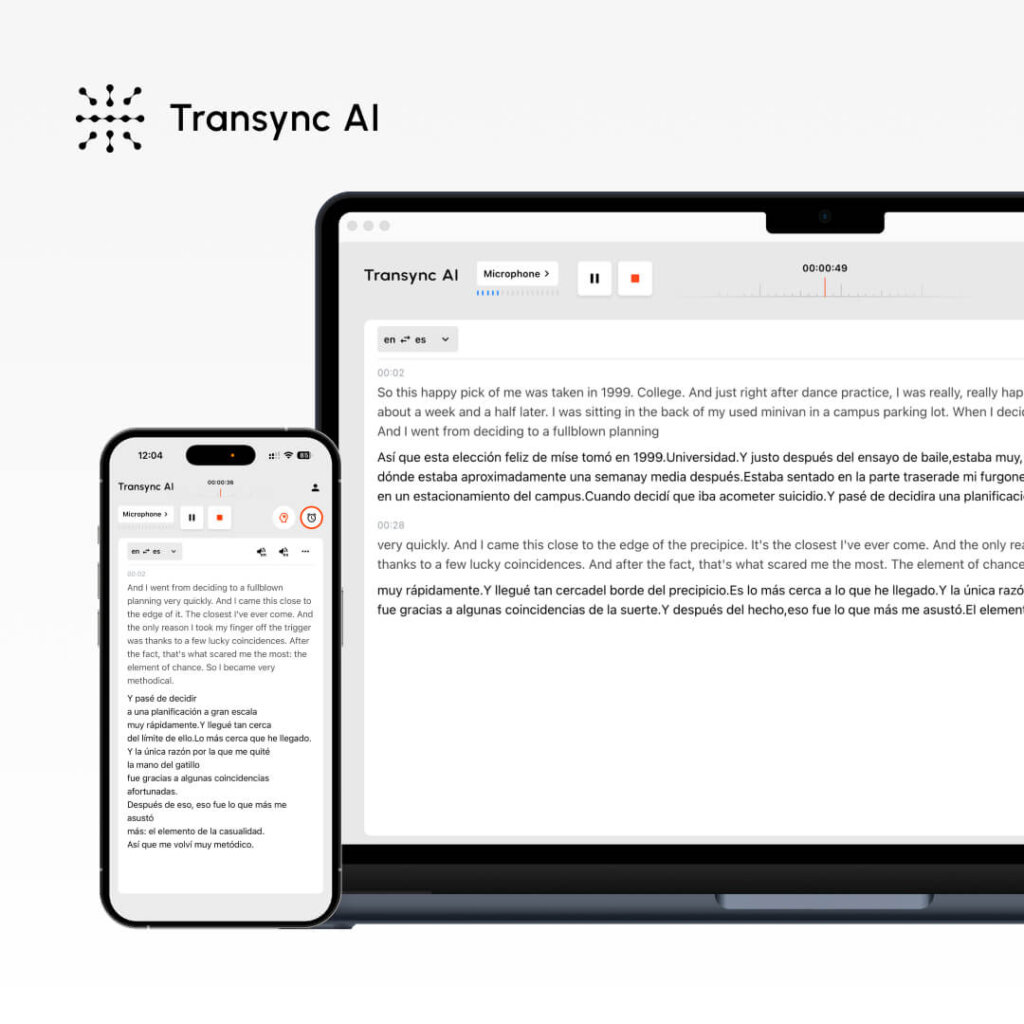
What it is: Real-time AI language translator with natural voice output
Core features:
- ✅ <100ms latency (imperceptible delay)
- ✅ 60 languages supported
- ✅ Natural voice quality (9.1/10 rated)
- ✅ Dual-screen display (both languages visible)
- ✅ Automatic meeting notes generated
- ✅ AI keyword assistant (improve accuracy)
- ✅ Mobile app (iOS, Android, Web)
How it works:
- Select source language (Spanish, Mandarin, etc.)
- Start conversation
- <100ms latency translation occurs
- Both parties hear natural translation in real-time
- Automatic meeting minutes saved
Best for: Sales calls, team meetings, customer support, negotiations
Accuracy: 95-99% (with keywords + context)
Pricing:
- Personal: $8.99/month (10 hours)
- Enterprise: $24.99/seat/month (40 hours + GDPR)
- Free trial: 40 minutes (no card required)
Unique advantage: Only translator offering <100ms latency (competitors: 150-300ms)
2. DeepL — Highest Document Accuracy
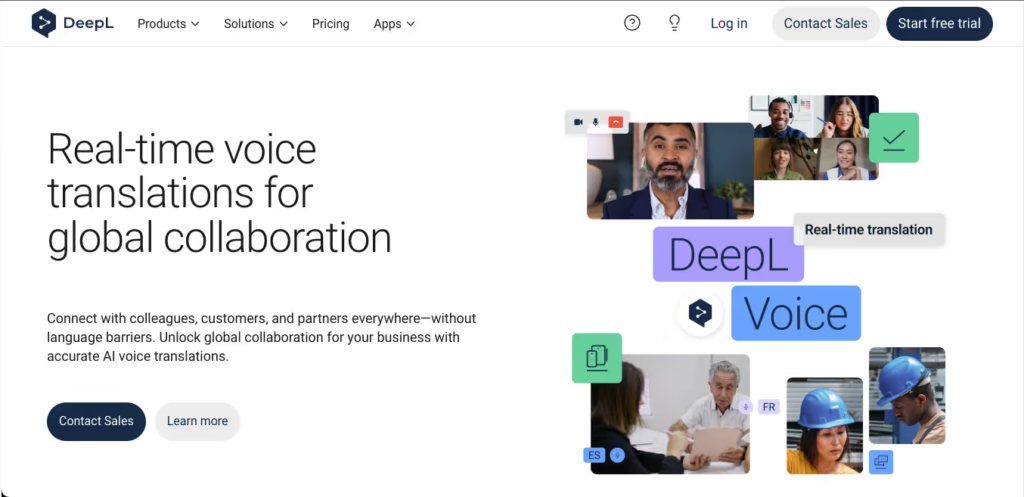
What it is: Most accurate AI translator for written content (94% accuracy)
Core features:
- ✅ 94% accuracy (best-in-class for text)
- ✅ 30+ languages
- ✅ Document upload (PDF, Word, PowerPoint)
- ✅ Formatting preserved automatically
- ✅ Glossary feature (custom terminology)
- ✅ Free (500k chars/month) or $8.99/month
How it works:
- Go to deepl.com
- Upload document or paste text
- Select language pair
- Get high-accuracy translation instantly
- Download or copy result
Best for: Business documents, contracts, professional content
Accuracy: 94% ✅
Pricing: Free (500k chars) or $8.99/month
👉 DeepL
3. Google Translate — Fastest & Most Versatile

What it is: Fast, free translator supporting 130+ languages
Core features:
- ✅ 130+ languages (most extensive)
- ✅ Voice input (speak to translate)
- ✅ Camera translation (point at text)
- ✅ Document upload
- ✅ Offline mode available
- ✅ Zero cost
- ✅ Works all devices
How it works:
- Go to translate.google.com
- Input text, voice, or upload document
- Select source & target language
- Get instant translation
- Copy or listen to pronunciation
Best for: Quick reference, any language pair, travel
Accuracy: 92%
Pricing: Free
4. ChatGPT — Context-Aware & Tone Preservation
What it is: AI language translator preserving meaning, tone, and context
Core features:
- ✅ Context-aware translation
- ✅ Tone & style preservation (excellent for marketing)
- ✅ Explains translation decisions
- ✅ Custom instructions (company terminology)
- ✅ $20/month subscription
- ✅ Web, mobile, API access
How it works:
- Write prompt: “Translate to [language] preserving [tone]: [text]”
- ChatGPT translates with understanding
- Review translation
- Request revisions if needed
Best for: Marketing content, brand messaging, nuanced communication
Accuracy: 93-95%
Pricing: $20/month
👉 ChatGPT
5. Microsoft Translator — Enterprise Integration
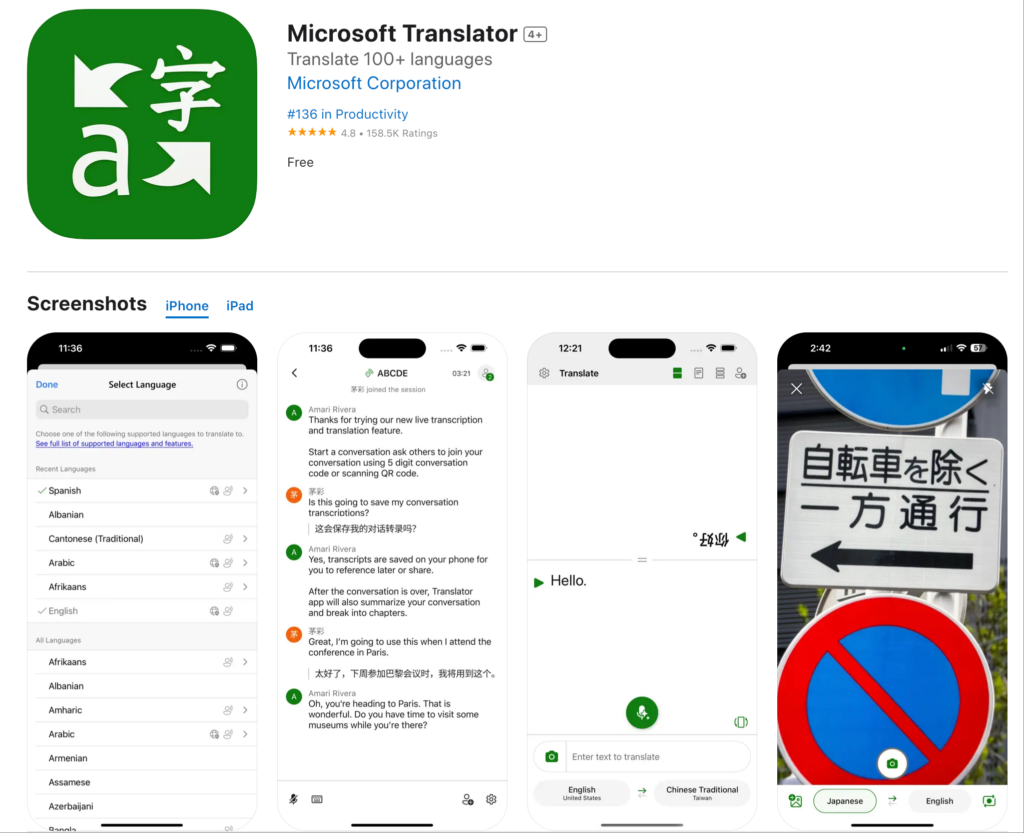
What it is: Enterprise AI translator integrated with Office 365, Teams
Core features:
- ✅ Real-time translation in Teams meetings
- ✅ Document translation with formatting
- ✅ 130+ language pairs
- ✅ Integration with Word, Outlook, PowerPoint
- ✅ Custom terminology (industry-specific)
- ✅ Enterprise pricing available
- ✅ Free version available
How it works:
- Install Microsoft Translator plugin
- Highlight text in Word/Outlook
- Select target language
- Get instant translation inline
- Accept or modify as needed
Best for: Microsoft ecosystem users, enterprise deployment
Accuracy: 91%
Pricing: Free or enterprise custom pricing
AI Language Translator Comparison
| Translator | Best For | Accuracy | Speed | Cost | Real-Time |
|---|---|---|---|---|---|
| Transync AI | Conversations | 95-99% | <100ms | $8.99/mo | Yes ✅ |
| DeepL | Documents | 94% ✅ | Instant | Free/$8.99 | No |
| Quick reference | 92% | Instant | Free ✅ | No | |
| ChatGPT | Marketing/tone | 93-95% | Instant | $20/mo | No |
| Microsoft | Enterprise | 91% | Instant | Free/Custom | Yes ✅ |
4 Translation Methods for Different Needs
Method 1: Real-Time Conversation (Business)
- Tool: Transync AI
- Accuracy: 95-99%
- Speed: <100ms (imperceptible)
- Cost: $8.99/month
- Best for: Sales calls, meetings, negotiations
- Setup: 2 minutes
Method 2: Document Translation (Professional)
- Tool: DeepL
- Accuracy: 94%
- Speed: Instant
- Cost: Free (500k chars) or $8.99/month
- Best for: Contracts, proposals, manuals
- Setup: 5 minutes
Method 3: Quick Reference (Travel)
- Tool: Google Translate
- Accuracy: 92%
- Speed: Instant
- Cost: Free
- Best for: Menu reading, directions, quick phrases
- Setup: 0 minutes
Method 4: Marketing Translation (Brand Voice)
- Tool: ChatGPT
- Accuracy: 93-95%
- Speed: Instant
- Cost: $20/month
- Best for: Website copy, marketing campaigns
- Setup: 5 minutes
Real Scenarios: AI Language Translator Usage
Scenario 1: International Sales Call
You're closing €50K deal with Spanish prospect.
Solution:
1. Open Transync AI
2. Select Spanish
3. <100ms latency translation activates
4. Professional conversation ensues
5. Deal likely closes (no language barriers)
Result: Natural, professional communication
Cost: $0.30 (from monthly subscription)
Time: Setup 2 min + call time
Scenario 2: Contract Translation
You received contract in German, need English.
Solution:
1. Upload to DeepL.com
2. Select German → English
3. Get 94% accurate translation instantly
4. Have legal review (30 min)
5. Sign with confidence
Result: Professional-quality translation
Cost: Free (or $0.30/month)
Time: 15 minutes total
Scenario 3: Travel Abroad
You're in Tokyo, need menu translation.
Solution:
1. Open Google Translate app
2. Point camera at menu
3. See English translation overlay
4. Order confidently
5. Enjoy meal
Result: Instant understanding
Cost: Free
Time: 10 seconds
Scenario 4: Website Localization
You're expanding to Spanish market.
Solution:
1. Use ChatGPT for marketing-quality translation
2. Preserve brand voice & tone
3. Native Spanish marketer reviews (30 min)
4. Publish with confidence
5. Resonate with Spanish audience
Result: Professional, culturally appropriate content
Cost: ~$0.67 (from $20/month ChatGPT)
Time: 45 minutes
Common AI Translation Mistakes
❌ Mistake 1: Using free translators for business-critical content
- 92% accuracy insufficient for contracts
- Solution: Use DeepL (94%) + professional review
❌ Mistake 2: Ignoring cultural/regional differences
- Spanish (Spain) ≠ Spanish (Mexico) terminology
- Solution: Specify target region, use native review
❌ Mistake 3: Trusting AI 100% without verification
- 8% error rate = significant mistakes
- Solution: Cross-check with 2+ tools, human review
❌ Mistake 4: Using same tool for all scenarios
- One-size-fits-all fails (documents vs. calls vs. marketing)
- Solution: Match tool to specific need
Key Takeaways
| Your Need | Best AI Translator | Accuracy | Cost | Time |
|---|---|---|---|---|
| Sales call today | Transync AI | 95-99% | $8.99/mo | 2 min setup |
| Contract translation | DeepL | 94% | Free | 10 min |
| Quick travel phrase | Google Translate | 92% | Free | Instant |
| Marketing copy | ChatGPT | 93-95% | $20/mo | 10 min |
| Team collaboration | Microsoft Translator | 91% | Free | 5 min setup |
Getting Started: 3-Step Plan
Step 1: Identify Your Need (5 min)
- Real-time conversations? → Transync AI
- Professional documents? → DeepL
- Quick reference? → Google Translate
- Marketing content? → ChatGPT
- Enterprise teams? → Microsoft Translator
Step 2: Start Free Trial (2 min)
- Most tools offer free trials or free versions
- Test with real content
- Evaluate quality and speed
Step 3: Deploy & Scale (this week)
- Subscribe to chosen translator
- Train team on usage
- Monitor translation quality
- Adjust as needed
Conclusion: AI Language Translator
Language barriers are disappearing—AI language translators make global communication effortless.
The right translator depends on your specific need:
- Real-time conversations? → Transync AI (<100ms latency)
- Professional documents? → DeepL (94% accuracy)
- Quick reference? → Google Translate (free)
- Marketing content? → ChatGPT (tone preservation)
- Enterprise teams? → Microsoft Translator (integration)
Don’t let language limit growth:
✅ Transync AI – Fastest real-time conversations ✅ DeepL – Most accurate documents ✅ Google Translate – Most versatile & free ✅ ChatGPT – Best tone preservation ✅ Microsoft – Best enterprise integration
Start today:
- Pick your most common translation need
- Try recommended translator
- Experience 95%+ accuracy
- Eliminate language barriers
- Go global confidently 🌍
If you want a next-generation experience, Transync AI leads the way with real-time, AI-powered translation that keeps conversations flowing naturally. You can try it free now.

