Can I Use AI Interpreter with Zoom Without Plugin Installation?
Introduction: Enhancing Communication in Zoom Meetings
In today’s global landscape, effective communication across different languages is crucial, especially during virtual meetings. As businesses rely on platforms like Zoom for video conferencing, the demand for AI interpreters that can facilitate real-time translation is growing. One pertinent question arises: Can you use an AI interpreter with Zoom without needing to install additional plugins?
This article delves into the practicality of using AI interpreters with Zoom without the hassle of plugin installation, exploring available options and highlighting key features.
Understanding AI Interpreters and Zoom Integration
AI interpreters are advanced tools that provide real-time translation of spoken language, making them invaluable for multilingual meetings. While many AI interpreters require plugins or additional software to function with platforms like Zoom, advancements have made seamless integration possible without requiring such installations.
Using AI Interpreters Without Plugin Installation
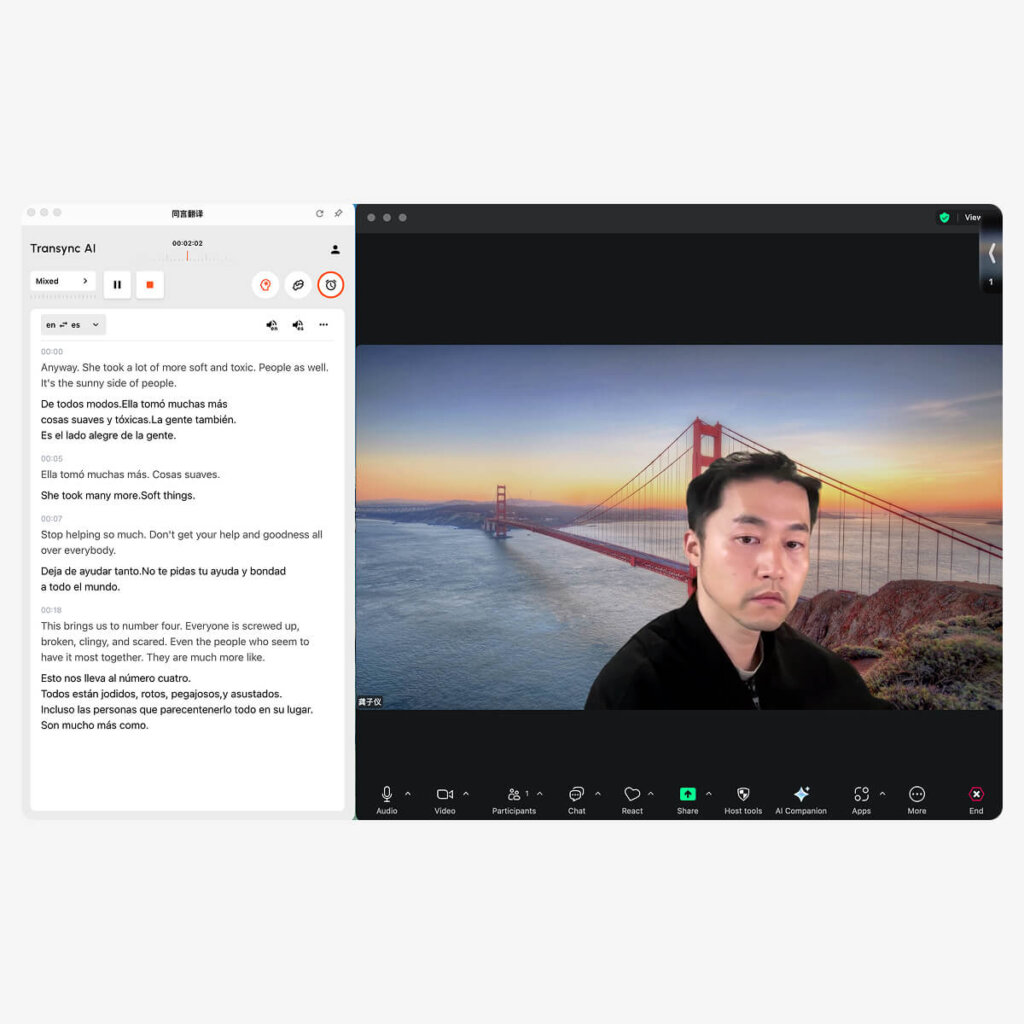
Some AI interpreters can be used directly within Zoom, allowing participants to benefit from real-time translations without cumbersome installation processes. Below are options available, particularly focusing on how Transync AI compares with other tools:
1. Transync AI
👉Transync AI
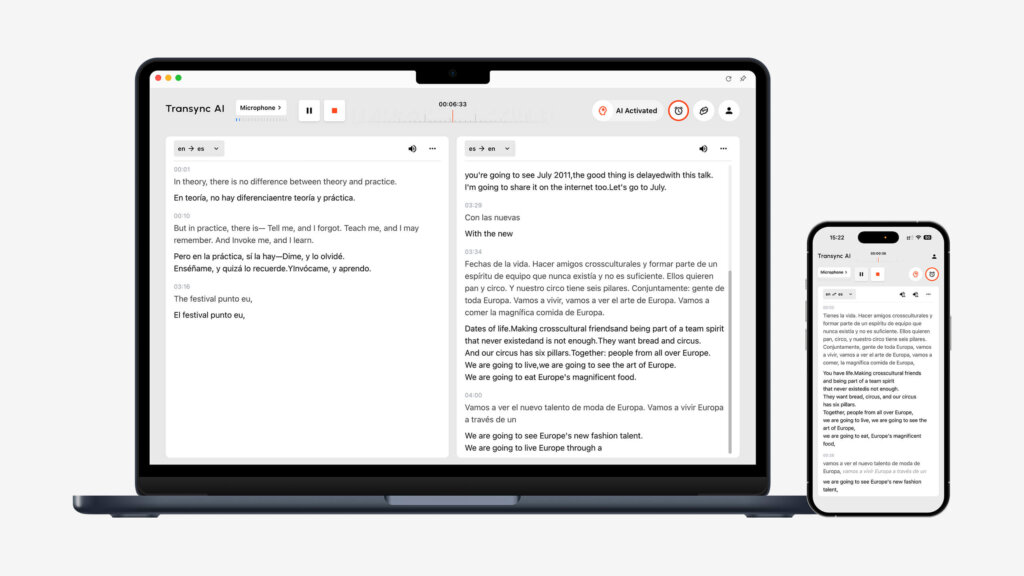
- Overview: Transync AI offers immediate translations directly within video calls. Users can access its features through a web interface, eliminating the need for a plugin.
- Key Features:
- Real-time translatioOverview: Transync AI offers immediate translations directly within video calls. Users can access its features through a web interface, eliminating the need for a plugin. Key Features:
- Real-Time Translation: Delivers translations quickly with over 95% accuracy.
- User-Friendly Interface: No specialized training required.
- Wide Language Support: Supports multiple languages smoothly during meetings.
- Collaboration Features: Allows users to share translations in real-time with meeting participants.
- 📹 View the tutorial
- Key Features:
2. Wordly

- Overview: Wordly is designed for real-time translation, especially in larger meetings and conferences.
- Key Features:
- Multiple Language Channels: Offers individual channels for each language, ideal for multilingual participants.
- Web-Based Access: No plugin installation required.
- Good for Large Meetings: Optimized for bigger audiences but may not be as user-friendly as Transync AI.
3. Papago
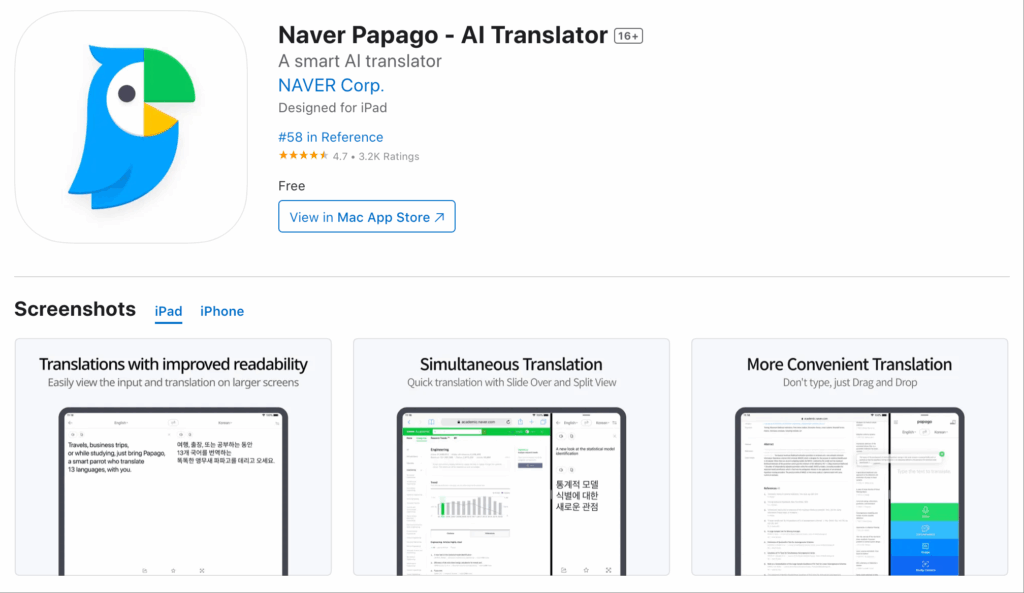
- Overview: Papago specializes in text and voice translations, providing basic support for video calls.
- Key Features:
- High-Quality Translations: Effective for conversational translations but lacks advanced features.
- Web-Based Functionality: No complex setups required.
- Limited Collaboration Features: May not support real-time sharing as efficiently as Transync AI.
4. JotMe
👉 JotMe
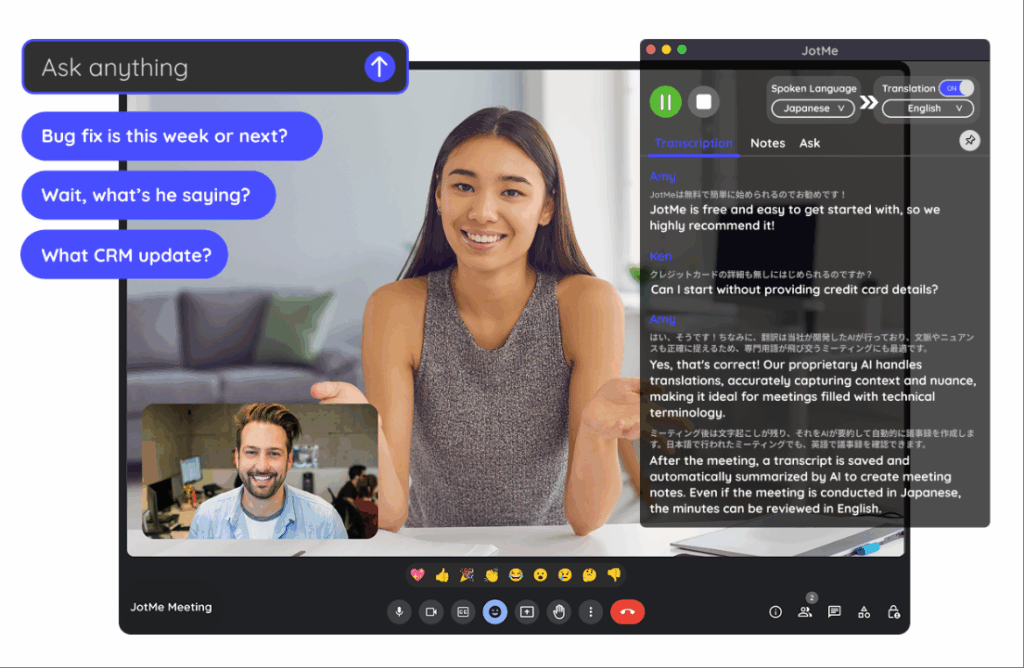
- Overview: JotMe combines note-taking with translation features, facilitating effective communication.
- Key Features:
- Simultaneous Translation with Notes: Allows for effective documentation while translating.
- Web Access: Easy integration into meetings.
- Less Focus on Translation Quality: Primarily a note-taking tool, translation capabilities are secondary.
5. Kudo
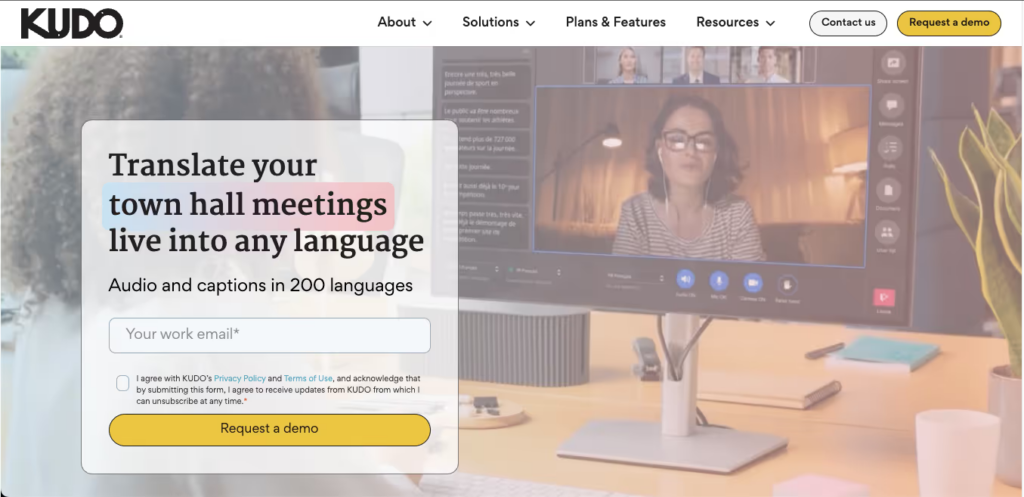
👉 Kudo
- Overview: Kudo offers professional interpretation services suitable for international meetings.
- Key Features:
- Simultaneous Interpreting: Professional interpreters handle multiple languages.
- Web-Based Access: No installation required allows ease of access.
- Costly for Smaller Teams: More suitable for larger organizations with a budget for professional services.
Comparison Table: AI Interpreters Compatible with Zoom
| AI Interpreter | Plugin Requirement | Real-Time Translation | Language Support | Ease of Use | Collaboration Features | Best For |
|---|---|---|---|---|---|---|
| Transync AI | No | Yes | Wide variety | Very user-friendly | Yes | Businesses seeking ease and efficiency |
| Wordly | No | Yes | Multiple languages | Moderate | Limited | Large conferences needing multiple languages |
| Papago | No | Yes | Basic support | User-friendly | No | Basic conversations without advanced needs |
| JotMe | No | Yes | Moderate | User-friendly | Yes | Teams needing documentation with translation |
| Kudo | No | Yes | Professional quality | Moderate | Yes | Large organizations requiring professional service |
Benefits of Using AI Interpreters Without Plugin Installation
- Ease of Use: By eliminating the need for plugins, setup time is minimized, and users can focus directly on their meetings.
- Accessibility: Users can quickly access AI interpreter tools, making it easier for smaller teams or spontaneous meetings where time is of the essence.
- Reduced Technical Issues: Fewer installation steps mean fewer chances of encountering technical problems, ensuring smoother meetings.
Q&A Section: Common Questions About AI Interpreters with Zoom
Q1: Can I really use an AI interpreter with Zoom without installing anything?
A: Yes, tools like Transync AI can be accessed via a web interface, allowing you to use them directly in Zoom without plugins.
Q2: Does it affect the quality of translation if I don’t use a plugin?
A: No, the quality of translation does not diminish with web-based access. Transync AI maintains high accuracy while being used live.
Q3: Are there limitations when using AI interpreters without plugins?
A: While many features are accessible, some advanced functionalities may be available only through dedicated applications or plugins.
Q4: How do I get started with an AI interpreter like Transync AI?
A: Just visit their website, create an account, and follow the prompts to run it in sync with your Zoom meetings.
Q5: Can these AI interpreters handle multiple languages during a single session?
A: Yes, many AI interpreters, including Transync AI, Wordly, and Kudo, are designed to handle multiple languages for seamless communication.
Q6: What devices can I use these translation apps on during Zoom meetings?
A: Most AI interpreters are accessible on both desktop and mobile devices, allowing users to engage in meetings from various platforms.
Conclusion: Streamlining Communication with AI Interpreters
Using an AI interpreter with Zoom without the need for plugin installations opens up opportunities for more inclusive and effective meetings. With tools like Transync AI leading the way alongside other competitors, real-time translations are more accessible than ever, ensuring that language barriers do not hinder productive collaboration.
As virtual meetings continue to play a crucial role in daily business operations, leveraging these technologies will enhance communication and engagement, paving the way for successful outcomes in a diverse work environment. Transync AI stands out for its user-friendly interface, real-time collaboration capabilities, and ease of access, making it the preferred choice for businesses aiming for efficiency in their multilingual interactions.
If you want a next-generation experience, Transync AI leads the way with real-time, AI-powered translation that keeps conversations flowing naturally. You can try it free now.