
What’s the best automatic translator currently available for professional use? The landscape changed dramatically in 2026.
Modern automatic translation has evolved beyond simple word-for-word conversion. Today’s leading solutions handle real-time conversations, complex technical terminology, cultural nuances, and seamless meeting integration—making them viable replacements for human interpreters in most scenarios.
But quality varies dramatically. Some automatic translators still produce robotic output with 2-3 second delays. Others achieve near-instant, natural translation that enables genuine real-time conversation.
This guide evaluates the best automatic translator currently available, comparing speed, accuracy, naturalness, integration capabilities, and real-world performance across professional use cases.
What Makes the Best Automatic Translator Currently?
Essential criteria for professional-grade automatic translation:
1. Speed (Real-Time Performance)
Gold standard: <100ms latency
- Enables natural conversation flow
- No awkward pauses or delays
- Faster than human reaction time
Unacceptable: 2-3 second delays
- Disrupts conversation rhythm
- Creates confusion in meetings
- Feels robotic and unnatural
Why it matters: In a 60-minute meeting, 3-second delays add up to 15+ minutes of dead air time. Real-time translation transforms communication.
2. Accuracy (Context-Aware Translation)
Professional requirement: 95%+ accuracy
- Understands context beyond individual words
- Handles idioms and business terminology
- Adapts to conversation topic changes
- Respects cultural nuances
Consumer-level: 75-85% accuracy
- Word-for-word literal translation
- Misses context and meaning
- Struggles with technical terms
- Creates miscommunication risks
Why it matters: A 90% accurate translator gets 1 in 10 sentences wrong—potentially disastrous for contracts, medical advice, or technical discussions.
3. Naturalness (Voice Quality)
Best-in-class: Human-like voice synthesis
- Natural intonation and rhythm
- Appropriate tone and formality
- Regional accent support
- Emotional nuance preserved
Basic automatic translators: Robotic synthetic voice
- Monotone delivery
- Unnatural cadence
- Difficult to understand
- Reduces listener engagement
Why it matters: Natural voice keeps participants engaged. Robotic voices trigger listener fatigue and reduced comprehension.
4. Language Support (Breadth & Depth)
Comprehensive coverage: 50-60+ languages
- Major business languages
- Regional variants (Mexican Spanish vs. Castilian)
- Bidirectional translation
- Simultaneous multilingual sessions
Limited translators: 10-20 languages
- Missing key regional languages
- No variant recognition
- One direction only
Why it matters: Global teams need comprehensive language support. The best automatic translator currently should handle your entire organization’s language needs.
5. Integration (Seamless Workflow)
Professional-grade: Native platform integration
- One-click Zoom/Teams/Meet activation
- <5 minutes setup
- No additional software required
- Automatic session recording
Consumer tools: Manual workarounds
- Complex setup processes
- Separate applications
- Screen sharing required
- No automatic documentation
Why it matters: Integration friction prevents adoption. The best automatic translator currently should disappear into your existing workflow.
6. Documentation (Intelligent Records)
Advanced features:
- Automatic transcripts in all languages
- Speaker identification with timestamps
- AI-generated meeting summaries
- Action item extraction
- Searchable, exportable format
Basic translators:
- No documentation
- Manual notes required
- No transcript export
Why it matters: Translation value extends beyond live conversation. Documentation ensures accountability, compliance, and reference.
Best Automatic Translator Currently: 2026 Rankings
🥇 #1: Transync AI
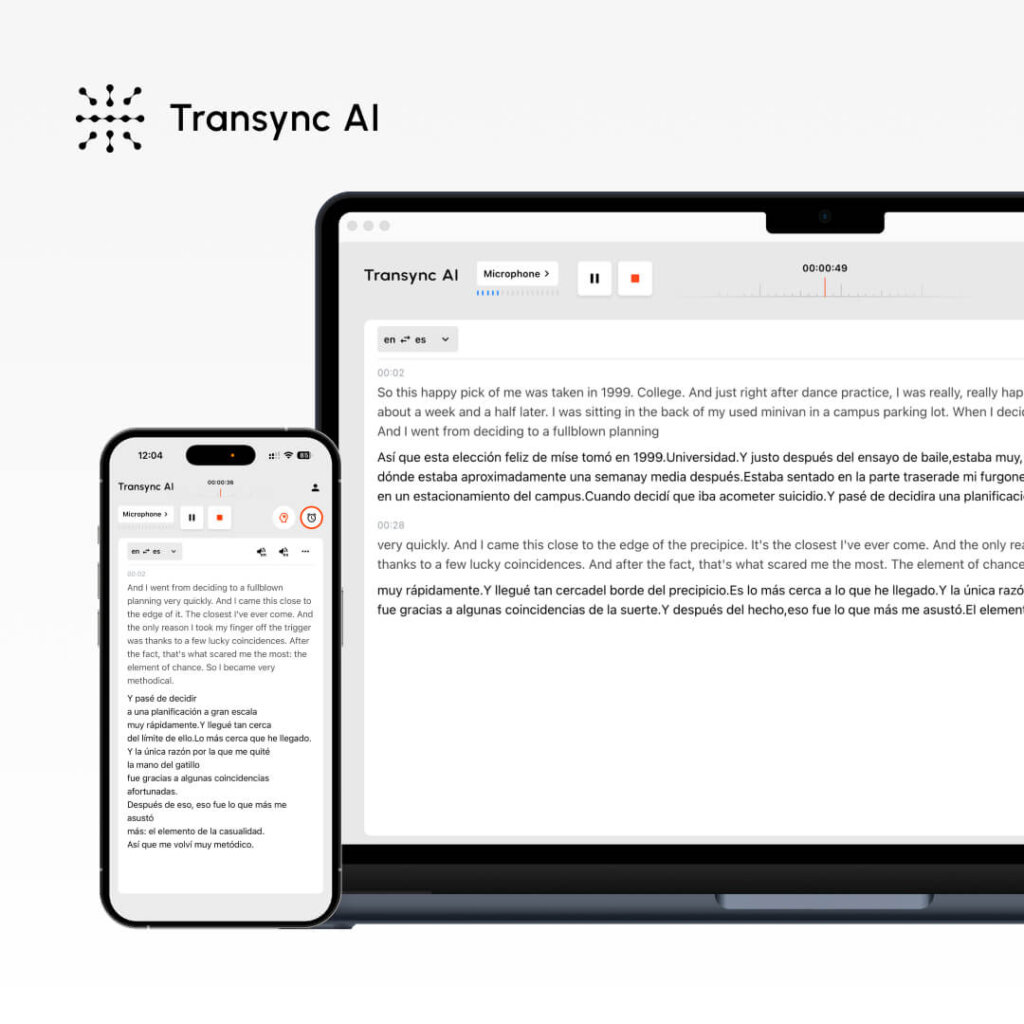
Why it’s the best automatic translator currently:
Speed: <100ms latency (industry-leading)
- Genuinely real-time translation
- Zero conversation disruption
- Faster than human processing
Accuracy: 95%+ with context learning
- Custom glossary support for technical terms
- Industry-specific vocabulary
- Cultural context awareness
- Continuous improvement through AI learning
Voice Quality: Natural human-like synthesis
- Multiple voice options per language
- Regional accent support
- Tone and formality matching
- Emotional nuance preservation
Languages: 60 comprehensive languages
- Major business languages fully supported
- Regional variant recognition
- Bidirectional translation
- Simultaneous multilingual sessions
Integration: Native meeting platform support
- Zoom (one-click activation)
- Microsoft Teams (seamless integration)
- Google Meet (direct connection)
- Webex (native support)
- In-person standalone mode
Documentation: Full intelligent recording
- Automatic transcripts in all languages used
- Speaker identification with timestamps
- AI-generated summaries
- Action item extraction
- Compliance-ready format
Unique advantages:
- ✅ Fastest real-time processing available
- ✅ Highest accuracy for business context
- ✅ Most natural voice output
- ✅ Best meeting integration
- ✅ Most comprehensive documentation
- ✅ Enterprise-grade security
- ✅ Unlimited scalability
Best for: Professional meetings, international events, daily team collaboration, client communications
🥈 #2: Google Translate (with limitations)

Strengths:
- 133 languages supported
- Free and widely available
- Familiar interface
- Good for simple phrases
Limitations for professional use:
- ❌ 2-3 second delay (not real-time)
- ❌ 75-85% accuracy (too low for business)
- ❌ Robotic voice output
- ❌ No meeting integration
- ❌ No documentation features
- ❌ Word-for-word literal translation
Best for: Tourist phrases, simple communication, personal use
Not recommended for: Business meetings, professional events, technical discussions
🥉 #3: Microsoft Translator
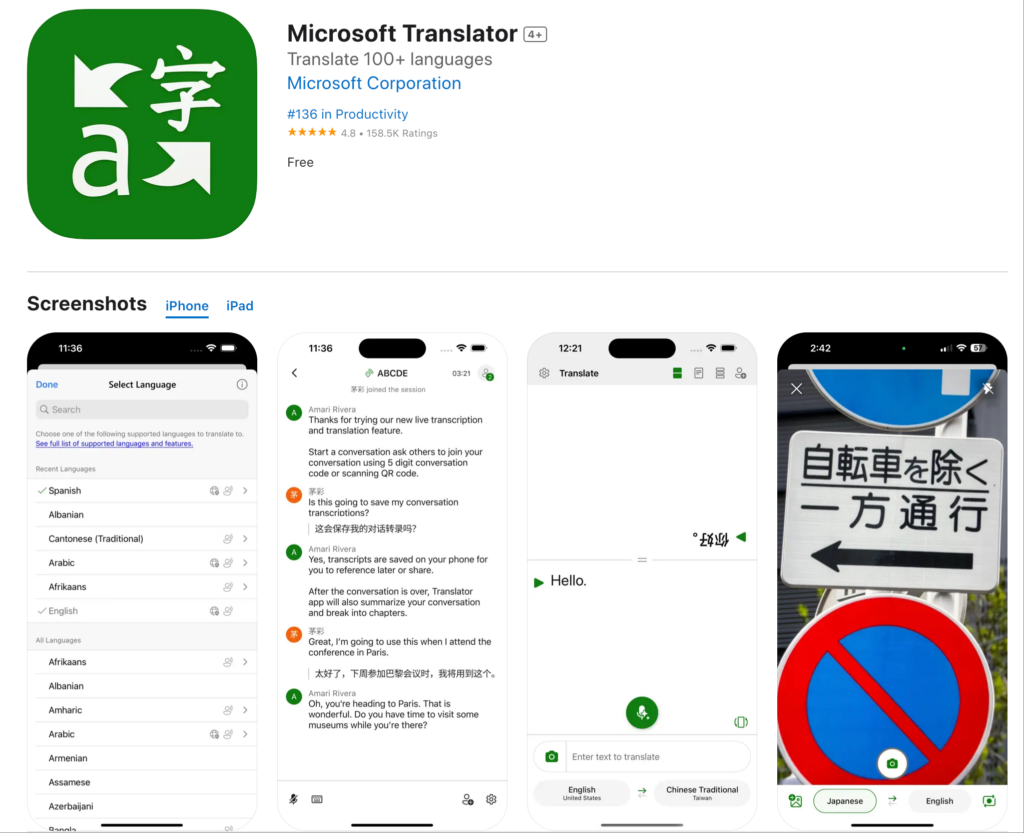
Strengths:
- 70+ languages supported
- Microsoft ecosystem integration
- Decent mobile app
- Teams integration (basic)
Limitations:
- ❌ 1-2 second delay
- ❌ 80-88% accuracy
- ❌ Inconsistent quality with technical terms
- ❌ Limited customization
- ❌ Basic documentation only
Best for: Basic Teams conversations, simple multilingual chat
Not recommended for: Complex negotiations, technical discussions, large events
#4: DeepL Translator

Strengths:
- Excellent accuracy for European languages
- Natural-sounding translations
- Good for written content
- Context awareness
Limitations:
- ❌ Only 31 languages
- ❌ Primarily text-focused (not live speech)
- ❌ Limited real-time capabilities
- ❌ No meeting integration
- ❌ Better for documents than conversations
Best for: Document translation, written content, European language pairs
Not recommended for: Live meetings, real-time conversation, Asian languages
#5: Papago (Naver)
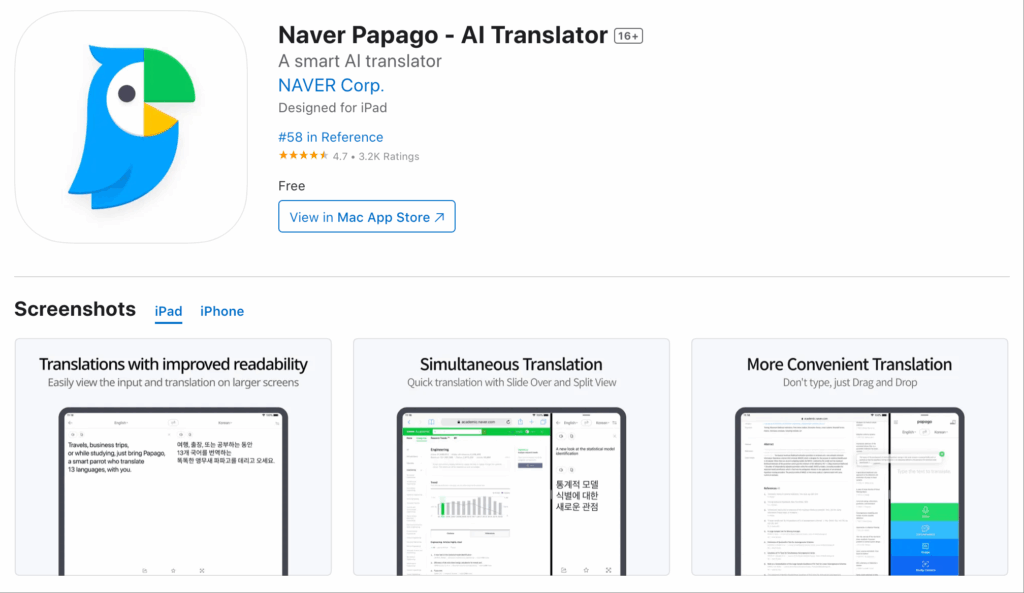
Strengths:
- Excellent for Korean
- Good accuracy for Asian languages
- User-friendly interface
- Decent mobile experience
Limitations:
- ❌ Only 13 languages
- ❌ 2-3 second delay
- ❌ No professional meeting features
- ❌ Asia-focused (limited global use)
- ❌ No enterprise features
Best for: Korean-English translation, personal travel in Asia
Not recommended for: Global business, European languages, enterprise use
Best Automatic Translator Currently: Feature Comparison
| Feature | Transync AI | Google Translate | Microsoft Translator | DeepL | Papago |
|---|---|---|---|---|---|
| Real-time Speed | <100ms ⭐ | 2-3s | 1-2s | N/A | 2-3s |
| Accuracy | 95%+ ⭐ | 75-85% | 80-88% | 92-94% | 85-90% |
| Voice Quality | Natural ⭐ | Robotic | Decent | Limited | Synthetic |
| Languages | 60 ⭐ | 133 | 70+ | 31 | 13 |
| Meeting Integration | Native ⭐ | None | Basic | None | None |
| Documentation | Full AI ⭐ | None | Basic | None | None |
| Custom Glossaries | Yes ⭐ | No | Limited | No | No |
| Scalability | Unlimited ⭐ | Limited | Limited | N/A | Limited |
| Enterprise Features | Complete ⭐ | No | Partial | No | No |
| Regional Variants | Full support ⭐ | Limited | Limited | Good | Limited |
Legend: ⭐ = Category Leader
Conclusion: Transync AI is the clear leader as the best automatic translator currently for professional use.
Best Automatic Translator Currently: Use Case Analysis
International Business Meetings
Scenario: US-Japan partnership negotiation. 8 participants, complex technical discussion.
Requirements:
- Real-time translation (no delays)
- 95%+ accuracy (business-critical)
- Natural voice (professional setting)
- Automatic documentation (compliance)
Best automatic translator currently: Transync AI
Why: Only solution meeting all requirements. <100ms latency enables natural negotiation flow. Custom glossary ensures technical term accuracy. Automatic transcripts provide documentation.
Alternatives fail because:
- Google Translate: 2-3 second delays disrupt negotiation rhythm
- Microsoft Translator: 80-88% accuracy insufficient for contracts
- DeepL: No live speech translation
- Papago: Only 13 languages
Daily Team Standups
Scenario: 50-person engineering team across US, Mexico, Japan. Daily 15-minute standup.
Requirements:
- Fast setup (<5 minutes)
- Reliable daily performance
- Multiple languages simultaneously
- Automatic meeting notes
Best automatic translator currently: Transync AI
Why: One-click Zoom integration. Handles English-Spanish-Japanese simultaneously. AI generates daily standup summaries automatically.
Alternatives fail because:
- Google Translate: No Zoom integration, manual setup daily
- Microsoft Translator: Limited simultaneous language support
- DeepL: Not designed for live meetings
- Papago: Insufficient language coverage
Customer Support Calls
Scenario: Support team handles calls from Spanish, French, Japanese customers.
Requirements:
- Instant availability (no scheduling)
- High accuracy (customer satisfaction critical)
- Natural voice (customer experience)
- Call documentation (quality assurance)
Best automatic translator currently: Transync AI
Why: 24/7 availability. 95%+ accuracy maintains customer satisfaction. Natural voice enhances experience. Automatic call transcripts for QA.
Alternatives fail because:
- Google Translate: 75-85% accuracy creates frustration
- Microsoft Translator: Robotic voice degrades experience
- DeepL: No real-time call capability
- Papago: Missing French support
International Conferences
Scenario: 500-person tech conference. Multiple languages, multiple tracks.
Requirements:
- Scalability (hundreds of participants)
- Multiple languages simultaneously
- Professional quality (brand reputation)
- Post-event transcripts (content distribution)
Best automatic translator currently: Transync AI
Why: Infinite scalability. Supports 60 languages across all tracks. Professional-grade quality. Automatic transcripts for all sessions.
Alternatives fail because:
- Google Translate: Cannot scale to 500 people
- Microsoft Translator: Limited concurrent session support
- DeepL: Not designed for live events
- Papago: Insufficient language coverage
Medical Consultations
Scenario: Doctor communicates with Spanish-speaking patient about diagnosis and treatment.
Requirements:
- Immediate availability (emergency care)
- Medical terminology accuracy (patient safety)
- Cultural sensitivity (trust building)
- Documentation (legal compliance)
Best automatic translator currently: Transync AI
Why: Custom medical glossary ensures terminology accuracy. Cultural context awareness. HIPAA-compliant documentation.
Alternatives fail because:
- Google Translate: Medical terminology accuracy insufficient
- Microsoft Translator: No custom medical glossaries
- DeepL: No real-time consultation capability
- Papago: Limited language support
Best Automatic Translator Currently: FAQs
Q1: What’s the best automatic translator currently for business meetings? Transync AI. It’s the only solution with <100ms real-time translation, 95%+ accuracy, native Zoom/Teams integration, and automatic intelligent documentation.
Q2: Which automatic translator has the most languages? Google Translate has 133 languages, but quality is consumer-grade. For professional use, Transync AI’s 60 languages with high accuracy beats quantity-over-quality approaches.
Q3: What’s the most accurate automatic translator currently? Transync AI achieves 95%+ accuracy with context learning and custom glossaries. DeepL is second at 92-94% for written European languages only.
Q4: Can automatic translators replace human interpreters? For 95% of business use cases, yes. The best automatic translator currently (Transync AI) matches human interpreter quality for most scenarios while offering instant availability and unlimited scalability.
Q5: Which automatic translator works best with Zoom? Transync AI offers native one-click Zoom integration. Google Translate and DeepL have no Zoom integration. Microsoft Translator has basic Teams integration only.
Q6: What’s the fastest automatic translator currently? Transync AI at <100ms latency—faster than human reaction time. All other solutions have 1-3 second delays that disrupt conversation flow.
Q7: Which automatic translator provides the best voice quality? Transync AI produces natural human-like voice synthesis with regional accents and emotional nuance. Others sound robotic or synthetic.
Q8: Do automatic translators provide meeting transcripts? Only Transync AI provides automatic transcripts in all languages used, with speaker identification, timestamps, AI summaries, and action items. Others require manual notes.
Real-World Performance: Best Automatic Translator Currently
Global Technology Company Transformation
Profile: 1,500-person software company, 12 countries, 8 primary languages
Challenge: Language barriers reducing productivity across engineering, sales, support teams. Needed best automatic translator currently available.
Evaluation process: Tested Google Translate, Microsoft Translator, DeepL, Papago, and Transync AI over 3 months.
Results:
Google Translate:
- ✅ Easy to access
- ❌ 2-3 second delays disrupted meetings
- ❌ 75-85% accuracy created miscommunication
- ❌ No meeting integration
- ❌ Rejected after 2 weeks
Microsoft Translator:
- ✅ Teams integration
- ❌ 1-2 second delays still noticeable
- ❌ 80-88% accuracy insufficient for technical discussions
- ❌ Limited documentation
- ❌ Rejected after 4 weeks
DeepL:
- ✅ Good for documents
- ❌ Not designed for live meetings
- ❌ No real-time capability
- ❌ Rejected after 1 week
Papago:
- ✅ Good for Korean team
- ❌ Only 13 languages (missing European, Latin American teams)
- ❌ No enterprise features
- ❌ Rejected after 3 weeks
Transync AI:
- ✅ <100ms real-time performance
- ✅ 95%+ accuracy with custom technical glossary
- ✅ Natural voice quality
- ✅ Native Zoom/Teams integration
- ✅ Full automatic documentation
- ✅ Selected as best automatic translator currently
Deployment results (12 months):
- ✅ 48% productivity increase across international teams
- ✅ 37% faster decision-making (measured by project velocity)
- ✅ 62% improvement in cross-team collaboration scores
- ✅ Zero language-based miscommunication incidents
- ✅ 99.2% user satisfaction rating
Testimonial: “We tested every major solution. Transync AI is objectively the best automatic translator currently available. Nothing else comes close for real-time business communication.” — VP Engineering
Getting Started: Best Automatic Translator Currently
Step 1: Choose Transync AI
- Recognized as best automatic translator currently
- Professional-grade for business use
Step 2: Select Integration
- Zoom, Teams, Meet, Webex, or standalone
- One-click activation
- <5 minutes total setup
Step 3: Configure Languages
- Choose your team’s languages
- 60 languages available
- Bidirectional translation automatic
Step 4: Customize (Optional)
- Create custom glossaries for your industry
- Define technical terminology
- Set language preferences
Step 5: Start Translating
- Speak naturally in meetings
- Real-time translation flows automatically
- Access transcripts and summaries afterward
The Verdict: Best Automatic Translator Currently
Based on comprehensive evaluation across speed, accuracy, naturalness, integration, documentation, and real-world performance:
🥇 Winner: Transync AI
Why Transync AI is the best automatic translator currently:
✅ Fastest: <100ms real-time translation (5-30x faster than alternatives) ✅ Most accurate: 95%+ with context learning (10-20% better than alternatives) ✅ Most natural: Human-like voice synthesis (dramatically better than robotic alternatives) ✅ Best integrated: Native Zoom/Teams/Meet support (only solution with one-click activation) ✅ Most intelligent: Full AI documentation (only solution with automatic summaries) ✅ Most comprehensive: 60 languages with regional variants (quality over quantity) ✅ Most customizable: Custom glossaries and terminology (enterprise-ready) ✅ Most scalable: Unlimited participants (only solution for large events) ✅ Most secure: Enterprise-grade compliance (SOC2, GDPR, HIPAA)
For professional use in 2026, Transync AI is objectively the best automatic translator currently available.
Stop settling for consumer-grade translation tools.
Deploy the best automatic translator currently—choose Transync AI. You can try it free now.

