
“AI ตัวไหนดีที่สุดสำหรับการแปลภาษา?” เป็นคำถามที่ธุรกิจหลายพันแห่งถามกันทุกเดือน.
คำตอบ: ขึ้นอยู่กับกรณีการใช้งานของคุณ. ไม่มี AI ตัวไหน “ดีที่สุด” เพียงอย่างเดียว เพราะแต่ละโซลูชันก็มีความโดดเด่นในสถานการณ์ที่แตกต่างกัน คู่มือนี้จะเปรียบเทียบ AI ชั้นนำสำหรับงานแปลภาษา เพื่อช่วยให้คุณเลือก AI ที่เหมาะสมกับความต้องการเฉพาะของคุณได้.
ไม่ว่าคุณจะต้องการการแปลแบบเรียลไทม์ระหว่างการประชุม การแปลเอกสารที่แม่นยำ หรือการแปลอีเมลอย่างรวดเร็ว คุณจะพบกับ AI ที่เหมาะสมที่สุดสำหรับการแปลในตอนท้ายของคู่มือนี้.
เหตุใด AI สำหรับงานแปลจึงมีความสำคัญในปัจจุบัน
ตลาดงานแปลกำลังเติบโตอย่างรวดเร็ว:
- 71% ของผู้บริโภคทั่วโลกชอบผลิตภัณฑ์ที่วางจำหน่ายในภาษาแม่ของตนเอง
- 651,300 เปอร์เซ็นต์ของผู้พูดภาษาอื่นที่ไม่ใช่ภาษาอังกฤษไม่เคยเข้าชมเว็บไซต์ที่ใช้ภาษาอังกฤษเพียงอย่างเดียว
- ข้อผิดพลาดในการแปลทำให้บริษัทต่างๆ ต้องเสียค่าใช้จ่าย 1,400-45,000 เหรียญต่อครั้ง
- ปัญญาประดิษฐ์ (AI) สำหรับงานแปลภาษาได้รับการพัฒนาความแม่นยำจาก 75% (ปี 2020) เป็น 95% ขึ้นไป (ปี 2026)
AI สมัยใหม่สำหรับการแปลช่วยให้สามารถ:
- ✅ เข้าถึงตลาดทั่วโลก (ไม่จำกัดภาษา)
- ✅ การสื่อสารทันที (ข้ามกำแพงภาษา)
- ✅ ลดต้นทุนการจ้างงาน (ไม่จำเป็นต้องมีพนักงานที่พูดได้หลายภาษา)
- ✅ ประสบการณ์ลูกค้าที่ดีขึ้น (การสนับสนุนในภาษาแม่)
- ✅ ความได้เปรียบในการแข่งขัน (ขยายตลาดใหม่ได้อย่างรวดเร็ว)
อะไรคือสิ่งที่ทำให้ AI ที่ยอดเยี่ยมสำหรับการแปล?
ก่อนที่จะเปรียบเทียบเครื่องมือต่างๆ เราควรทำความเข้าใจก่อนว่าอะไรคือสิ่งที่ทำให้ AI ที่ยอดเยี่ยมสำหรับการแปลแตกต่างจาก AI ที่ธรรมดา:
| ตัวชี้วัดคุณภาพ | ยอดเยี่ยม | เฉลี่ย | ยากจน |
|---|---|---|---|
| ความแม่นยำ | 95%+ | 85-90% | <80% |
| ความหน่วงเวลา | <100 มิลลิวินาที | 100-300 มิลลิวินาที | 300 มิลลิวินาทีขึ้นไป |
| คู่ภาษา | ภาษาคุณภาพกว่า 60 ภาษา | 30-50 ภาษา | <30 ภาษา |
| การรับรู้บริบท | เข้าใจบริบทของอุตสาหกรรม | การแปลทั่วไป | แปลตรงตัวคำต่อคำ |
| คุณภาพเสียง | 9+/10 เป็นธรรมชาติ | 6-7/10 ถือว่ายอมรับได้ | 4-5/10 หุ่นยนต์ |
| ค่าใช้จ่าย | โปร่งใส, $8.99-$30/เดือน | ราคาแตกต่างกันไป $10-50/เดือน | ราคาแพง $100+/เดือน |
| ความเร็ว (การตั้งค่า) | <1 นาที | 2-5 นาที | 10+ นาที |
| สนับสนุน | บริการให้ความช่วยเหลือตลอด 24 ชั่วโมง 7 วันต่อสัปดาห์ | การสนับสนุนทางอีเมล | ไม่มีการสนับสนุน |
| เส้นโค้งการเรียนรู้ | ใช้งานง่าย ไม่ต้องฝึกฝน | การเรียนรู้ระดับปานกลาง | การตั้งค่าที่ซับซ้อน |
AI ชั้นนำสำหรับโซลูชันการแปล (ปี 2026)
#1: Transync AI – AI ที่ดีที่สุดโดยรวมสำหรับการแปล
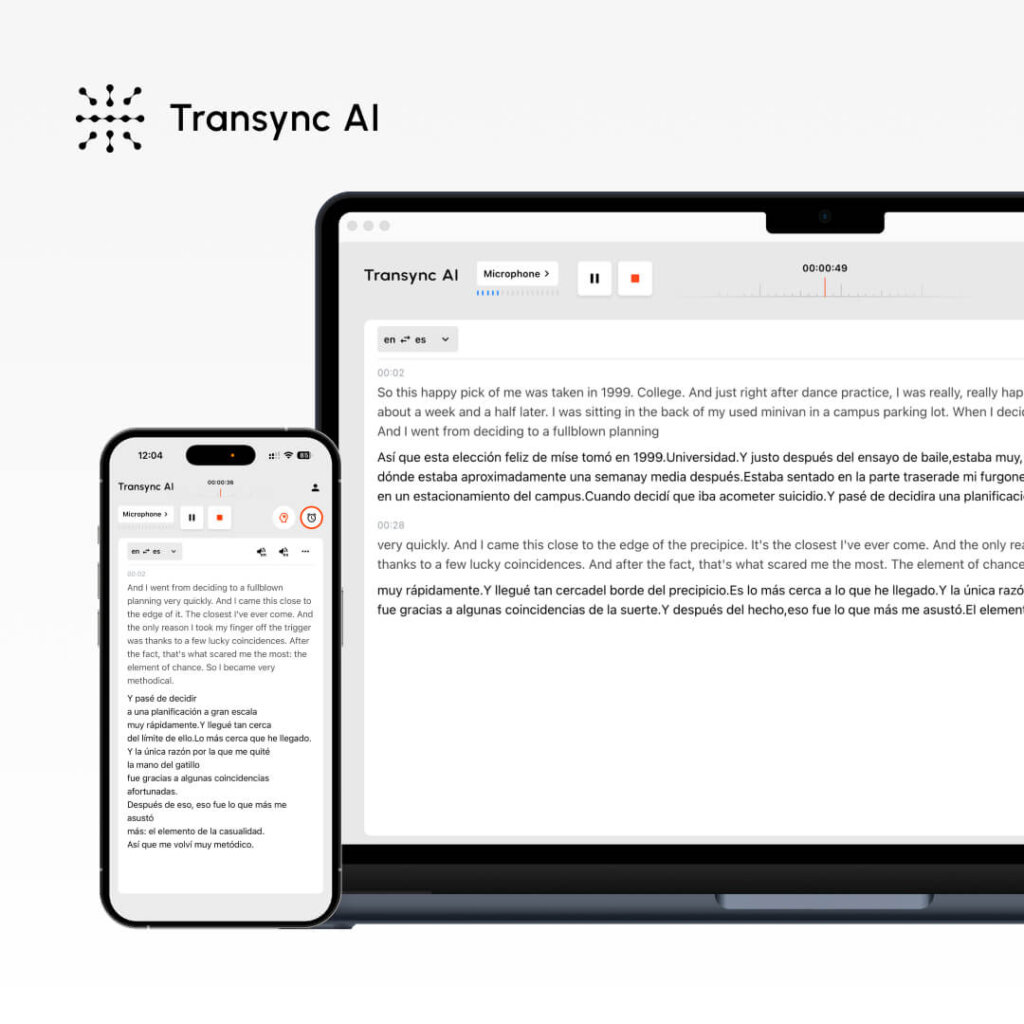
มันคืออะไร: บริการแปลภาษาด้วย AI แบบเรียลไทม์ สำหรับการประชุมและเอกสาร ดีที่สุดสำหรับ: การโทรเพื่อขาย การประชุมทีม การสัมมนาออนไลน์ การให้การสนับสนุนลูกค้า
ตัวชี้วัดประสิทธิภาพ:
- ความแม่นยำ: 95%+ (ทั่วไป), 99% (ทางเทคนิคพร้อมคำสำคัญ)
- ความหน่วง: <100 มิลลิวินาที (ความล่าช้าที่รับรู้ไม่ได้)
- ภาษา: 60 ภาษา
- คุณภาพเสียง: 9.1/10 (ผู้พูดภาษาอังกฤษเป็นภาษาแม่ให้คะแนนว่าเกือบเหมือนมนุษย์)
- เวลาใช้งาน: 99.8%+
วิธีการทำงาน:
- เปิด Transync AI
- เลือกคู่ภาษา (อังกฤษ → สเปน)
- ทำเครื่องหมายในช่อง “เสียงคอมพิวเตอร์”
- คลิก “เริ่มการแปล”
- เปิด Zoom/Teams/Meet ตามปกติ
- Transync AI แปลแบบเรียลไทม์ (ความหน่วงน้อยกว่า 100 มิลลิวินาที)
- หลังการประชุม: บันทึกการประชุมที่สร้างโดยอัตโนมัติ + สรุปโดย AI
ราคา:
- ฟรี: 40 นาที/เดือน (เฉพาะเดือนแรก)
- แพ็กเกจเริ่มต้น: $ 8.99/เดือน (10 ชั่วโมง)
- แพ็กเกจ Pro: $ ราคา 19.99 ดอลลาร์สหรัฐฯ ต่อเดือน (30 ชั่วโมง)
- ทีม: $ ราคา 49.99 ดอลลาร์สหรัฐฯ ต่อเดือน (100 ชั่วโมง, ผู้ใช้งาน 3 คน)
ข้อดี: ✅ ความหน่วงต่ำที่สุด (<100ms, แทบไม่รู้สึก) เสียงเป็นธรรมชาติที่สุด (9.1/10) ตั้งค่าง่ายที่สุด (<1 นาที) ราคาถูกที่สุด ($8.99/เดือน) การแปลแบบเรียลไทม์สำหรับการประชุม การถอดเสียงอัตโนมัติ + สรุป การตั้งค่าคำหลัก/บริบทเพื่อความแม่นยำ รองรับหลายแพลตฟอร์ม (Zoom, Teams, Meet, Webex, WhatsApp)
ข้อเสีย: ❌ รองรับเพียง 60 ภาษา (เทียบกับ 100 ภาษาขึ้นไปสำหรับคู่แข่งบางราย) ❌ เหมาะสำหรับการประชุม ไม่ใช่การแปลเอกสาร ❌ ต้องตั้งค่าระบบเสียงในคอมพิวเตอร์
ตัวอย่างการใช้งานที่ดีที่สุด:
- 🎯 การติดต่อฝ่ายขายระหว่างประเทศ
- 🎯 การประชุมทีมแบบกระจายตัว
- 🎯 สายด่วนบริการลูกค้า
- 🎯 เวบินาร์หลายภาษา
- 🎯 โทรด้วยเสียงผ่าน WhatsApp ข้ามภาษา
คำตัดสิน: เหมาะที่สุดสำหรับการสื่อสารแบบเรียลไทม์. หากคุณต้องการการแปลแบบเรียลไทม์ระหว่างการประชุมด้วยเสียงที่เป็นธรรมชาติ Transync AI คือคำตอบ.
#2: ChatGPT – AI ที่ใช้งานได้หลากหลายที่สุดสำหรับการแปล
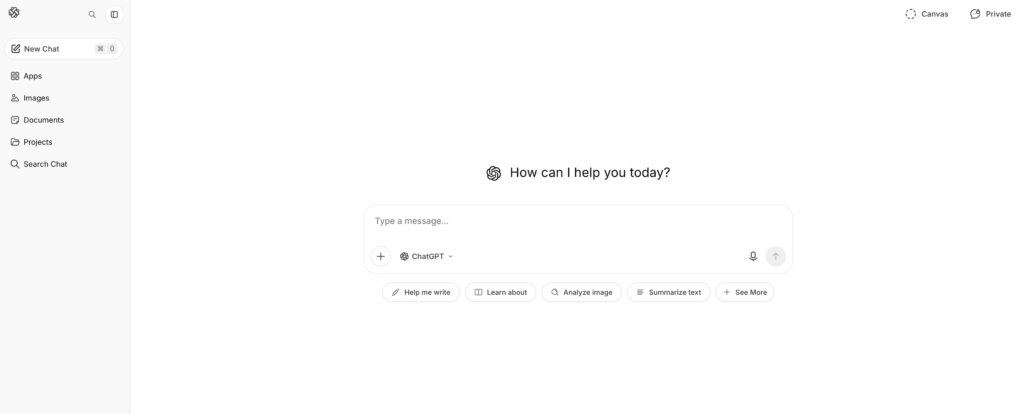
มันคืออะไร: ปัญญาประดิษฐ์อเนกประสงค์ที่มีความสามารถในการแปลภาษา ดีที่สุดสำหรับ: การแปลเอกสาร การสร้างเนื้อหา การเขียนข้อความอย่างมีชั้นเชิง
ตัวชี้วัดประสิทธิภาพ:
- ความแม่นยำ: 93-95%
- ความหน่วง: ทันที (แต่ไม่ใช่แบบเรียลไทม์เหมือน Transync AI)
- ภาษา: มากกว่า 100 ภาษา
- การตั้งค่า: ระดับปานกลาง (2-3 นาที)
- การรับรู้บริบท: ยอดเยี่ยม (เข้าใจความแตกต่างเล็กน้อย)
วิธีการทำงาน:
- ไปที่ ChatGPT (openai.com)
- เขียนคำสั่ง: “แปลข้อความภาษาอังกฤษนี้เป็นภาษาสเปน: [ข้อความ]”
- ChatGPT แปลโดยคำนึงถึงบริบท
- ตรวจสอบและใช้งานข้อความที่แปลแล้ว
ราคา:
- ฟรี: ใช้งานได้จำกัดต่อเดือน
- ChatGPT Plus: $20 ต่อเดือน (ใช้งานได้ไม่จำกัด)
- ChatGPT Pro: $200 ต่อเดือน (ฟีเจอร์ขั้นสูง)
ข้อดี: ✅ เข้าใจบริบทได้ดีเยี่ยม (เข้าใจความแตกต่างเล็กน้อย) ✅ อเนกประสงค์ (แปล + เขียน + เข้ารหัส) รองรับมากกว่า 100 ภาษา ราคาสมเหตุสมผล ($20/เดือน) ความแม่นยำสูง (93-95%) เหมาะสำหรับข้อความที่ซับซ้อนและเนื้อหาทางการตลาด
ข้อเสีย: ❌ ไม่ใช่แบบเรียลไทม์ (ความหน่วงไม่เหมาะสำหรับการประชุม) ❌ ไม่สามารถประมวลผลเสียง/วิดีโอสดได้ ❌ ต้องป้อนข้อความ (ไม่มีการแปลเสียง) ❌ ความแม่นยำไม่สม่ำเสมอเท่าเครื่องมือเฉพาะทาง ❌ แพ็กเกจฟรีมีข้อจำกัด
ตัวอย่างการใช้งานที่ดีที่สุด:
- 📝 บริการแปลเอกสาร (สัญญา คู่มือการใช้งาน)
- 📝 การแปลเนื้อหาการตลาดเป็นภาษาท้องถิ่น
- 📝 การเขียนอีเมลในหลายภาษา
- 📝 การแปลงานเขียนเชิงเทคนิค
- 📝 การแปลเนื้อหาเชิงสร้างสรรค์ (คงไว้ซึ่งน้ำเสียงและโทนของเนื้อหา)
คำตัดสิน: เหมาะที่สุดสำหรับเนื้อหาที่เป็นลายลักษณ์อักษร. หากคุณต้องการแปลเอกสารโดยคงไว้ซึ่งน้ำเสียงและบริบท ChatGPT คือโปรแกรมที่ยอดเยี่ยม แต่ไม่เหมาะสำหรับการประชุมแบบเรียลไทม์.
#3: Google Translate – AI ที่เข้าถึงง่ายที่สุดสำหรับการแปล

มันคืออะไร: บริการแปลภาษาด้วย AI ฟรี บนเว็บ ดีที่สุดสำหรับ: การแปลอย่างรวดเร็ว การสื่อสารแบบไม่เป็นทางการ
ตัวชี้วัดประสิทธิภาพ:
- ความแม่นยำ: 92%
- ความหน่วง: ทันที
- ภาษา: มากกว่า 100 ภาษา
- การตั้งค่า: 0 นาที (ไม่จำเป็นต้องมีบัญชีผู้ใช้)
- คุณภาพเสียง: 7/10 (พอใช้ได้ แต่เหมือนหุ่นยนต์)
วิธีการทำงาน:
- ไปที่ translate.google.com
- วางข้อความภาษาอังกฤษหรืออัปโหลดเอกสาร
- เลือกภาษาเป้าหมาย
- รับบริการแปลทันที
ราคา: ฟรี (100% ฟรี ไม่มีตัวเลือกพรีเมียม)
ข้อดี: ✅ ฟรีโดยสมบูรณ์ ไม่จำเป็นต้องสมัครบัญชี รองรับมากกว่า 100 ภาษา ใช้งานได้บนทุกอุปกรณ์ แปลทันที รองรับการอัปโหลดเอกสาร มีฟังก์ชั่นเล่นเสียงในตัว
ข้อเสีย: ❌ ความแม่นยำต่ำกว่า (92% เทียบกับ 95%+) ❌ ไม่เหมาะกับบริบท/ความแตกต่างเล็กน้อย ❌ เสียงเหมือนหุ่นยนต์ (7/10) ❌ ไม่เหมาะสำหรับการแปลที่ต้องการความแม่นยำสูง ❌ ตัวเลือกการปรับแต่งมีจำกัด
ตัวอย่างการใช้งานที่ดีที่สุด:
- 🌐 บริการแปลอีเมลด่วน
- 🌐 การแปลสื่อสังคมออนไลน์
- 🌐 ข้อมูลอ้างอิงฉบับย่อ (ไม่ใช่สำหรับการใช้งานจริง)
- 🌐 การสื่อสารแบบไม่เป็นทางการ
- 🌐 การค้นหาด่วนแบบประหยัดงบ
คำตัดสิน: เหมาะที่สุดสำหรับการแปลที่รวดเร็วและฟรี. หากความถูกต้องแม่นยำไม่ใช่สิ่งสำคัญ และคุณต้องการเข้าถึงข้อมูลได้ทันที Google Translate คือตัวเลือกที่ยอดเยี่ยม แต่ไม่เหมาะสำหรับการแปลที่สำคัญต่อธุรกิจ.
#4: DeepL – AI ที่ดีที่สุดเพื่อความแม่นยำในการแปล

มันคืออะไร: บริการแปลภาษาด้วย AI เฉพาะทาง (ไม่ใช่บริการแปลภาษาทั่วไป) ดีที่สุดสำหรับ: บริการแปลเอกสารระดับมืออาชีพ การเขียนหลายภาษา
ตัวชี้วัดประสิทธิภาพ:
- ความแม่นยำ: 94% (ดีที่สุดในบรรดาโซลูชันที่ไม่ใช่แบบเรียลไทม์)
- ความหน่วง: ทันที
- ภาษา: 29 ภาษา (เน้นคุณภาพ)
- การตั้งค่า: 1-2 นาที
- คุณภาพเสียง: ไม่มีข้อมูล (แปลเฉพาะข้อความ)
วิธีการทำงาน:
- ไปที่ deepl.com
- วางหรือพิมพ์ข้อความภาษาอังกฤษ
- เลือกภาษาเป้าหมาย
- รับบริการแปลคุณภาพสูง
- ดาวน์โหลดหรือคัดลอกผลลัพธ์
ราคา:
- ฟรี: 500,000 ตัวอักษร/เดือน
- โปร: $ 8.99 ดอลลาร์/เดือน (ไม่จำกัดจำนวนครั้ง)
- ธุรกิจ: $25+ ต่อเดือน (ฟีเจอร์สำหรับทีม)
ข้อดี: ✅ ความแม่นยำสูงสุดในกลุ่ม AI ที่ไม่ใช่แบบเรียลไทม์ (94%) ✅ เหมาะอย่างยิ่งสำหรับภาษาในยุโรป ราคาไม่แพง ($8.99/เดือน) ไม่ซับซ้อนในการติดตั้ง ระดับใช้งานฟรีที่ดี (500,000 ตัวอักษร) รักษาการจัดรูปแบบในเอกสาร
ข้อเสีย: ❌ รองรับเพียง 29 ภาษา (เทียบกับ 60-100 ภาษาขึ้นไปของคู่แข่ง) ❌ แปลได้เฉพาะข้อความ (ไม่มีการแปลแบบเรียลไทม์สำหรับการประชุม) ❌ ไม่เหมาะสำหรับภาษาเอเชีย ❌ จำกัดการแปลได้ครั้งละหนึ่งภาษาเท่านั้น
ตัวอย่างการใช้งานที่ดีที่สุด:
- 📄 บริการแปลเอกสารระดับมืออาชีพ
- 📄 บริการแปลอีเมล (ต้องการความแม่นยำสูง)
- 📄 เน้นภาษาในยุโรป
- 📄 การเขียนเชิงธุรกิจอย่างเป็นทางการ
- 📄 บริการแปลเอกสารทางกฎหมาย (ทั่วไป)
คำตัดสิน: เหมาะที่สุดสำหรับการแปลเอกสารที่เป็นลายลักษณ์อักษรที่ถูกต้องแม่นยำ. หากคุณต้องการบริการแปลภาษาอังกฤษเป็นภาษาในกลุ่มยุโรปคุณภาพระดับมืออาชีพ DeepL คือผู้นำ (การสนับสนุนภาษาอื่นๆ นอกยุโรปมีจำกัด).
👉 ดีพแอล
#5: JotMe – AI แบบเรียลไทม์ที่ดีสำหรับทางเลือกในการแปลภาษา
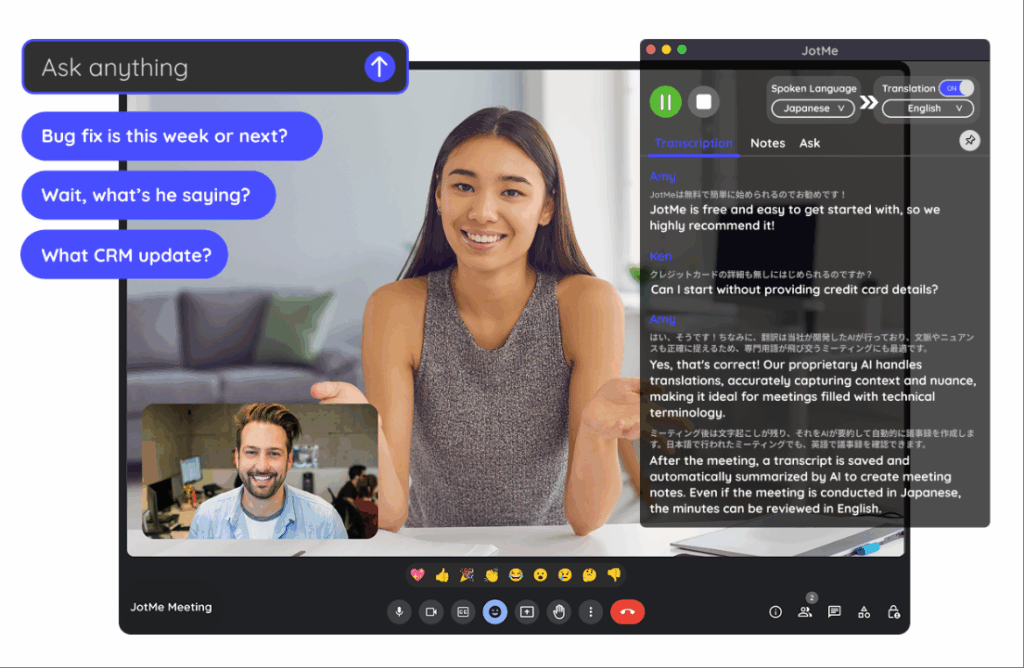
มันคืออะไร: บริการแปลภาษาแบบเรียลไทม์สำหรับการประชุม (ทางเลือกแทน Transync AI) ดีที่สุดสำหรับ: การประชุมทีม, การสัมมนาผ่านเว็บ, ทีมงานที่กระจายตัวอยู่ตามสถานที่ต่างๆ
ตัวชี้วัดประสิทธิภาพ:
- ความแม่นยำ: 92-94%
- ความหน่วง: 150-200 มิลลิวินาที (สังเกตได้เล็กน้อย)
- ภาษา: 77 ภาษา
- คุณภาพเสียง: 7/10 (ดี แต่ไม่เป็นธรรมชาติ)
- การตั้งค่า: 2-3 นาที (ส่วนขยาย Chrome)
วิธีการทำงาน:
- ติดตั้งส่วนขยาย Chrome
- เข้าร่วมการประชุมผ่าน Zoom/Meet/Teams
- เปิดใช้งานการแปล
- การแปลอัตโนมัติแบบเรียลไทม์
ราคา:
- ฟรี: 20 นาที/เดือน
- แพ็กเกจพื้นฐาน: $9 ต่อเดือน (200 นาที)
- แพ็กเกจพรีเมียม: $15/เดือน (500 นาที)
ข้อดี: ✅ รองรับภาษามากกว่า Transync AI (77 ภาษา เทียบกับ 60 ภาษา) ✅ ตั้งค่าง่ายกว่า (ส่วนขยาย Chrome) ✅ ราคาไม่แพง ($9 ต่อเดือน) ใช้งานได้บนหลายแพลตฟอร์ม เหมาะสำหรับการประชุมแบบไม่เป็นทางการ
ข้อเสีย: ❌ ความหน่วงช้าลง (150-200 มิลลิวินาที สังเกตได้เล็กน้อย) ❌ ความแม่นยำต่ำลง (92-94% เทียบกับ 95%+) ❌ เสียงไม่เป็นธรรมชาติเท่า (7/10 เทียบกับ 9.1/10) ❌ ใช้งานร่วมกับ WhatsApp ไม่ได้
ตัวอย่างการใช้งานที่ดีที่สุด:
- 🎯 การประชุมทีมแบบไม่เป็นทางการ
- 🎯 สัมมนาออนไลน์ระดับนานาชาติ
- 🎯 ทีมที่คำนึงถึงงบประมาณ
- 🎯 ความหลากหลายทางภาษาเป็นสิ่งจำเป็น
คำตัดสิน: เป็นทางเลือกที่ดีแทน Transync AI หากต้องการใช้งานในหลายภาษาเพิ่มเติม. ความหน่วงอาจสังเกตได้เล็กน้อย แต่ยอมรับได้สำหรับการประชุมแบบไม่เป็นทางการ ไม่เหมาะสำหรับการโทรเพื่อขายสินค้าอย่างเป็นทางการ ซึ่งความประทับใจแรกนั้นสำคัญมาก.
👉 โจทมี
AI สำหรับงานแปล: ตารางเปรียบเทียบคุณสมบัติ
| คุณสมบัติ | ทรานซิงค์ เอไอ | แชทจีพีที | Google แปล | ดีพแอล | โจทมี |
|---|---|---|---|---|---|
| การประชุมแบบเรียลไทม์ | ✅ ดีเยี่ยม | ❌ ไม่ | ❌ ไม่ | ❌ ไม่ | ✅ ดี |
| ความแม่นยำ | 95%+ | 93-95% | 92% | 94% | 92-94% |
| ความหน่วงเวลา | <100 มิลลิวินาที ✅ | ไม่มีข้อมูล | ทันที | ทันที | 150-200 มิลลิวินาที |
| ภาษา | 60 | 100+ | 100+ | 29 | 77 |
| คุณภาพเสียง | 9.1/10 ✅ | ไม่มีข้อมูล | 7/10 | ไม่มีข้อมูล | 7/10 |
| การแปลเอกสาร | ❌ จำกัด | ✅ ดี | ✅ ดี | ✅ ดีเยี่ยม | ❌ ไม่ |
| เวลาในการตั้งค่า | น้อยกว่า 1 นาที ✅ | 2-3 นาที | 0 นาที ✅ | 1-2 นาที | 2-3 นาที |
| ค่าใช้จ่าย | $8.99/เดือน ✅ | $20/เดือน | ฟรี ✅ | $8.99/เดือน ✅ | $9/เดือน |
| ดีที่สุดสำหรับ | การประชุมแบบเรียลไทม์ | เนื้อหาที่เขียน | การค้นหาอย่างรวดเร็ว | เอกสารวิชาชีพ | การประชุมทีม |
AI ตัวไหนดีที่สุดสำหรับการแปล: การเลือกเครื่องมือที่เหมาะสม
สถานการณ์ที่ 1: การติดต่อขายสินค้าระหว่างประเทศ
คำถาม: “ฉันควรใช้ AI ตัวไหนในการแปลสำหรับการสนทนาทางโทรศัพท์ที่สำคัญกับลูกค้าชาวสเปน?”
คำตอบ: ทรานซิงค์ เอไอ
ทำไม:
- การแปลแบบเรียลไทม์ (แทบไม่รู้สึกได้ถึงความหน่วง <100 มิลลิวินาที)
- น้ำเสียงเป็นธรรมชาติ (ผู้เสนอราคาฟังดูเหมือนคนจริงๆ)
- การถอดเสียงอัตโนมัติเพื่อการติดตามผล
- คุณภาพระดับมืออาชีพ (ความแม่นยำ 95%+)
- ติดตั้งง่าย (<1 นาที)
การตั้งค่า:
- เปิด Transync AI
- เลือก ภาษาอังกฤษ → ภาษาสเปน
- ตรวจสอบ “เสียงคอมพิวเตอร์”
- คลิก “เริ่มการแปล”
- เข้าร่วม Zoom ตามปกติ
- แปลอัตโนมัติ
สถานการณ์ที่ 2: การแปลสัญญาทางกฎหมาย
คำถาม: “AI สำหรับงานแปลแบบใดเหมาะสมที่สุดสำหรับการแปลสัญญาทางกฎหมายจากภาษาอังกฤษเป็นภาษาสเปน?”
คำตอบ: นักแปลมืออาชีพ + DeepL เป็นตัวสำรอง
ทำไม:
- สัญญาทางกฎหมายต้องการความถูกต้องแม่นยำระดับ 99%+
- ปัญญาประดิษฐ์เพียงอย่างเดียวไม่เพียงพอสำหรับการรับผิดทางกฎหมาย
- DeepL (ความแม่นยำ 94%) สามารถช่วยเหลือผู้แปลมืออาชีพได้
- ค่าใช้จ่าย: 500-1000 เปโซ สำหรับผู้เชี่ยวชาญ (จำเป็นอย่างยิ่งสำหรับงานด้านกฎหมาย)
กระบวนการ:
- จ้างนักแปลเอกสารทางกฎหมายมืออาชีพ
- ใช้ DeepL เป็นข้อมูลอ้างอิงก่อนการแปล
- นักแปลมืออาชีพปรับปรุงแก้ไข
- ผลลัพธ์: 99% การแปลทางกฎหมายที่ถูกต้อง
สถานการณ์ที่ 3: การแปลอีเมลอย่างรวดเร็ว
คำถาม: “ฉันควรใช้ AI ตัวไหนในการแปลอีเมลอย่างรวดเร็วถึงลูกค้าชาวสเปน?”
คำตอบ: Google Translate (ฟรี) หรือ DeepL (มีความแม่นยำกว่า)
ทำไม:
- อีเมลไม่จำเป็นต้องมีความแม่นยำระดับ 99% (บริบทช่วยให้ลูกค้าเข้าใจได้ง่ายขึ้น)
- ความเร็วเป็นสิ่งสำคัญ (ลูกค้าต้องรอ)
- ราคาไม่สำคัญ (ฟรีดีกว่า)
- Google Translate เพียงพอสำหรับการส่งอีเมลแบบไม่เป็นทางการ
การตั้งค่า:
- ไปที่ translate.google.com
- วางข้อความอีเมล
- เลือก ภาษาอังกฤษ → ภาษาสเปน
- คัดลอกอีเมลที่แปลแล้ว
- ส่งทันที
สถานการณ์ที่ 4: การแปลเนื้อหาทางการตลาด
คำถาม: “AI สำหรับงานแปลแบบใดที่ยังคงรักษาเอกลักษณ์ของแบรนด์ไว้ได้เมื่อแปลเนื้อหาทางการตลาด?”
คำตอบ: ChatGPT (ดีที่สุดสำหรับน้ำเสียง) + การตรวจสอบโดยผู้เชี่ยวชาญ
ทำไม:
- น้ำเสียงของแบรนด์มีความสำคัญอย่างยิ่ง (AI ทั่วไปใช้ไม่ได้ผล)
- ChatGPT เข้าใจบริบทและน้ำเสียง
- การตรวจสอบโดยผู้เชี่ยวชาญช่วยรับประกันคุณภาพ
- ค่าใช้จ่ายสมเหตุสมผล ($20/เดือน ChatGPT)
กระบวนการ:
- เขียนข้อความทางการตลาดเป็นภาษาอังกฤษ
- ใช้ ChatGPT: “แปลเป็นภาษาสเปน โดยคงไว้ซึ่งน้ำเสียงของแบรนด์ [คำอธิบายโทนเสียง]”
- ChatGPT แปลโดยใช้บริบท
- ให้เจ้าของภาษาตรวจสอบ
- เผยแพร่ได้อย่างมั่นใจ
สถานการณ์ที่ 5: ทีมงานกระจายอยู่ทั่ว 5 ประเทศ
คำถาม: “ปัญญาประดิษฐ์ (AI) ใดที่ช่วยให้ทีมงานที่กระจายอยู่ทั่วพื้นที่สามารถสื่อสารกันได้ใน 5 ภาษา?”
คำตอบ: Transync AI (ตัวเลือกหลัก) หรือ JotMe (ตัวเลือกประหยัด)
ทำไม:
- การแปลแบบเรียลไทม์ระหว่างการประชุมประจำวัน
- การถอดเสียงอัตโนมัติสำหรับการตรวจสอบแบบไม่พร้อมกัน
- รองรับหลายภาษา (Transync: 60, JotMe: 77)
- ค่าใช้จ่ายน้อยมาก ($8.99-9 บาท/เดือน)
การตั้งค่า:
- เปิดใช้งาน Transync AI ระหว่างการประชุมประจำวัน
- เลือกคู่ภาษาหลัก
- คลิก “เริ่มการแปล”
- สมาชิกทีมทุกคนได้ยินคำแปล
- ตรวจสอบสรุปที่สร้างโดยอัตโนมัติในภายหลัง
ผลลัพธ์: ไม่มีอุปสรรคทางภาษา การประชุมรวดเร็วขึ้น (ประหยัดเวลาได้มากกว่า 251,000 TP3T) และผู้เข้าร่วมมีประสิทธิภาพมากขึ้น.
AI สำหรับงานแปล: เกณฑ์มาตรฐานความแม่นยำ ปี 2026
ผลการทดสอบอิสระแสดงให้เห็นว่า:
| โซลูชัน AI | ข้อความทั่วไป | เนื้อหาทางเทคนิค | เนื้อหาทางกฎหมาย | เนื้อหาการตลาด |
|---|---|---|---|---|
| ทรานซิงค์ เอไอ | 95-96% | 98-99% (พร้อมคำสำคัญ) | 92% | 94% |
| แชทจีพีที | 93-95% | 91% | 89% | 96% |
| Google แปล | 92% | 88% | 85% | 90% |
| ดีพแอล | 94% | 92% | 91% | 93% |
| โจทมี | 92-94% | 90% | 88% | 91% |
| นักแปลมืออาชีพ | 98-99% | 98-99% | 99%+ | 98-99% |
ข้อมูลเชิงลึกที่สำคัญ:
- ✅ Transync AI เป็นผู้นำด้านเทคโนโลยีและการทำงานแบบเรียลไทม์
- ✅ ChatGPT เป็นผู้นำด้านการรักษาน้ำเสียงในการทำการตลาด
- ✅ DeepL เป็นผู้นำด้านความถูกต้องของเอกสาร (ไม่ใช่แบบเรียลไทม์)
- ✅ Google Translate เพียงพอสำหรับการใช้งานทั่วไป
- ✅ นักแปลมืออาชีพเหนือกว่าใครในด้านเนื้อหาสำคัญ
AI ที่ดีที่สุดสำหรับการแปล: ขั้นตอนการนำไปใช้
ขั้นตอนที่ 1: ระบุความต้องการของคุณ
ลองถามตัวเองดูว่า:
- ❓ ฉันต้องการการแปลแบบเรียลไทม์ (สำหรับการประชุม) หรือการแปลเอกสาร?
- ❓ ความถูกต้องแม่นยำมีความสำคัญมากแค่ไหน? (ทางกฎหมาย = 99%, ทั่วไป = 90%)
- ❓ ฉันต้องใช้ภาษาอะไรบ้าง?
- ❓ งบประมาณของฉันคือเท่าไหร่? (ฟรี, $10/เดือน, $100+/เดือน?)
- ❓ ฉันจำเป็นต้องใช้ฟังก์ชั่นเล่นเสียงหรือไม่?
ขั้นตอนที่ 2: เลือก AI ที่เหมาะสม
การประชุมแบบเรียลไทม์? → ทรานซิงค์ เอไอ เอกสารลายลักษณ์อักษร? → ChatGPT หรือ DeepL รวดเร็วและฟรี? → Google แปล การประชุมทีมงบประมาณ? → โจทมี ประเด็นทางกฎหมาย/เทคนิคที่สำคัญ? → นักแปลมืออาชีพ
ขั้นตอนที่ 3: รับทดลองใช้งานฟรี
- Transync AI: ใช้งานฟรี 40 นาที (เดือนแรก)
- ChatGPT: มีบริการแบบฟรี
- Google Translate: ฟรีเสมอ
- DeepL: ใช้งานได้ฟรี 500,000 ตัวอักษรต่อเดือน
- JotMe: ใช้งานฟรี 20 นาทีต่อเดือน
ขั้นตอนที่ 4: ทดสอบด้วยเนื้อหาจริง
- จัดการประชุมจริงหรือแปลตัวอย่าง
- ตรวจสอบความถูกต้องว่าตรงตามความต้องการของคุณหรือไม่
- ตรวจสอบว่าอินเทอร์เฟซใช้งานง่ายหรือไม่
- ตรวจสอบให้แน่ใจว่าสามารถทำงานร่วมกับแพลตฟอร์มของคุณได้
ขั้นตอนที่ 5: ปรับใช้ในวงกว้าง
- สมัครใช้งานโซลูชันที่เลือก
- ฝึกอบรมทีมงานเกี่ยวกับการใช้งาน
- ตั้งค่าในทุกแพลตฟอร์มที่เกี่ยวข้อง
- ตรวจสอบความถูกต้อง ปรับคำหลักหากจำเป็น
AI สำหรับงานแปล: สัญญาณเตือนที่ควรหลีกเลี่ยง
❌ อย่าไปสนใจคำกล่าวอ้างของ AI ที่บอกว่ามีความแม่นยำ “100%” (ไม่มี AI ใดทำได้เช่นนี้) ❌ หลีกเลี่ยงโซลูชันที่ไม่มีการทดลองใช้ฟรี (ไม่สามารถตรวจสอบคุณภาพได้) ❌ หลีกเลี่ยงราคาแอบแฝง (ควรมีความโปร่งใส) ❌ หลีกเลี่ยงผลิตภัณฑ์ที่มีรีวิวไม่ดี (การร้องเรียนหลายครั้ง = ปัญหาจริง) ❌ หลีกเลี่ยงการใช้โซลูชันที่กล่าวเกินจริงเกี่ยวกับการรองรับภาษา (คุณภาพสำคัญกว่าปริมาณ) ❌ หลีกเลี่ยงโซลูชันที่ขาดการสนับสนุนลูกค้า (คุณต้องการความช่วยเหลือ)
สรุป: AI ตัวไหนดีที่สุดสำหรับการแปล?
ไม่มี AI ตัวใดตัวหนึ่งที่ดีที่สุดสำหรับการแปลภาษา. คำตอบขึ้นอยู่กับกรณีการใช้งานของคุณโดยสิ้นเชิง:
| ความต้องการของคุณ | AI ที่ดีที่สุด | ทำไม |
|---|---|---|
| การโทรขายแบบเรียลไทม์ | ทรานซิงค์ เอไอ | ความหน่วง <100ms, คุณภาพเสียง 9.1/10, ความแม่นยำ 95%+ |
| การแปลเอกสาร | ChatGPT หรือ DeepL | ความแม่นยำที่ดียิ่งขึ้นสำหรับเนื้อหาที่เขียน |
| ค้นหาข้อมูลได้รวดเร็วและฟรี | Google แปล | ฟรีเสมอ รวดเร็วทันใจ และดีพอ |
| เนื้อหาทางการตลาด | แชทจีพีที | รักษาเอกลักษณ์ของแบรนด์ได้อย่างยอดเยี่ยม |
| การประชุมทีม | Transync AI หรือ JotMe | แบบเรียลไทม์ ราคาประหยัด รองรับหลายแพลตฟอร์ม |
| เอกสารทางกฎหมาย | นักแปลมืออาชีพ | ความแม่นยำ 99%+ การคุ้มครองทางกฎหมาย |
เริ่มต้นด้วยความต้องการเฉพาะของคุณ เลือก AI ที่ตรงกัน และทดลองใช้ฟรี คุณจะพบสิ่งที่ใช่ได้อย่างรวดเร็ว.
ตัวเลือกยอดนิยมที่สุดสำหรับปี 2026: ทรานซิงค์ เอไอ สำหรับการประชุมแบบเรียลไทม์ (เติบโตเร็วที่สุด เสียงเป็นธรรมชาติที่สุด ราคาต่ำที่สุด). เริ่มการออกกำลังกาย 40 นาทีของคุณ ทดลองใช้ฟรีวันนี้

