Guide de conversion linguistique pour le choix d'outils pour le texte, les réunions en direct, l'audio enregistré, les sous-titres vidéo, la traduction vocale et les notes IA.
UN convertisseur de langue Cela ressemble à un outil simple : on entre dans une langue, on en obtient une autre.
En pratique, ce n'est pas si simple.
Un étudiant traduisant un paragraphe, un responsable des ventes participant à une réunion Zoom multilingue, un créateur sous-titrant une vidéo et un voyageur demandant son chemin ont tous besoin de méthodes de travail différentes. Ils peuvent tous rechercher un convertisseur de langue, mais l’outil approprié dépend de ce qui est converti : texte, parole en direct, enregistrement audio, vidéo ou conversation bidirectionnelle.
Ce guide explique les cinq principaux flux de travail et compare des outils tels que Transync AI, DeepL, JotMe, Talo, Sonix, Maestra, Wordly et Talkao à travers des cas d'utilisation concrets.
Réponse rapide : De quel type de convertisseur de langue avez-vous besoin ?
| Ce dont vous avez besoin pour convertir | Type d'outil le plus performant | Outils à considérer |
|---|---|---|
| Textes ou documents | Plateforme de traduction écrite | DeepL |
| Réunions en direct | Traducteur de réunions en temps réel | Transync AI, JotMe, Talo |
| Enregistrement audio | Outil de transcription et de traduction | Sonix |
| Vidéo ou sous-titres | Plateforme de localisation des médias | Maestra, Sonix |
| discours de voyage ou informel | Traducteur de conversation mobile | Talkao, Transync IA |
Le meilleur convertisseur de langue Ce n'est pas toujours l'outil qui propose le plus grand nombre de langues. C'est l'outil le plus adapté au moment où la traduction est nécessaire.
Flux de travail 1 : Conversion de texte et de document
La traduction de texte est le flux de travail le plus contrôlé. L'outil reçoit une phrase, un paragraphe ou un document complet avant de générer le résultat traduit.
Ce flux de travail est utile pour :
- Courriels
- Rapports
- Présentations
- Copie du site Web
- Manuels d'utilisation des produits
- Messages clients
- Documents internes
DeepL est généralement bien adapté à la traduction écrite car il se concentre sur le texte, les documents, la qualité de l'écriture et les flux de travail linguistiques professionnels.
Lors du choix d'un convertisseur de langue Pour le texte, vérifiez qu'il conserve la mise en forme, qu'il traite la terminologie répétée de manière cohérente et qu'il adopte un ton adapté au public.
Pour les contenus à fort enjeu tels que les contrats, les documents médicaux, les documents financiers ou les déclarations publiques, une relecture humaine reste recommandée.
 Flux de travail 2 : Conversion de réunion en direct
 Flux de travail 2 : Conversion de réunion en direct
Les réunions en direct sont bien plus difficiles que les échanges par SMS.
Les participants s'interrompent, parlent par phrases incomplètes, citent des noms d'entreprises, mentionnent des chiffres et attendent des réponses immédiates. Une réunion axée sur convertisseur de langue doit traiter la parole suffisamment rapidement pour que la conversation puisse se poursuivre.
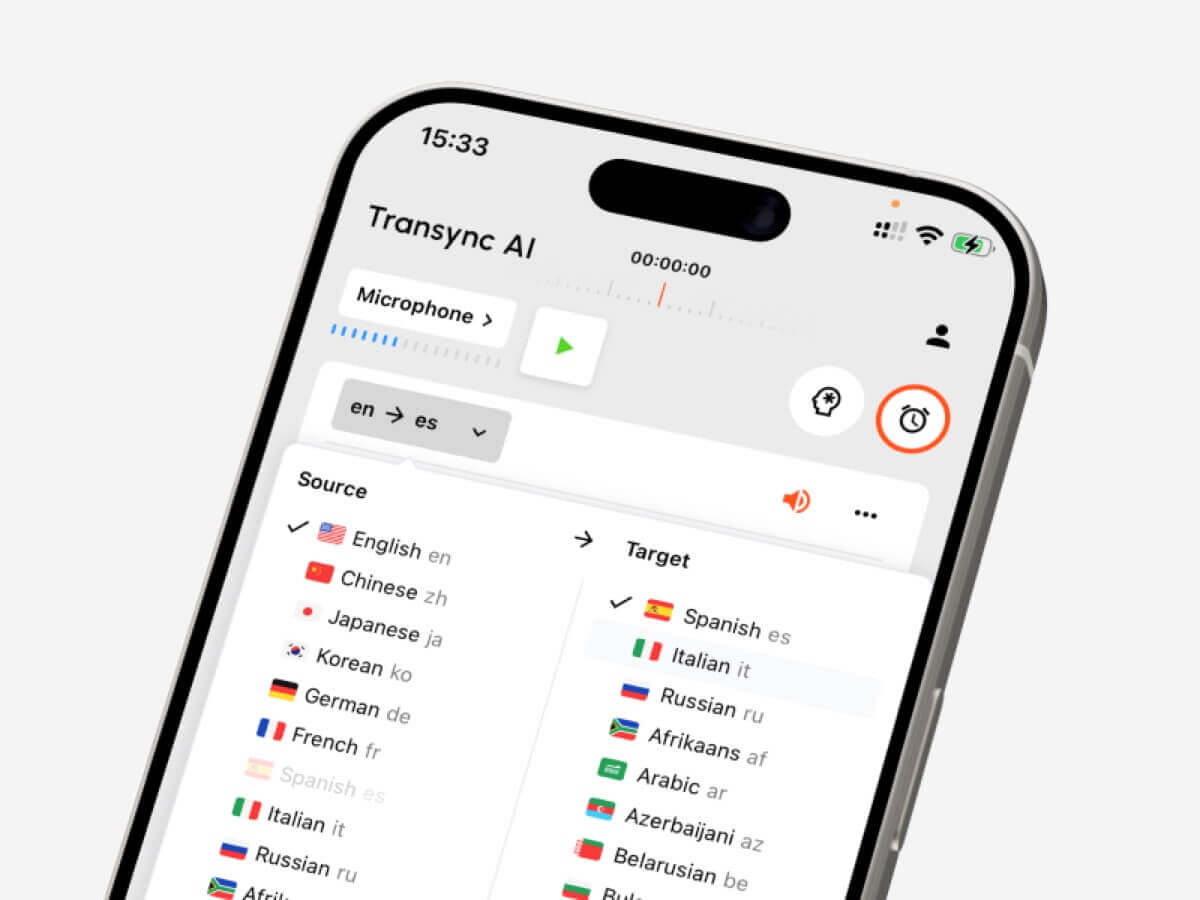
Transync AI est conçu pour ce type de communication multilingue en direct. Il fonctionne en parallèle avec Zoom, Microsoft Teams et Google Meet, et soutient en temps réel Sous-titres bilingues, traduits lecture vocale, mots-clés et contexte, sous-titres flottants, et Notes de réunion sur l'IA.
 Cela le rend utile pour :
- Appels de clients internationaux
- Réunions avec les fournisseurs
- Cours en ligne
- Entretiens
- Démonstrations de produits
- Discussions d'équipe à distance
JotMe Il est également axé sur les réunions, notamment lorsque les utilisateurs ont besoin de traductions en direct, de transcriptions, de résumés et de points d'action.

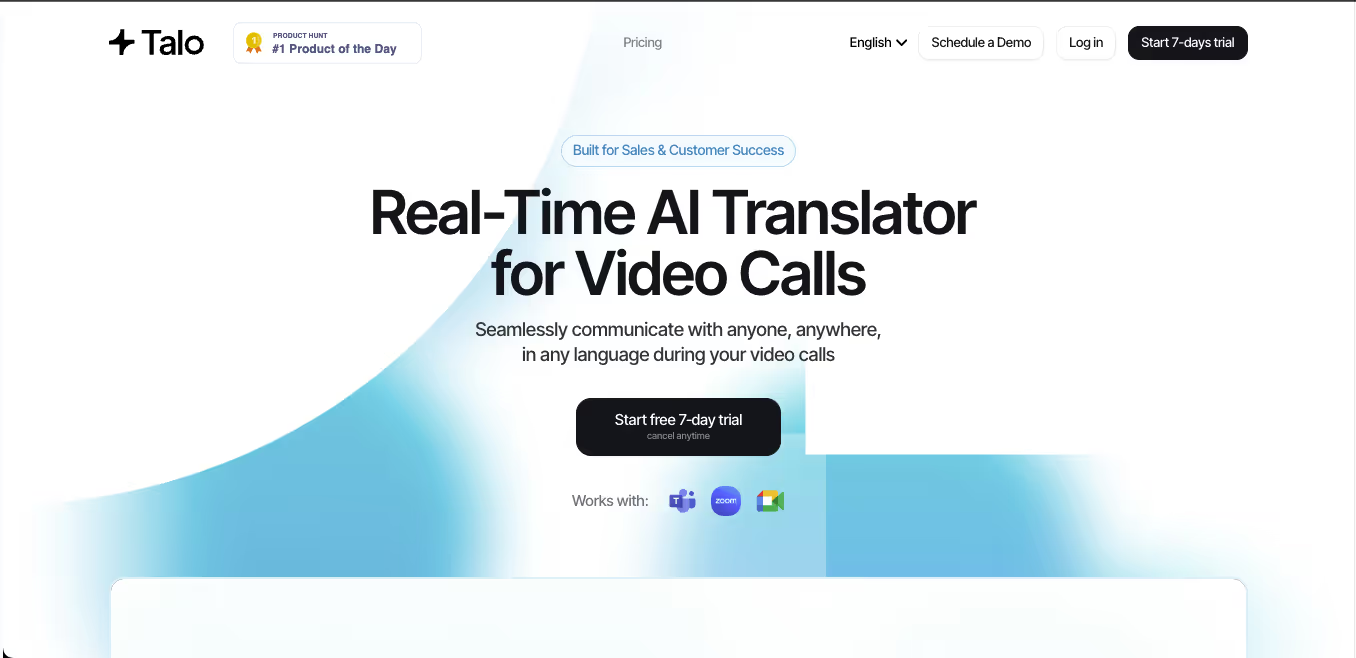
Talo Ce système utilise un flux de travail basé sur un bot, où un interprète IA rejoint la réunion. Cela peut simplifier la configuration, mais certaines équipes peuvent préférer un outil autonome qui n'apparaît pas comme participant à la réunion.
 Comparaison des outils de réunion
 Comparaison des outils de réunion
| Fonctionnalité | Transync AI | JotMe | Talo |
|---|---|---|---|
| Traduction en direct de réunions | Oui | Oui | Oui |
| Conversation bilatérale | Oui | Oui | Oui |
| Sous-titres bilingues | Oui | Oui | Disponible |
| Sortie vocale traduite | Oui | dépendant du produit | Oui |
| Mots-clés ou contexte | Oui | Vocabulaire personnalisé | dépendant du produit |
| Compte rendu de réunion | Oui | Oui | dépendant du produit |
| Flux de travail sans robot | Oui | Généralement oui | Non |
| Meilleure adaptation | Sous-titres, voix, contexte, notes | Traduction et documentation | Appels gérés par des robots |
Choisissez une réunion en premier convertisseur de langue lorsque les gens ont besoin de comprendre, de répondre et de conserver une trace utile par la suite.
Flux de travail 3 : Conversion audio enregistrée
L'audio enregistré nécessite un processus de traduction différent.
Au lieu d'une faible latence, les utilisateurs recherchent généralement la précision, la possibilité de modifier et d'exporter leurs enregistrements. Un outil de traitement audio devrait d'abord convertir la parole en texte, puis traduire la transcription.
Ce flux de travail est courant pour :
- Entretiens
- Podcasts
- Conférences
- Enregistrements de recherche
- séances d'entraînement
- Enregistrements de réunions
- Archives des appels clients
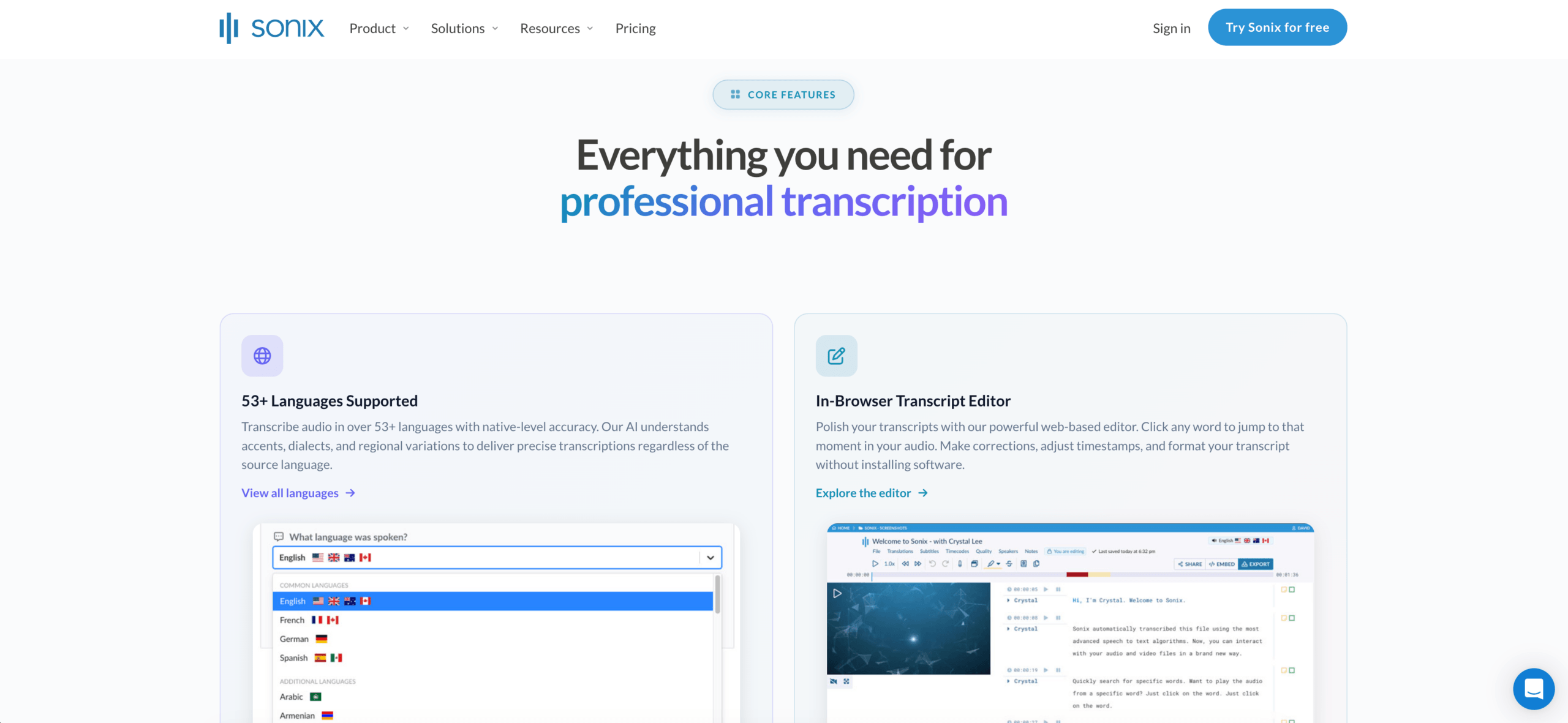
Sonix Il est parfaitement adapté aux enregistrements audio et vidéo. Il permet de créer des transcriptions, d'identifier les locuteurs, d'ajouter des horodatages, de traduire les transcriptions et de gérer les flux de travail de sous-titrage.
Un outil de réunion en direct n'est généralement pas le meilleur choix si la tâche principale est l'édition de fichiers enregistrés. Dans ce cas, il est préférable d'opter pour une solution privilégiant la transcription. convertisseur de langue peut permettre de gagner du temps.
 Flux de travail 4 : Conversion vidéo et sous-titres
 Flux de travail 4 : Conversion vidéo et sous-titres
La traduction vidéo ne se limite pas à la langue. Le timing est également crucial.
Un outil axé sur les médias peut avoir à gérer :
- Transcription
- Traduction des sous-titres
- Moment de l'orateur
- Édition des sous-titres
- Doublage
- clonage vocal
- Formats d'exportation
- Versions vidéo multilingues
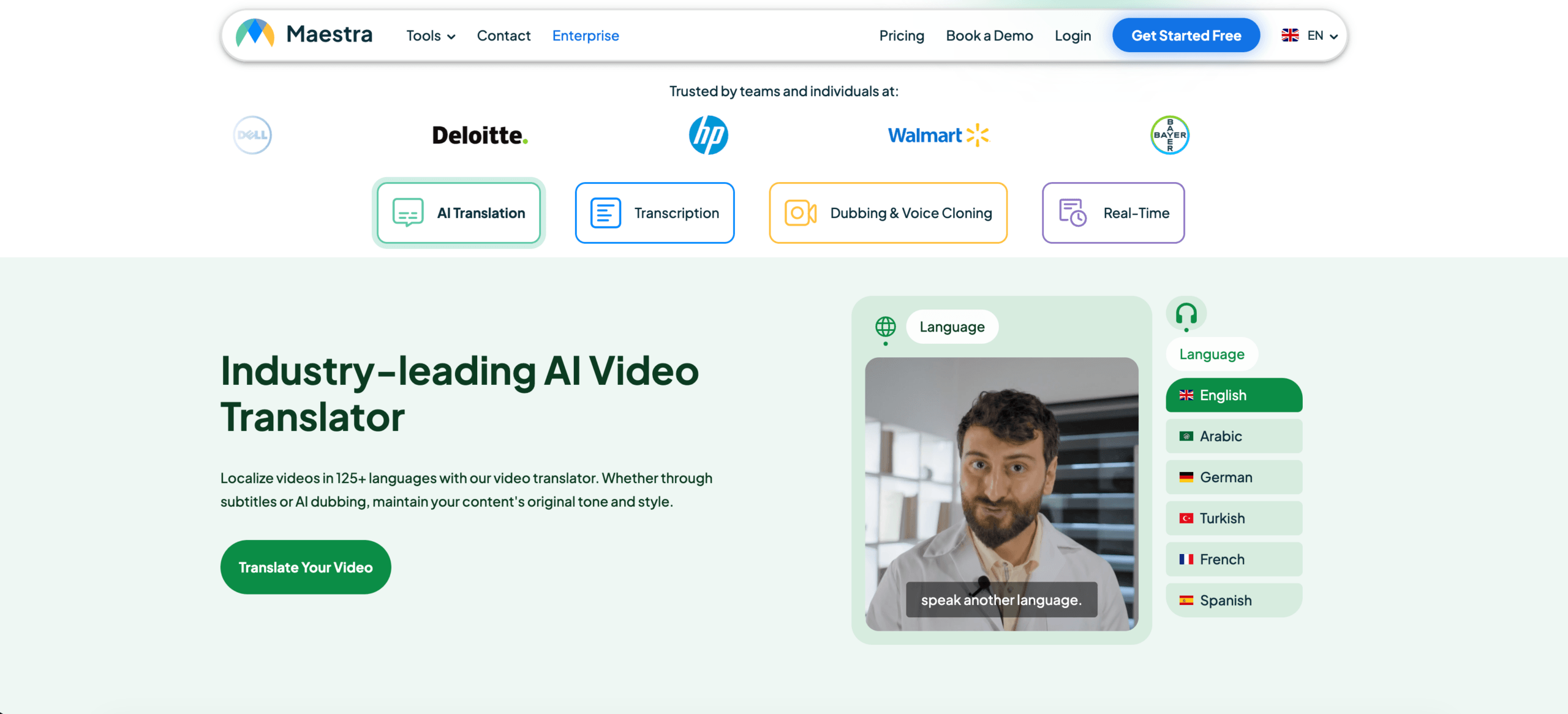
Maestra Sonix est particulièrement adapté aux utilisateurs travaillant avec des vidéos, des webinaires, des cours, des podcasts ou la localisation de contenus multimédias. Il est également utile lorsque la priorité est la transcription, la traduction et l'exportation de sous-titres.
 Transync AI peut prendre en charge la voix en direct et les sous-titres pendant les conversations, mais il n'est pas principalement conçu pour le montage vidéo détaillé en post-production.
Comparaison des outils multimédias
| Fonctionnalité | Sonix | Maestra | Transync AI |
|---|---|---|---|
| Téléverser l'enregistrement audio | Oui | Oui | Non primaire |
| Transcription vidéo | Oui | Oui | Non primaire |
| Traduction des sous-titres | Oui | Oui | Sous-titres en direct |
| Exportation des sous-titres | Oui | Oui | Non primaire |
| Doublage par IA | Non primaire | Oui | Lecture vocale en direct |
| Réunions bidirectionnelles en direct | Non primaire | Disponible | Oui |
| Meilleure adaptation | Transcriptions et sous-titres | Localisation des médias | Conversations en direct |
Une vidéo axée sur convertisseur de langue Le choix des sous-titres doit se faire selon leur exactitude, leur synchronisation, leur montage et leurs options d'exportation.
Flux de travail 5 : Conversion de la parole en voyage et au quotidien
Les traductions de voyage sont généralement courtes, mobiles et pratiques.
Les utilisateurs pourraient avoir besoin de traduire :
- Menus
- panneaux
- Instructions
- Questions courtes
- Conversations vocales simples
- Communication en magasin ou à l'hôtel
Talkao Elle est davantage orientée vers le consommateur et peut convenir à la traduction mobile occasionnelle, à la saisie par caméra, à la pratique de la prononciation et aux conversations de voyage.
Pour les communications professionnelles prolongées en face à face, Transync AI peut s'avérer plus utile car il propose des sous-titres bilingues, la traduction vocale et des enregistrements de type réunion.
L'essentiel est d'éviter les achats excessifs. Un voyageur n'a peut-être pas besoin de notes de réunion. Un utilisateur professionnel n'a peut-être pas besoin de traduction automatique par caméra.
 Comparaison générale des convertisseurs de langues
 Comparaison générale des convertisseurs de langues
| Outil | Flux de travail le plus performant | Idéal pour | Principale limitation |
|---|---|---|---|
| Transync AI | Discours en direct et réunions | Sous-titres, lecture vocale, contexte, notes | Ne convient pas à la traduction d'images ou de documents |
| DeepL | Textes et documents | Traduction professionnelle écrite | Les fonctionnalités de réunion en direct dépendent des produits vocaux. |
| JotMe | Réunions et documentation | Traduction avec notes et éléments d'action | Principalement axé sur les réunions |
| Talo | Interprétation basée sur les robots | Appels vidéo avec bot interprète IA | Le bot apparaît dans la réunion |
| Sonix | Enregistrements audio et vidéo | Transcriptions, traduction, sous-titres | Ne convient pas aux appels bidirectionnels rapides en direct |
| Maestra | Localisation des médias | Vidéos, sous-titres, doublage, webinaires | Plus large que ce dont certains utilisateurs ont besoin |
| Mondial | Événements et grands publics | Conférences et webinaires | Plus axé sur les événements |
| Talkao | Traduction mobile | Voyages, appareil photo, discours informel | Flux de travail limité pour les réunions d'affaires |
Comment choisir le bon convertisseur de langue
Avant de choisir un outil, posez-vous les questions suivantes :
- Le texte source est-il un discours en direct, un enregistrement audio ou une vidéo ?
- La traduction est-elle nécessaire immédiatement ?
- Les deux parties doivent-elles prendre la parole ?
- Les utilisateurs ont-ils besoin de sous-titres, d'une sortie vocale, ou des deux ?
- Des termes techniques, des noms ou des modèles de produits sont-ils impliqués ?
- Faut-il ensuite fournir une transcription, un résumé ou un fichier de sous-titres ?
- Une telle erreur engendrerait-elle des risques juridiques, médicaux, financiers ou liés à la sécurité ?
Ces questions permettent généralement d'identifier le flux de travail adéquat plus rapidement qu'en comparant chaque fonctionnalité.
Comment tester un convertisseur de langue
Utilisez des éléments réalistes plutôt qu'une simple phrase de démonstration.
Pour un discours en direct, veuillez inclure deux intervenants, un bruit de fond, un nom, un terme d'entreprise, un modèle de produit, une date, un prix et une correction.
Pour les documents, vérifiez la mise en forme, la terminologie répétée, le ton et la qualité des paragraphes.
Pour les enregistrements audio, vérifiez l'exactitude de la transcription, les étiquettes des intervenants, les horodatages, la qualité de la traduction et les formats d'exportation.
Le meilleur convertisseur de langue est celle qui fonctionne bien dans votre environnement réel.
Problèmes courants
UN convertisseur de langue peut avoir des difficultés avec :
- Haut-parleurs superposés
- Microphones de faible qualité
- Écho de la pièce
- Argot
- accents marqués
- Phrases incomplètes
- Noms de produits
- Abréviations techniques
- Mots ambigus
- Internet instable
Il convient de toujours vérifier les dates importantes, les prix, les quantités, les noms et les engagements.
FAQ
Qu'est-ce qu'un convertisseur de langue ?
Un convertisseur de langue est un outil qui transforme du contenu d'une langue à une autre. Il peut traiter du texte, des documents, des discours en direct, des enregistrements audio, des vidéos, des sous-titres ou des réunions.
Quel est le meilleur convertisseur de langue ?
La meilleure option dépend du flux de travail. Transync AI est adaptée aux réunions en direct, DeepL aux documents, Sonix à l'audio enregistré, Maestra à la vidéo, Wordly aux événements et Talkao aux voyages.
Quel convertisseur de langue est le plus adapté aux réunions ?
Choisissez un outil privilégiant les réunions, avec une faible latence, la traduction bidirectionnelle, des sous-titres bilingues, la traduction vocale, des contrôles terminologiques et la prise de notes en réunion.
Un seul outil peut-il convertir tous les types de contenu linguistique ?
Certains outils couvrent plusieurs flux de travail, mais la plupart ont un cas d'utilisation privilégié. Un traducteur de documents peut ne pas être adapté aux réunions en direct, tandis qu'un traducteur de réunions peut ne pas convenir à l'édition de fichiers audio enregistrés.
L'IA peut-elle remplacer les traducteurs ou interprètes humains ?
L'IA peut faciliter les réunions de routine, les déplacements, le partage de documents, les cours et les contenus enregistrés. Les professionnels humains restent la garantie d'une communication plus sûre dans les domaines juridique, médical, financier, réglementaire et autres communications à enjeux élevés.
Réflexions finales
UN convertisseur de langue Le choix doit se faire en fonction du flux de travail, et non uniquement du nombre de langues.
Utilisez DeepL pour un contenu écrit soigné, Transync AI pour les réunions en direct, JotMe pour les réunions avec prise de notes, Talo pour les appels automatisés, Sonix pour l'audio enregistré, Maestra pour la localisation de médias, Wordly pour les événements et Talkao pour les voyages.
L'outil idéal n'est pas celui qui prétend tout faire. C'est celui qui supprime la barrière de la langue dans le format précis où la communication a lieu.
Si vous voulez une expérience de nouvelle génération, Transync AI ouvre la voie avec une traduction en temps réel, optimisée par l'IA, qui assure un flux naturel des conversations. Vous pouvez essayez-le gratuitement maintenant.