

Потрібне розширення для перекладу для вашого браузера або зустрічей? Правильне розширення для перекладу змінює ваше спілкування різними мовами.
“Розширення Traductor” (розширення перекладача англійською) стосується програмних доповнень, які надають можливості перекладу у ваших існуючих програмах. Чи потрібен вам браузер розширення трансдуктора для читання іноземних веб-сайтів або зустрічі розширення трансдуктора Для перекладу розмов у режимі реального часу правильний інструмент може миттєво усунути мовні бар'єри.
Але якість дуже різниться. Деякі розширення перетворювача пропонують лише базовий переклад тексту з робототехнічним виводом. Інші надають професійний голосовий переклад у режимі реального часу з природним звуком та автоматичною документацією.
У цьому посібнику пояснюється, що таке розширення трансдуктора порівнює найкращі варіанти для різних випадків використання та показує, чому Transync AI лідирує в категорії професійного перекладу для зустрічей та заходів.
Що таке розширення перекладача?
Поширені типи розширень перекладача
1. Розширення браузера (Chrome, Firefox, Safari)
- Автоматичний переклад веб-сторінок
- Переклад слів при наведенні курсора
- Вибрати текст і перекласти
- Приклади: розширення Google Translate, розширення DeepL
2. Розширення платформи для зустрічей (Zoom, Teams, Meet)
- Переклад розмов у режимі реального часу
- Голосовий переклад з аудіовиходом
- Автоматичні субтитри кількома мовами
- Приклади: ШІ Transync, розширення перекладача для зустрічей
3. Розширення електронної пошти (Gmail, Outlook)
- Переклад вхідних електронних листів
- Складайте електронні листи іноземними мовами
- Приклади: Google Translate для Gmail
4. Розширення документів (Word, Google Docs)
- Перекладайте документи під час редагування
- Зберегти форматування
- Приклади: Перекладач Microsoft для Word
Розширення Browser Traductor: порівняння
Розширення Google Перекладач

Що це робить:
- Перекладає цілі веб-сторінки
- Переклад слів при наведенні курсора
- Переклад контекстного меню правою кнопкою миші
- Підтримується 133 мови
Сильні сторони:
- ✅ Безкоштовно та широко доступно
- ✅ Підтримується багато мов
- ✅ Легко встановлюється
- ✅ Працює на більшості вебсайтів
Обмеження:
- ❌ Тільки текст (без голосового перекладу)
- ❌ Дослівний переклад (втрачається контекст)
- ❌ Не вдається перекласти аудіо/відео контент
- ❌ Немає можливості спілкуватися в режимі реального часу
- ❌ Переклади часто незграбні або неточні
Найкраще для: Читання іноземних веб-сайтів, пошук базової лексики
Розширення DeepL

Що це робить:
- Високоякісний переклад тексту
- Працює у веббраузерах
- Контекстно-залежний переклад
- Підтримується 31 мова
Сильні сторони:
- ✅ Краща точність, ніж у Google, для європейських мов
- ✅ Більше природних перекладів
- ✅ Добре підходить для письмового контенту
- ✅ Доступний безкоштовний рівень
Обмеження:
- ❌ Лише 31 мова (порівняно зі 133 мовами Google)
- ❌ Тільки текст (без аудіоперекладу)
- ❌ Немає можливості спілкуватися в режимі реального часу
- ❌ Переважно європейські мови
- ❌ Неможливо перекладати живі зустрічі
Найкраще для: Переклад документів та вебсайтів європейськими мовами
Розширення Microsoft Translator
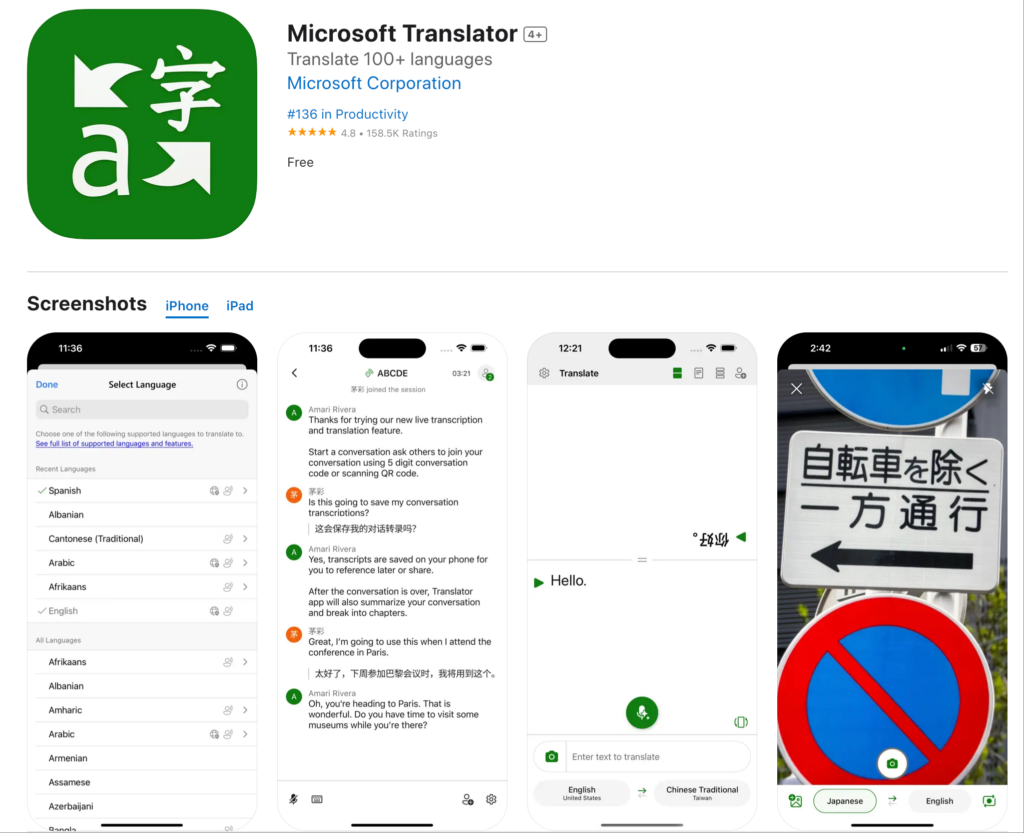
Що це робить:
- Перекладає веб-сторінки
- Інтегрується з Microsoft Edge
- Базовий режим розмови
- Підтримується понад 70 мов
Сильні сторони:
- ✅ Гарна інтеграція з екосистемою Microsoft
- ✅ Достатня точність для поширених мов
- ✅ Безкоштовне використання
- ✅ Працює на більшості вебсайтів
Обмеження:
- ❌ Розроблено в першу чергу для браузера Edge
- ❌ Обмежені можливості роботи в режимі реального часу
- ❌ Немає функцій для професійних зустрічей
- ❌ Базова якість голосу
Найкраще для: Користувачі Microsoft Edge, яким потрібен базовий переклад
Розширення перекладача зустрічей: професійні рішення
Прогалина в розширеннях браузера: Жоден з них не обробляє переклад зустрічей у режимі реального часу.

Transync AI: Розширення для перекладача професійних зустрічей
Що це робить:
- Голосовий переклад у реальному часі під час зустрічей
- Природний аудіовихід 60 мовами
- Автоматичні транскрипти та конспекти
- Нативна інтеграція Zoom, Teams та Meet
Чому це найкраще:
Швидкість: <100 мс Переклад у реальному часі
- Непомітна затримка
- Природний хід розмови
- Без незручних пауз
- Швидше за людську реакцію
Точність: 95%+ з контекстним навчанням
- Розуміє ділову термінологію
- Веде технічні переговори
- Підтримка користувацького глосарію
- Усвідомлення культурного контексту
Якість голосу: Синтез, подібний до людського
- Природна інтонація та ритм
- Відповідне поєднання тонів
- Підтримка регіональних акцентів
- Збережено емоційний нюанс
Мови: 60 мов з широким вибором
- Іспанська (мексиканський, кастильський, колумбійський варіанти)
- Португальська (бразильська, європейська)
- Китайська (мандаринська, кантонський діалект)
- Японська, корейська, арабська, хінді
- французька, німецька, італійська, російська
- Плюс понад 45 додаткових мов
Інтеграція: Активація одним кліком
- Zoom: Нативне розширення, налаштування <5 хвилин
- Microsoft Teams: Безперешкодна інтеграція
- Google Meet: пряме підключення
- Webex: Повна підтримка
- Окремо: особисті заходи
Документація: Автоматичний інтелект
- Повні стенограми всіма мовами, що використовуються
- Ідентифікація мовця за допомогою позначок часу
- Зведені за допомогою штучного інтелекту підсумки зустрічей
- Вилучення елементів дії
- Формат з можливістю пошуку та експорту
Масштабованість: необмежена кількість учасників
- Працює для дзвінків з двома особами
- Масштабується до конференцій на 2000 осіб
- Кілька мов одночасно
- Без погіршення продуктивності
Розширення перекладача за варіантами використання
Читання іноземних веб-сайтів
Сценарій: Команда маркетингу досліджує веб-сайти іспанських конкурентів
Найкраще розширення перекладача: Розширення Google Перекладач
Чому: Текстовий переклад, достатній для читання. Простий у використанні. Безкоштовний.
Як використовувати:
- Встановіть розширення Google Translate у Chrome
- Відвідайте іспанський веб-сайт
- Натисніть значок розширення
- Виберіть “Перекласти цю сторінку”
- Читати перекладений контент
Обмеження: Переклади можуть бути незручними. Добре підходить для розуміння загального значення, а не для професійного письма.
Міжнародні ділові зустрічі
Сценарій: Переговори про партнерство між США та Японією. 8 учасників. Потрібен голосовий переклад у режимі реального часу.
Найкраще розширення перекладача: Штучний інтелект Transync
Чому: Єдине рішення, що забезпечує голосовий переклад у режимі реального часу з професійною якістю.
Як використовувати:
- Встановіть розширення Transync AI у Zoom
- Почати зустріч
- Натисніть значок Transync AI
- Виберіть мови (англійська + японська)
- Говоріть природно — переклад відбувається в режимі реального часу
Результат:
- Природний хід розмови
- Точність 95%+ для ділових термінів
- Нульове непорозуміння
- Автоматична стенограма зустрічі
Чому розширення браузера не працюють: Google Перекладач не може перекладати аудіо розмови в реальному часі.
Щоденні командні стендапи
Сценарій: Команда з 50 осіб (США + Мексика). Щоденний 15-хвилинний стендап у Zoom.
Найкраще: Штучний інтелект Transync
Чому: Розроблено для повторюваних зустрічей. Одноразове налаштування. Надійна щоденна робота.
Як використовувати:
- Встановити один раз
- Встановити мови за замовчуванням (англійська + іспанська)
- Кожен стендап перекладається автоматично
- Члени команди чують свою улюблену мову
- Штучний інтелект генерує щоденний звіт
Результат:
- Збільшення продуктивності 45%
- Нульовий мовний бар'єр
- Покращена співпраця в команді
- Не потрібно щоденного налаштування
Дзвінки служби підтримки клієнтів
Сценарій: Служба підтримки обробляє дзвінки клієнтів іспанською, французькою та японською мовами.
Найкраще: Transync AI з інтеграцією телефону
Чому: Голосовий переклад у режимі реального часу є надзвичайно важливим. Досвід клієнтів є критично важливим.
Як використовувати:
- Інтеграція Transync AI з телефонною системою
- Клієнти телефонують іспанською мовою
- Агент чує переклад англійською мовою
- Агент відповідає англійською
- Клієнт чує переклад іспанською мовою
Результат:
- 60% швидший час відгуку
- 38% покращила задоволеність
- Не потрібно наймати двомовних працівників
- Автоматична документація дзвінків
Міжнародні конференції
Сценарій: Конференція на 500 осіб. Різні мови. Різні напрямки.
Найкраще: Штучний інтелект Transync для подій
Чому: Безмежна масштабованість. Професійна якість. Кілька мов одночасно.
Як використовувати:
- Розгорніть штучний інтелект Transync у всіх конференц-залах
- Учасники завантажують застосунок або використовують веб-інтерфейс
- Виберіть потрібну мову
- Усі сеанси автоматично перекладаються
- Отримайте доступ до транскриптів пізніше
Результат:
- Весь контент доступний усім учасникам
- Професійна якість перекладу
- Автоматична документація сеансу
- Задоволеність учасників 99%+
Розширення Traductor: порівняння функцій
| Функція | Штучний інтелект Transync (Зустрічі) | Google Перекладач Розширення | DeepL Розширення | Перекладач Microsoft |
|---|---|---|---|---|
| Голос у реальному часі | Так (<100 мс) ⭐ | Ні | Ні | Обмежена |
| Переклад тексту | Так ⭐ | Так | Так | Так |
| Точність | 95%+ ⭐ | 75-85% | 90-94% | 80-88% |
| Якість голосу | Натуральний ⭐ | Немає даних | Немає даних | Роботизований |
| Мови | 60 ⭐ | 133 | 31 | 70+ |
| Інтеграція зустрічей | Рідний ⭐ | Жоден | Жоден | Базовий |
| Документація | Повний штучний інтелект ⭐ | Жоден | Жоден | Базовий |
| Випадок використання | Професійні зустрічі ⭐ | Перегляд веб-сторінок | Переклад документів | Основні завдання |
| Налаштування | Глосарії на замовлення ⭐ | Жоден | Обмежена | Обмежена |
| Масштабованість | Безлімітний ⭐ | Немає даних | Немає даних | Обмежена |
Легенда: ⭐ = Лідер категорії
Висновок: Браузер розширення перекладача відзначайтеся перекладом тексту. Для професійного перекладу зустрічей вам потрібне спеціалізоване рішення, таке як Transync AI.
Розширення Traductor: поширені запитання
Q1: Що таке розширення транслятора? Розширення перекладача — це програмне доповнення, яке надає можливості перекладу в існуючих програмах, таких як веббраузери, Zoom, Teams або поштові клієнти.
Q2: Яке найкраще розширення перекладача для Chrome? Для читання веб-сайтів: розширення Google Translate. Для професійних зустрічей у Zoom/Teams: Transync AI. Різні випадки використання вимагають різних рішень.
Q3: Чи може розширення translator перекладати живі зустрічі? Розширення браузера не можуть. Вам потрібна спеціальна зустріч розширення трансдуктора як-от Transync AI, який забезпечує голосовий переклад у режимі реального часу з природним аудіовиходом.
Q4: Наскільки точні розширення ttranslator? Розширення браузера (Google Translate): 75-85%. DeepL: 90-94% для тексту. Розширення для професійних зустрічей (Transync AI): 95%+ з контекстним навчанням та користувацькими глосаріями.
Q5: Чи працює розширення перекладача офлайн? Більшість із них потребують підключення до Інтернету. Transync AI потребує Інтернету для перекладу в режимі реального часу, але може створювати звіти офлайн зі збережених транскриптів.
Q6: Чи можу я використовувати розширення перекладача для зустрічей Zoom? Розширення браузера не працюють для аудіо в Zoom. Встановіть Transync AI як нативний додаток для Zoom. розширення перекладача для голосового перекладу в режимі реального часу.
Q7: Яка різниця між розширеннями для браузера та перекладача зустрічей? Розширення браузера перекладають текст на веб-сайтах. Розширення для зустрічей перекладають голосові розмови в режимі реального часу з аудіовиходом.
Q8: Чи можуть розширення перекладачів обробляти технічну термінологію? Google Translate має проблеми зі спеціалізованими термінами. Transync AI підтримує власні глосарії, де ви визначаєте галузеві переклади.
Успіх у реальному світі: розгортання розширення Traductor
Глобальна консалтингова фірма
Профіль: 1200 консультантів у 15 країнах. Понад 400 зустрічей з клієнтами щотижня кількома мовами.
Виклик: Мовний бар'єр знижує якість проекту. Клієнти віддають перевагу спілкуванню рідною мовою. Проблеми з перекладом, що спричиняють затримки проекту.
Попередні спроби:
- ❌ Браузер розширення перетворювача (Перекладач Google): Не вдається перекласти аудіозапис зустрічі
- ❌ Перекладачі: Недостатньо для понад 400 зустрічей на тиждень
- ❌ Виключно двомовний персонал: обмежений кадровий резерв, знижена різноманітність команди
Рішення: Розгорнута зустріч зі штучним інтелектом Transync розширення трансдуктора
Впровадження:
- Встановлено розширення Transync AI у Zoom та Teams
- Створено власні глосарії для консалтингової термінології
- Навчив усіх консультантів (<30 хвилин на особу)
- Встановлення регіональних мовних налаштувань за офісом
Результати (12 місяців):
Метрики комунікації:
- ✅ 100% зустрічей з клієнтами доступні мовою, яку клієнт вибирає
- ✅ Нульові затримки проектів через мовні особливості
- ✅ 99.3% задоволеність консультанта якістю перекладу
- ✅ 97.8% задоволеність клієнтів комунікацією
Вплив на бізнес:
- ✅ Збільшення показника успішності проектів на 34%
- ✅ Покращено утримання клієнтів 28%
- ✅ Оптимізовано використання консультантів (без обмежень щодо підбору мов)
- ✅ Розширено розширення ринку (вихід на 8 нових країн)
Показники продуктивності:
- ✅ 42% швидше завершення проекту
- ✅ 38% зменшення кількості інцидентів з непорозумінням
- ✅ 51% покращення міжофісної співпраці
Відгук: “Ми перепробували всі доступні розширення для перекладача браузера. Жодне з них не могло перекласти зустрічі з нашими клієнтами. Transync AI повністю змінив нашу глобальну діяльність. Це не просто розширення для перекладача — це наша конкурентна перевага”. — Керуючий партнер, глобальні операції
Початок роботи: Розширення Traductor
Для перегляду веб-сторінок (переклад тексту)
Крок 1: Встановіть розширення Google Translate або DeepL Крок 2: Переглядайте іноземні веб-сайти нормально Крок 3: Натисніть на розширення, щоб перекласти сторінки Найкраще для: Читання контенту, фундаментальні дослідження

Для професійних зустрічей (голосовий переклад)
Крок 1: Встановлення Transync AI
- Доступно для Zoom, Teams, Meet, Webex
- <5 хвилин встановлення
- Активація одним кліком
Крок 2: Налаштування мов
- Виберіть мови вашої команди
- Виберіть регіональні варіанти
- Створити власний глосарій (необов'язково)
Крок 3: Початок зустрічі
- Запустіть Zoom/Teams/Зустріч у звичайному режимі
- Натисніть значок Transync AI
- Переклад відбувається автоматично
Крок 4: Отримайте доступ до документації
- Завантажити стенограми після зустрічі
- Переглядайте зведені за допомогою штучного інтелекту зведення
- Поділитися із зацікавленими сторонами
Висновок: Найкраще розширення перекладача
Правильне розширення транслятора залежить від вашого випадку використання:
Для читання веб-сайтів:
- ✅ Розширення Google Translate (більшість мов)
- ✅ Розширення DeepL (найкраща європейська якість мов)
Для професійних зустрічей:
- ✅ Transync AI (єдине рішення з голосовим перекладом у режимі реального часу)
Чому Transync AI лідирує як продовження для перекладачів зустрічей:
✅ Найшвидший: Переклад у реальному часі <100 мс (непомітна затримка) ✅ Найбільш точний: 95%+ з контекстним навчанням та користувацькими глосаріями ✅ Найбільш натуральний: Синтез голосу, подібний до людського, а не роботизований ✅ Найкраще інтегровано: Активація Zoom/Teams/Meet одним кліком ✅ Найрозумніший: Автоматичні транскрипти, резюме, завдання ✅ Найбільш вичерпний: 60 мов з підтримкою регіональних варіантів ✅ Найбільш настроювані: Спеціальні глосарії для галузевої термінології ✅ Найбільш масштабовані: Від дзвінків для двох осіб до конференцій на 2000 осіб ✅ Найбільш професійний: Безпека та надійність корпоративного рівня
Розширення для перекладачів браузера чудово справляються з перекладом тексту. Transync AI є безперечним лідером для професійного голосового перекладу на зустрічах, заходах та дзвінках.
Припиніть пошуки ідеального розширення перекладача.
Для вебсайтів: використовуйте Google Translate або DeepL. Для зустрічей: розгорніть штучний інтелект Transync.
Оберіть правильний інструмент для правильного завдання — і трансформуйте свою глобальну комунікацію вже сьогодні.
Якщо ви хочете отримати досвід наступного покоління, Штучний інтелект Transync лідирує завдяки перекладу в режимі реального часу на базі штучного інтелекту, який забезпечує природний хід розмов. Ви можете спробуйте безкоштовно зараз.

