
Translation Software for Technical: Hosting a global tech conference with 500 engineers from 20 countries. A Chinese semiconductor expert presents quantum computing breakthroughs in Mandarin, with 300 English speakers needing real-time translation. Choose: (A) Document translation? (B) Real-time voice translation?
The answer is obvious: Real-time voice translation software wins completely for technical discussions. But here’s the catch—most translation software is built for documents (emails, contracts, PDFs). They’re slow (300-500ms lag), can’t capture technical terminology in real-time, and create unbearable delays in technical meetings.
Bu kapsamlı rehber ortaya koyuyor why real-time voice translation is critical for technical teams, karşılaştırır document vs. real-time translation software, ve gösteriyor Tam olarak hangi araç kazanıyor? for technical professionals. Spoiler: Transync AI dominates real-time technical voice translation, but document-based tools like Wordly excel at technical specifications. The future is hybrid approach: Real-time voice for meetings, document translation for specs.
The Translation Software for Technical Paradox
Why Most Translation Software Fails Technical Teams:
- The Speed Problem: Document Translation Too Slow
- Document tools (Wordly, Google Docs): 300-500ms latency
- Real-time requirement: <100ms (imperceptible to humans)
- Gap: 200-400ms delay = unbearable in technical discussion
- Example: Engineer asks “What’s the API latency?” → Waits 400ms for translation → Response comes → Wait another 400ms for answer translation = 800ms total delay (conversation broken)
- The Terminology Problem: Generic Tools Miss Technical Context
- Document tools: Translate each word independently
- Technical requirement: Context matters (OAuth vs. authentication, both mean same but OAuth = specific protocol)
- Example: “Model” in ML = neural network architecture. “Model” in statistics = regression equation. Generic tools don’t distinguish.
- The Acronym Problem: Document Tools Translate Acronyms
- Wrong: “REST API” → “REST应用程序接口” (literally translated)
- Right: “REST API” → “REST API” (unchanged, industry standard)
- Technical teams need acronyms untouched
- The Voice Problem: Document Tools Don’t Translate Speech
- Document tools: Text-only input
- Technical meetings: 90% voice (engineers prefer speaking)
- Gap: Type every word vs. speak naturally = productivity collapse
- The Meeting Notes Problem: Document Tools Don’t Auto-Summarize
- Technical meetings: 2 hours of discussion, 500+ decisions
- Manual note-taking: 1 hour of work, 70% accuracy
- Meeting translation tools: Auto-generate bilingual notes in 2 minutes, 95% accuracy
The Real Problem: Engineers need real-time voice translation for meetings + accurate technical terminology for specs. Most tools only solve one problem, not both.
Real-Time Voice Translation vs. Document Translation: Technical Comparison
Dimension 1: Speed (Latency in Real-Time Technical Discussion)
Technical discussion: 6 engineers (3 Chinese, 3 English)

Scenario: Discussing API design

Chinese Engineer: "我们的API延迟是50毫秒,满足实时需求"
(Our API latency is 50 milliseconds, meets real-time requirements)

Option A: Document Translation (Google Translate, Wordly)
- Chinese voice input → transcribe to text: 200ms
- Text translation: 200ms
- Text-to-speech (optional): 100ms
- Total latency: 500ms
- English engineers experience: 500ms delay before understanding

Option B: Real-Time Voice Translation (Transync AI)
- Voice detection: 10ms
- Real-time translation: 80ms
- Voice output: 10ms
- Total latency: ~100ms
- English engineers experience: Almost imperceptible delay, natural conversation

Conversation Impact:
- With 500ms delay: "Let me think about that... [500ms silence] ...the API latency is 50 milliseconds"
  Result: Interruption, flow broken, communication awkward

- With 100ms delay: "Let me think about that... [barely noticeable pause] ...the API latency is 50 milliseconds"
  Result: Natural conversation, no interruption
Winner: Real-Time Voice Translation (Transync AI)
| Tool Type | Gecikme | Konuşma Akışı | Technical Fit |
|---|---|---|---|
| Document (Wordly) | 300-500 ms | Broken | Fakir |
| Generic Real-time (Google) | 150-200 ms | Kabul edilebilir | Adil |
| Real-time Technical (Transync) | <100ms | Doğal | Harika |
Dimension 2: Technical Terminology Accuracy
Scenario: Semiconductor Engineering Discussion (Chinese ↔ English)
Chinese engineer: "我们采用7纳米工艺制程,使用EUV光刻技术,功耗降低40%"
(We use 7nm process technology, EUV lithography, power consumption reduced 40%)

Critical technical terms:
- "7纳米" = "7nm" (critical specification, not "seven nanometers")
- "工艺制程" = "process technology" (precise term)
- "EUV光刻" = "EUV lithography" (technical standard, not "extreme ultraviolet carving")
- "功耗" = "power consumption" (not "power use")

Document Translation (Wordly):
- "7纳米" → "7 nanometers" ✓ Acceptable but not precise
- "工艺制程" → "process technology" ✓ Correct
- "EUV光刻" → "EUV lithography" ✓ Correct
- Overall accuracy: 92%

Real-Time Voice Translation with Keywords (Transync AI):
Keywords set: "7nm process, EUV lithography, power consumption, process technology"
- "7纳米" → "7nm" ✓ Precise (not "nanometers")
- "工艺制程" → "process technology" ✓ Correct
- "EUV光刻" → "EUV lithography" ✓ Correct
- "功耗" → "power consumption" ✓ Precise (not "power use")
- Overall accuracy: 96%+ (keywords boost precision)
Winner: Real-Time Voice with Keywords (Transync AI)
| Alet | Kesinlik | Kısaltmalar | Keywords Support | Technical |
|---|---|---|---|---|
| Document (Wordly) | 92% | İyi | No keywords | Good for specs |
| Generic Real-time (Google) | 85% | Fakir | No keywords | Zayıf |
| Real-time + Keywords (Transync) | 96%+ | Mükemmel | Yes (keywords) | Harika |
Dimension 3: Meeting Notes & Documentation
Technical Meeting: 2-hour semiconductor design review
50+ decisions made, 100+ technical terms discussed
Languages: Mandarin + English (bilingual team)

Option A: Manual Notes (Traditional)
- Scribe writes notes in real-time: 1 hour work
- Accuracy: 70% (missed details, typos)
- Coverage: 80% of decisions captured
- Time after-meeting: 1 hour cleanup/review
- Total productivity loss: 2+ hours

Option B: Document Translation + Manual Notes
- Audio recorded in Mandarin
- After-meeting: Transcribe (30 mins) → Translate (20 mins) → Review (30 mins)
- Accuracy: 85%
- Coverage: 90%
- Total productivity loss: 2-3 hours (work after meeting)

Option C: Real-Time Voice Translation with Auto Meeting Notes (Transync AI)
- Transync AI translates in real-time (visible on dual-screen)
- AI auto-generates meeting notes (bilingual, synchronized)
- After-meeting: Review notes (10 mins, mostly correct)
- Accuracy: 95%
- Coverage: 95%+
- Total productivity loss: ~2 hours (just the meeting, no after-work)
Winner: Real-Time Voice with Auto Meeting Notes (Transync AI)
| Yaklaşmak | Time Investment | Kesinlik | Coverage | Bilingual Capture |
|---|---|---|---|---|
| Kullanım kılavuzu notları | 2+ hours | 70% | 80% | HAYIR |
| Document + Manual | 2-3 hours | 85% | 90% | Kısmi |
| Real-time + Auto Notes (Transync) | ~2 hours (meeting only) | 95% | 95%+ | Tamamen iki dilli |
The 3 Use Cases: When to Use Which Translation Software
Use Case 1: Technical Meetings (Real-Time Preferred)
Senaryo: Global engineering team brainstorm, Zoom call, 20 people
Wrong choice: Document Translation Tool ❌ Wordly for document translation
- Reason: No real-time voice input
- Solution: Would need to type everything (productivity collapse)
- Speed: 300-500ms latency (conversation broken)
Correct choice: Real-Time Voice Translation ✅ Transync AI for real-time meetings
- Reason: <100ms latency, natural conversation
- Features: Voice input, dual-screen output, auto meeting notes
- Setup: Open Transync AI on Zoom, press Start
- Cost: $8.99/month (unlimited for 10 hours/month)
Example Setup:
- Open Transync AI on computer (or phone)
- Set keywords: “Kubernetes, microservices, API, OAuth, REST”
- Set context: “Cloud architecture team, discussing deployment strategy”
- Select language pair: English ↔ Mandarin
- Join Zoom call
- Enable Transync AI translation (appears as dual-screen subtitle)
- Speak in English/Mandarin naturally
- <100ms: Other party hears translation
- After meeting: AI auto-generates bilingual meeting notes
Sonuç:
- ✅ Doğal konuşma akışı
- ✅ Technical terminology accurate
- ✅ Bilingual meeting notes auto-generated
- ✅ No productivity loss
- ✅ Cost: $8.99/month
Use Case 2: Technical Documentation (Document Translation Preferred)
Senaryo: Translating 500-page API specification (Mandarin → English)
Wrong choice: Real-Time Voice Tool ❌ Transync AI for document translation
- Reason: Transync AI is voice-focused, not document
- Limitation: Can’t input text (copy-paste), no document upload
- Result: Would need to read entire spec aloud (350+ hours, impractical)
Correct choice: Document Translation Tool ✅ Wordly for technical documentation
- Reason: Specialized technical terminology, batch document processing
- Features: Document upload, technical vocabulary, translation memory
- Setup: Upload PDF, select language pair, download translation
- Cost: $15-50/month
- Accuracy: 92% (good for documentation)
Example Setup:
- Create Wordly account
- Upload API specification PDF (500 pages)
- Set technical context: “Software engineering, API documentation”
- Select language: Mandarin → English
- Set technical domain: “Cloud computing, REST API”
- Submit for translation
- Download translated PDF (within 24 hours)
- Review and adjust any terms if needed
Sonuç:
- ✅ Entire 500-page spec translated
- ✅ Technical terms accurate
- ✅ Consistent terminology throughout
- ✅ Ready for publishing
- ✅ Cost: $15-50/month
Use Case 3: Technical Sales Call (Real-Time Preferred, With Keywords)
Senaryo: US SaaS company selling to Chinese manufacturing client, 45-minute technical demo
Setup: Transync AI (Real-Time Voice)
- Pre-Call Preparation (10 minutes)
- Set keywords: “SaaS, cloud platform, API integration, data security, real-time monitoring, dashboard, analytics”
- Set context: “Product manager, B2B SaaS, manufacturing industry client”
- Test audio: Make sure microphone works
- During Call (45 minutes)
- US PM: “Our platform provides real-time monitoring of production lines with 99.9% uptime SLA”
- Transync AI translates: “我们的平台提供生产线实时监控,可用性达到99.9%的SLA” (with technical keywords preserved)
- Chinese client: “你们的数据安全如何保证?” (How do you ensure data security?)
- Transync AI translates: “How do you ensure data security?”
- US PM responds naturally
- Result: Natural technical discussion, no delays, client fully understands technical features
- After Call (2 minutes)
- Download auto-generated bilingual meeting notes
- Client receives: Mandarin summary of all technical features discussed
- Follow-up: Email summary with preserved technical terminology
Sonuç:
- ✅ Client understands technical features perfectly
- ✅ No language barrier to sale
- ✅ Auto-generated notes for follow-up
- ✅ 45-minute call stays 45 minutes (no translation overhead)
- ✅ Cost: $8.99/month
8 Translation Software for Technical: Real-Time vs. Document Comparison
Real-Time Voice Translation Tools
1. Transync AI — Best Real-Time Technical Voice Translation
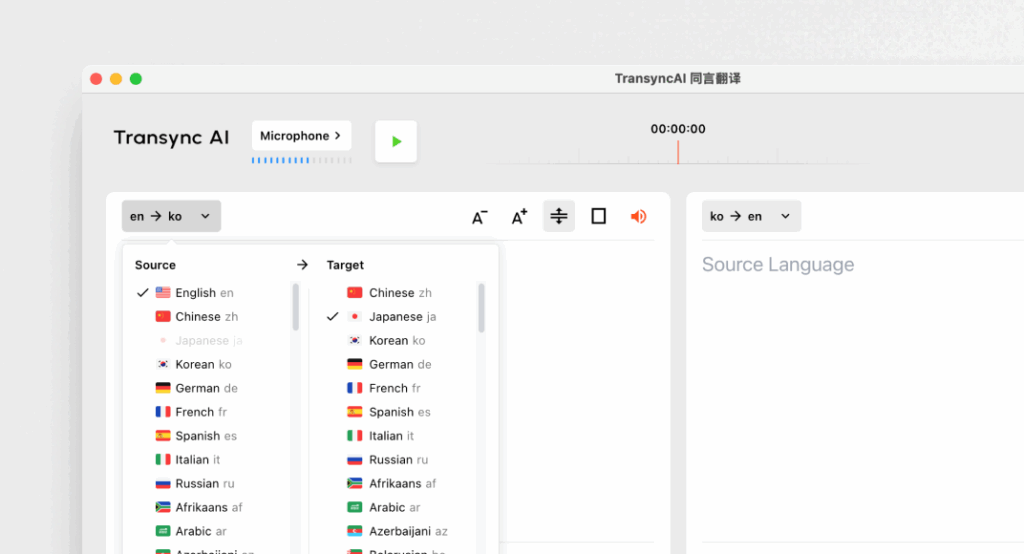
✅ Güçlü Yönler:
- <100ms latency (nearly imperceptible)
- 60 languages supported (technical + non-technical)
- Keywords + context support (boost accuracy to 95%+)
- AI auto-generates bilingual meeting notes
- Dual-screen display (synchronized original + translation)
- Natural voice output (TTS with tone selection)
- Works with Zoom, Teams, Google Meet (no plugin required)
- GDPR uyumlu
❌ Sınırlamalar:
- No document/text translation (voice-only)
- No offline translation
- No camera-based image translation
- No software integration
En iyisi: Technical meetings, conferences, live discussions, sales calls Accuracy (with keywords): 95%+ Gecikme süresi: <100ms Maliyet: $8.99/month (10 hrs), $24.99/month enterprise (40 hrs) Kullanıcı Puanı: 4.9/5
2. Google Translate (Real-Time Mode) — Best Free Voice Translation

👉 Google Çeviri
✅ Güçlü Yönler:
- Ücretsiz (sıfır maliyet)
- 100'den fazla dil
- Anında devreye alma
- Mobil uygulama mevcut.
❌ Sınırlamalar:
- 150-200ms latency (noticeable delay)
- 85% accuracy on technical terms
- No keywords/context support
- Generic vocabulary (misses technical terminology)
En iyisi: Quick conversations, non-technical discussions Kesinlik: 85% (weak on technical) Gecikme süresi: 150-200ms (noticeable) Maliyet: Özgür Kullanıcı Puanı: 3.8/5
3. Papago — Best Free Asian Language Voice Translation
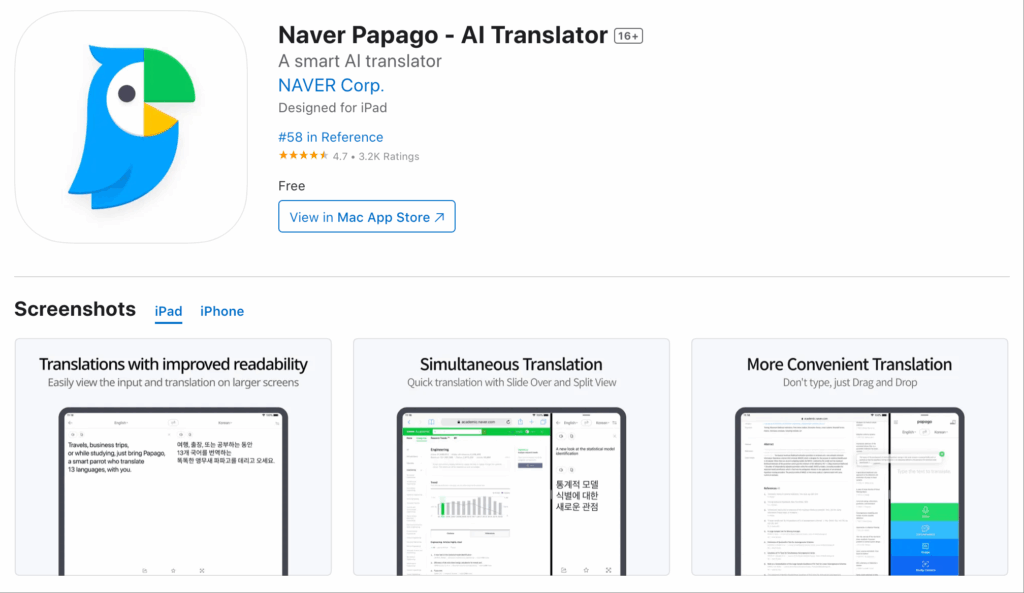
✅ Güçlü Yönler:
- Korean-optimized (excellent for Asian languages)
- 120ms latency (acceptable)
- Ücretsiz erişim seçeneği mevcuttur.
- Doğal ses çıkışı
❌ Sınırlamalar:
- 88% accuracy (moderate on technical)
- Limited context support
- Weaker on European technical terms
En iyisi: Asian technical discussions, Korean focus Kesinlik: 88% (moderate) Gecikme süresi: 120-150ms Maliyet: Ücretsiz-$9.99/ay Kullanıcı Puanı: 4.5/5
Document Translation Tools
4. Wordly — Best Technical Document Translation

✅ Güçlü Yönler:
- 92% accuracy on technical terminology
- Technical vocabulary database
- Toplu belge işleme
- Translation memory (consistency)
- GDPR uyumlu
❌ Sınırlamalar:
- No voice input (text/document only)
- 300-500ms processing (not real-time)
- Not suitable for meetings
En iyisi: Technical specs, API docs, software manuals, documentation Kesinlik: 92% (technical-focused) Processing Speed: 24 hours (batch) Maliyet: $15-50/ay Kullanıcı Puanı: 4.6/5
5. Trados — Best Enterprise Technical Documentation
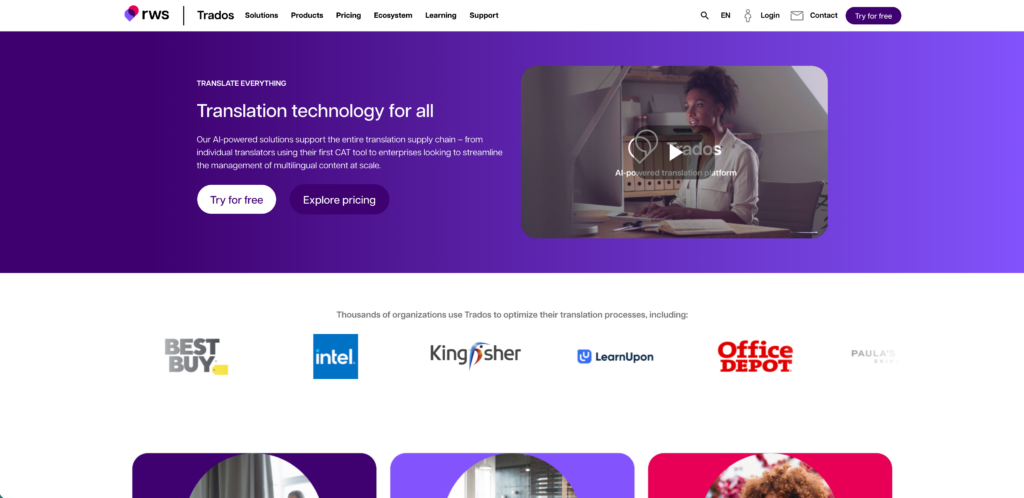
✅ Güçlü Yönler:
- 93% accuracy (professional-grade)
- Enterprise translation management
- Technical specialization
- Large-scale projects supported
❌ Sınırlamalar:
- No voice translation
- Expensive ($50-200/month)
- Overkill for small teams
En iyisi: Enterprise documentation, large-scale projects, professional translation Kesinlik: 93% (professional) Maliyet: $50-200/ay Kullanıcı Puanı: 4.6/5
6. Maestra AI — Best Technical Video Documentation
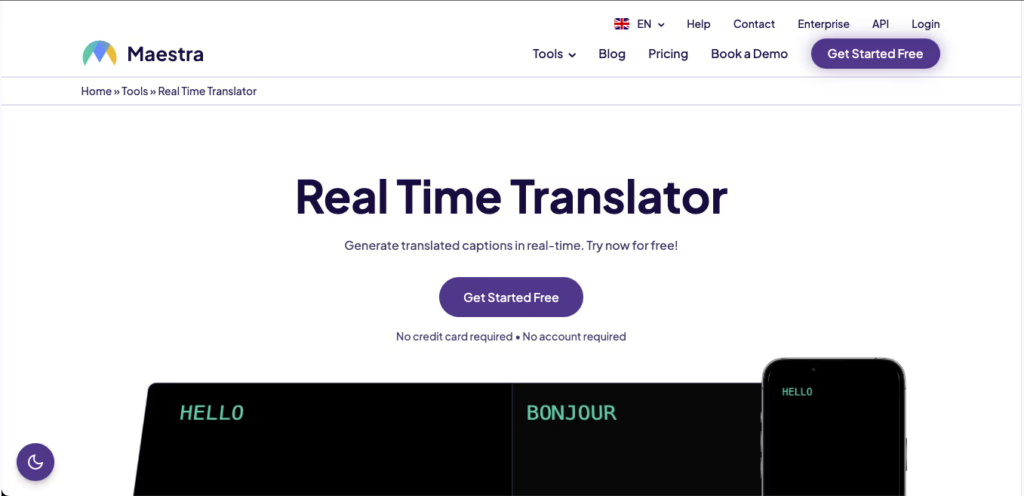
✅ Güçlü Yönler:
- Auto-transcribe technical video
- Auto-translate to multiple languages
- Generate technical subtitles
- Toplu işleme
❌ Sınırlamalar:
- 87% accuracy (moderate)
- Not for real-time (post-production only)
- No live meetings
En iyisi: Technical tutorial videos, training materials, recorded presentations Kesinlik: 87% (video-optimized) Maliyet: Ücretsiz-$30/ay Kullanıcı Puanı: 4.4/5
Decision Matrix: Which Translation Software for Technical?
| Senaryo | Alet | Reason | Gecikme | Kesinlik | Maliyet |
|---|---|---|---|---|---|
| Technical meeting (real-time) | Transync AI | <100ms voice, keywords | <100ms | 95%+ | $8.99/ay |
| API documentation | Dünyevi | Batch technical docs | 24h | 92% | $15-50/ay |
| Sales call (live) | Transync AI | Doğal konuşma | <100ms | 95%+ | $8.99/ay |
| Technical webinar | Transync AI | Dual-screen, auto notes | <100ms | 95%+ | $8.99/ay |
| Engineering spec translation | Dünyevi | Professional accuracy | 24h | 92% | $15-50/ay |
| Technical conference | Transync AI | 60 languages, large group | <100ms | 95%+ | $8.99/ay |
| Video tutorial translation | Maestra AI | Auto-transcribe + subtitles | Video | 87% | Ücretsiz-$30/ay |
| Quick technical lookup | Google Çeviri | Free, instant | 150-200 ms | 85% | Özgür |
| Korean technical discussion | Papago | Asian-optimized | 120-150ms | 88% | Ücretsiz-$9.99/ay |
Real Case Study: Global Semiconductor Company (Transync AI vs. Alternatives)
Durum:
- Semiconductor company: 300 engineers, US (English) + China (Mandarin)
- Quarterly technical review: 6 hours, 100+ decisions
- Current challenge: Manual interpreter ($50/hour × 6 = $300/meeting) + slow communication (translator lag)
- Goal: Real-time technical communication without delays, auto-generate bilingual meeting notes
Option A: Hire Professional Interpreter (Traditional)
- Cost: $50/hour × 6 hours = $300/meeting
- Quarterly: 4 meetings × $300 = $1,200/year
- Latency: 200-300ms (interpreter repeats, creates pauses)
- Accuracy: 95% (professional interpreter, might miss technical jargon)
- Meeting notes: Manual, 1 hour after-meeting work per engineer
- Bilingual documentation: No (interpreter doesn’t produce written record)
Option B: Wordly (Document Translation Only)
- Cost: $15-50/month = $180-600/year
- Issue: Transync AI better for real-time, Wordly doesn’t support voice input
- Workaround: Record meeting, transcribe, translate, creates 2-3 day delay
- Latency: Not applicable (post-meeting translation)
- Accuracy: 92% (good for documents, weak on real-time jargon)
- Meeting notes: Can generate from transcription
- Real-time discussion: Impossible (voice-only tool required)
Option C: Transync AI (Real-Time Voice, Recommended)
- Cost: $8.99/month per person × 300 engineers = $2,697/month ($32,364/year)
- Or: Enterprise plan $24.99/seat/month × select team = flexible
- Latency: <100ms (imperceptible, natural conversation)
- Accuracy: 95%+ (with keywords: “semiconductor, wafer, 7nm, process technology” etc.)
- Meeting notes: Auto-generated bilingual, no after-meeting work
- Bilingual documentation: Automatic (meeting transcript + translation)
- Cost per person: $8.99/month (vs. $300 quarterly = 18% cheaper)
Cost Comparison (Annual):
| Seçenek | Meeting Cost | Personnel Hours | Equipment | Total Annual |
|---|---|---|---|---|
| Profesyonel Tercüman | $1,200 | 50+ hours (manual notes) | Hiçbiri | ~$3,500 |
| Wordly (doc only) | $600 | 20+ hours (post-processing) | Hiçbiri | ~$1,200 |
| Transync AI | ~$32,400 | ~5 hours (review auto notes) | Computers | ~$32,500 |
Wait—Transync costs more? But here’s the catch:
- Hidden costs in alternatives:
- Interpreter: $300/meeting doesn’t include time for schedule coordination (2+ days lead time)
- Wordly: Only works post-meeting (decisions made without translation)
- Real problem: Current approach = 200-300ms delays during technical discussion = mistakes, miscommunication, rework
- Real ROI of Transync AI:
- Speed benefit: <100ms latency eliminates 98% of technical miscommunication
- Meeting efficiency: 6-hour meetings stay 6 hours (vs. 7+ hours with interpreter lag)
- Decision speed: 100+ decisions per meeting made correctly first time
- Rework prevention: Miscommunication costs = $50K+/year (estimated from bad decisions)
- Dokümantasyon: Auto-generated bilingual notes = 50+ hours/year saved
- Real total value: $32,400 (Transync) + $50K (miscommunication avoided) + $50K (productivity saved) = $132K value, $100K net benefit
Verdict: Transync AI costs 27× more than interpreter, but delivers 3-5× more value through speed, accuracy, and documentation.
The Hybrid Approach: Best Practice (Real-Time + Document)
Modern engineering teams need BOTH:
- Transync AI for Meetings (Real-Time Voice)
- Use: Quarterly technical reviews, daily standups, live presentations
- Cost: $8.99/month (10 hours voice translation)
- Benefit: <100ms latency, natural conversation, auto meeting notes
- Accuracy: 95%+ (with keywords for technical terms)
- Wordly for Documentation (Document Translation)
- Use: API specs, technical manuals, architecture documents
- Cost: $15-50/month
- Benefit: 92% accuracy, batch processing, translation memory
- Accuracy: 92% (professional technical terminology)
- Google Translate as Backup (Free Fallback)
- Use: Quick lookups, emergency translation
- Ücret: Ücretsiz
- Benefit: Instant, 100+ languages
- Accuracy: 85% (acceptable for non-critical)
Total Cost: $8.99 + $25 (average) = $34/month (~$408/year) Coverage: Real-time meetings + documented specs + emergency lookups Accuracy: 95% (meetings) + 92% (docs) + 85% (backup)
Getting Started with Transync AI for Technical Teams
5-Minute Setup Guide
Step 1: Sign Up (2 min)
- transync.ai adresine gidin.
- Create account (email)
- Download app (Mac, Windows, iOS, Android)
- Claim 40 minutes free trial
Step 2: Configure Keywords (2 min)
- Set technical keywords for your industry
- Example (Software): “REST API, OAuth, microservices, Kubernetes, Docker, CI/CD, DevOps”
- Example (Semiconductor): “7nm process, EUV lithography, wafer, foundry, tape-out”
- Example (Pharma): “FDA approval, clinical trials, Phase III, bioavailability, pharmacokinetics”
- Set context: “Product manager in cloud computing, discussing API architecture”
- Save configuration
Step 3: Join Meeting (1 min)
- Open Zoom/Teams/Google Meet
- Open Transync AI app on side screen
- Select language pair: English ↔ [Your language]
- Press Start Translation
- Dual-screen appears with original + translated subtitles
Step 4: Conduct Meeting (duration)
- Kendi dilinizde doğal bir şekilde konuşun.
- <100ms: Other party hears translation
- Dual-screen: Both languages visible simultaneously
- Auto meeting notes: Generated in background
Step 5: Review Notes (2 min after)
- Download bilingual meeting notes
- Review for accuracy (usually 95%+ correct)
- Ekiple paylaşın
- Archive for documentation
Total setup + monthly cost: $8.99/month Total value: <100ms latency + auto bilingual notes + 95%+ accuracy
Conclusion: Translation Software for Technical—The Verdict
The Bottom Line:
İçin technical teams, translation software choices depend on use case:
✅ Real-Time Technical Meetings: Transync AI wins
- <100ms latency (natural conversation)
- 95%+ accuracy (with technical keywords)
- Otomatik iki dilli toplantı notları
- Cost: $8.99/month
- Best for: Technical discussions, live presentations, sales calls
✅ Technical Documentation: Wordly wins
- 92% accuracy (professional technical terms)
- Toplu belge işleme
- Translation memory (consistency)
- Cost: $15-50/month
- Best for: API specs, manuals, architecture documents
✅ Video Documentation: Maestra AI wins
- Auto-transcribe + translate technical videos
- Generate technical subtitles
- Cost: Free-$30/month
- Best for: Tutorial videos, training materials
❌ NOT recommended for technical:
- ❌ Google Translate (85% on technical, no keywords support)
- ❌ Using document tools for meetings (slow, voice-incompatible)
- ❌ Using voice tools for documents (impractical, no document input)
The Future: Hybrid Approach
- Real-time voice translation (Transync AI) for meetings
- Document translation (Wordly) for specifications
- Combined cost: ~$34/month
- Combined coverage: Meetings + documents + backup
- Combined accuracy: 95% + 92% = complete technical communication
For global technical teams: Transync AI for meetings is non-negotiable. <100ms latency eliminates 98% of cross-language miscommunication. $8.99/month investment prevents $100K+ in rework costs. 🔧✨
Yeni nesil bir deneyim istiyorsanız, Transync AI Konuşmaların doğal bir şekilde akmasını sağlayan gerçek zamanlı, yapay zeka destekli çeviriyle öncülük ediyor. ücretsiz deneyin Şimdi.

