

Tarayıcınız veya toplantılarınız için bir çeviri eklentisine mi ihtiyacınız var? Doğru çeviri eklentisi, diller arası iletişim şeklinizi tamamen değiştirir.
“Çeviri eklentisi” (İngilizce'de translator extension), mevcut uygulamalarınızda çeviri yetenekleri sağlayan yazılım eklentilerini ifade eder. İster bir tarayıcıya ihtiyacınız olsun, ister olmasın. çevirici uzantısı yabancı web sitelerini okumak veya bir toplantı için çevirici uzantısı Gerçek zamanlı konuşma çevirisi için doğru araç, dil engellerini anında ortadan kaldırabilir.
Ancak kalite büyük ölçüde değişiyor. Bazıları çevirici uzantıları Bazıları yalnızca robotik çıktı ile temel metin çevirisi sunarken, diğerleri doğal seslendirme ve otomatik dokümantasyon ile profesyonel düzeyde gerçek zamanlı ses çevirisi hizmeti sunmaktadır.
Bu kılavuz, neyin ne olduğunu açıklıyor. çevirici uzantısı Bu makale, farklı kullanım durumları için en iyi seçenekleri karşılaştırıyor ve Transync AI'nin profesyonel toplantı ve etkinlik çevirisi kategorisinde neden lider olduğunu gösteriyor.
Çevirici Uzantısı Nedir?
Tradüktör Uzantılarının Yaygın Türleri
1. Tarayıcı Eklentileri (Chrome, Firefox, Safari)
- Web sayfalarını otomatik olarak çevir
- Fareyle üzerine gelindiğinde kelime çevirisi
- Metni seçin ve çevirin
- Örnekler: Google Translate uzantısı, DeepL uzantısı
2. Toplantı Platformu Eklentileri (Zoom, Teams, Meet)
- Gerçek zamanlı konuşma çevirisi
- Sesli çeviri ve ses çıkışı
- Çoklu dillerde otomatik altyazılar
- Örnekler: Transync AI, toplantı çeviri uzantıları
3. E-posta Uzantıları (Gmail, Outlook)
- Gelen e-postaları çevir
- Yabancı dillerde e-posta yazın
- Örnekler: Gmail için Google Çeviri
4. Belge Uzantıları (Word, Google Dokümanlar)
- Düzenleme sırasında belgeleri çevirin.
- Biçimlendirmeyi koru
- Örnekler: Microsoft Word Çevirici
Tarayıcı Traductor Uzantısı: Karşılaştırma
Google Çeviri Uzantısı

Ne işe yarar:
- Web sayfalarının tamamını çevirir.
- Fareyle üzerine gelindiğinde kelime çevirisi
- Sağ tıklama bağlam menüsü çevirisi
- 133 dil desteklenmektedir.
Güçlü Yönler:
- ✅ Ücretsiz ve yaygın olarak kullanılabilir
- ✅ Birçok dil desteklenmektedir
- ✅ Kolay kurulum
- ✅ Çoğu web sitesinde çalışır
Sınırlamalar:
- ❌ Sadece metin (sesli çeviri yok)
- ❌ Kelime kelime çeviri (bağlamı kaybeder)
- ❌ Ses/video içeriği çevrilemez
- ❌ Gerçek zamanlı konuşma özelliği yok
- ❌ Çeviriler genellikle beceriksiz veya hatalıdır.
En iyisi: Yabancı web sitelerini okuma, temel kelime bilgisi arama
DeepL Uzantısı

Ne işe yarar:
- Yüksek kaliteli metin çevirisi
- Web tarayıcılarında çalışır.
- Bağlam farkında çeviri
- 31 dil desteklenmektedir.
Güçlü Yönler:
- ✅ Avrupa dilleri için Google'dan daha yüksek doğruluk oranı
- ✅ Daha doğal звучащие çeviriler
- ✅ Yazılı içerik için uygundur
- ✅ Ücretsiz seçenek mevcut
Sınırlamalar:
- ❌ Sadece 31 dil (Google'ın 133 diline karşılık)
- ❌ Sadece metin (sesli çeviri yok)
- ❌ Gerçek zamanlı konuşma özelliği yok
- ❌ Ağırlıklı olarak Avrupa dillerine odaklanmaktadır.
- ❌ Canlı toplantılar çevrilemez
En iyisi: Avrupa dillerindeki belgelerin ve web sitelerinin çevirisi
Microsoft Çevirmen Uzantısı
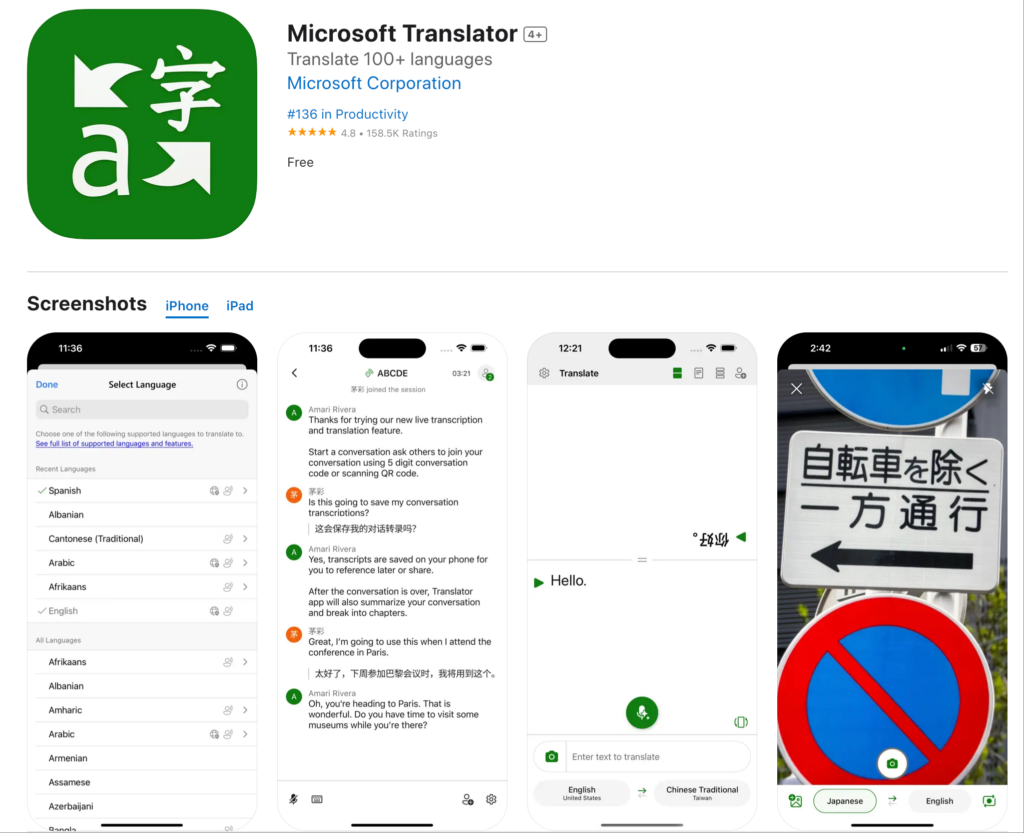
Ne işe yarar:
- Web sayfalarını çevirir.
- Microsoft Edge ile entegre olur.
- Temel konuşma modu
- 70'ten fazla dil destekleniyor
Güçlü Yönler:
- ✅ Microsoft ekosistemiyle iyi entegrasyon
- ✅ Yaygın diller için yeterli doğruluk oranı
- ✅ Kullanımı ücretsiz
- ✅ Çoğu web sitesinde çalışır
Sınırlamalar:
- ❌ Öncelikle Edge tarayıcısı için tasarlanmıştır.
- ❌ Sınırlı gerçek zamanlı yetenekler
- ❌ Profesyonel toplantı özellikleri bulunmamaktadır.
- ❌ Temel ses kalitesi
En iyisi: Microsoft Edge kullanıcıları için temel çeviri ihtiyacı.
Toplantı Çevirmeni Uzantısı: Profesyonel Çözümler
Tarayıcı uzantılarındaki eksiklik: Hiçbiri gerçek zamanlı toplantı çevirisini desteklemiyor.

Transync AI: Profesyonel Toplantı Çevirmeni Eklentisi
Ne işe yarar:
- Toplantılarda gerçek zamanlı ses çevirisi
- 60 dilde doğal ses çıkışı
- Otomatik transkriptler ve özetler
- Zoom, Teams ve Meet'in yerel entegrasyonu
En iyisi olmasının nedenleri:
Hız: <100ms Gerçek Zamanlı Çeviri
- Algılanamaz gecikme
- Doğal konuşma akışı
- Hiçbir garip sessizlik yok.
- İnsan tepki süresinden daha hızlı
Doğruluk: Bağlamsal Öğrenme ile 95%+
- İş terminolojisini anlar.
- Teknik görüşmeleri yönetir.
- Özel sözlük desteği
- Kültürel bağlam farkındalığı
Ses Kalitesi: İnsan Benzeri Sentez
- Doğal tonlama ve ritim
- Uygun ton eşleştirme
- Bölgesel aksan desteği
- Duygusal nüanslar korunmuştur.
Diller: 60 Kapsamlı Dil
- İspanyolca (Meksika, Kastilya, Kolombiya lehçeleri)
- Portekizce (Brezilya, Avrupa)
- Çince (Mandarin, Kantonca)
- Japonca, Korece, Arapça, Hintçe
- Fransızca, Almanca, İtalyanca, Rusça
- Ayrıca 45'ten fazla ek dil
Entegrasyon: Tek Tıkla Etkinleştirme
- Zoom: Yerel uzantı, 5 dakikadan kısa kurulum.
- Microsoft Teams: Sorunsuz entegrasyon
- Google Meet: Doğrudan bağlantı
- Webex: Tam destek
- Bağımsız: Yüz yüze etkinlikler
Dokümantasyon: Otomatik Zeka
- Kullanılan tüm dillerde tam metinler.
- Konuşmacının zaman damgalarıyla tanımlanması
- Yapay zeka tarafından oluşturulan toplantı özetleri
- Eylem maddesi çıkarımı
- Aranabilir, dışa aktarılabilir format
Ölçeklenebilirlik: Sınırsız Katılımcı
- İki kişilik görüşmeler için geçerlidir.
- 2.000 kişilik konferanslara kadar ölçeklenebilir.
- birden fazla dil aynı anda
- Performans düşüşü yok
Kullanım Durumuna Göre Çevirici Genişletme
Yabancı Web Sitelerini Okumak
Senaryo: Pazarlama ekibi İspanyol rakip web sitelerini araştırıyor.
En iyi çevirici uzantısı: Google Çeviri Uzantısı
Neden: Okuma için yeterli olan yalnızca metin çevirisi. Kullanımı kolay. Ücretsiz.
Nasıl kullanılır:
- Chrome'a Google Translate uzantısını yükleyin.
- İspanyolca web sitesini ziyaret edin
- Uzantı simgesine tıklayın
- “Bu sayfayı çevir” seçeneğini seçin.”
- Çevrilmiş içeriği okuyun
Sınırlama: Çeviriler bazen zor olabilir. Genel anlamı kavramak için iyidir, ancak profesyonel yazım için uygun değildir.
Uluslararası İş Toplantıları
Senaryo: ABD-Japonya ortaklık görüşmeleri. 8 katılımcı. Gerçek zamanlı ses çevirisine ihtiyaç var.
En iyi çevirici uzantısı: Transync AI
Neden: Profesyonel kalitede gerçek zamanlı ses çevirisi sağlayan tek çözüm.
Nasıl kullanılır:
- Zoom'a Transync AI eklentisini yükleyin.
- Toplantıyı başlat
- Transync AI simgesine tıklayın.
- Dilleri seçin (İngilizce + Japonca)
- Doğal konuşun—çeviri gerçek zamanlı olarak gerçekleşir.
Sonuç:
- Doğal konuşma akışı
- 95%+ iş terimleri için doğruluk
- Sıfır iletişim hatası
- Otomatik toplantı tutanağı
Tarayıcı uzantılarının başarısız olma nedenleri: Google Translate canlı konuşma seslerini çeviremez.
Günlük Takım Toplantıları
Senaryo: 50 kişilik ekip (ABD + Meksika). Zoom üzerinden günlük 15 dakikalık toplantılar.
En iyi: Transync AI
Neden: Tekrarlayan toplantılar için tasarlanmıştır. Tek seferlik kurulum. Güvenilir günlük performans.
Nasıl kullanılır:
- Bir kez yükleyin
- Varsayılan dilleri ayarlayın (İngilizce + İspanyolca)
- Her günlük toplantı otomatik olarak çevrilir.
- Ekip üyeleri tercih ettikleri dili duyuyorlar.
- Yapay zeka günlük özet oluşturuyor
Sonuç:
- 45% verimlilik artışı
- Sıfır dil engeli
- Ekip işbirliği gelişti
- Günlük kurulum gerektirmez.
Müşteri Destek Çağrıları
Senaryo: Destek ekibi İspanyolca, Fransızca ve Japonca konuşan müşterilerin çağrılarını yanıtlıyor.
En iyi: Telefon entegrasyonuna sahip Transync yapay zekası
Neden: Gerçek zamanlı sesli çeviri şart. Müşteri deneyimi kritik öneme sahip.
Nasıl kullanılır:
- Transync AI'yı telefon sistemiyle entegre edin.
- Müşteri İspanyolca konuşuyor.
- Temsilci İngilizce çeviriyi duyuyor.
- Temsilci İngilizce olarak yanıt veriyor.
- Müşteri İspanyolca çeviriyi duyuyor.
Sonuç:
- 60% daha hızlı yanıt süreleri
- 38% memnuniyeti artırdı
- İki dilli personel alımı şartı aranmamaktadır.
- Otomatik çağrı dokümantasyonu
Uluslararası Konferanslar
Senaryo: 500 kişilik konferans. Çok dilli. Çok sayıda oturum.
En iyi: Etkinlikler için Transync Yapay Zekası
Neden: Sınırsız ölçeklenebilirlik. Profesyonel kalite. Aynı anda birden fazla dil desteği.
Nasıl kullanılır:
- Transync AI'yı tüm konferans odalarına entegre edin.
- Katılımcılar uygulamayı indirir veya web arayüzünü kullanır.
- Tercih ettiğiniz dili seçin.
- Tüm oturumlar otomatik olarak çevrilir.
- Transkriptlere daha sonra erişin.
Sonuç:
- Tüm içeriklere tüm katılımcılar erişebilir.
- Profesyonel çeviri kalitesi
- Otomatik oturum dokümantasyonu
- Katılımcı memnuniyeti 99%+
Traductor Uzantısı: Özellik Karşılaştırması
| Özellik | Transync AI (Toplantılar) | Google Çeviri Eklenti | DerinL Eklenti | Microsoft Çevirmen |
|---|---|---|---|---|
| Gerçek Zamanlı Ses | Evet (<100ms) ⭐ | HAYIR | HAYIR | Sınırlı |
| Metin Çevirisi | Evet ⭐ | Evet | Evet | Evet |
| Kesinlik | 95%+ ⭐ | 75-85% | 90-94% | 80-88% |
| Ses kalitesi | Doğal ⭐ | Yok | Yok | Robotik |
| Diller | 60 ⭐ | 133 | 31 | 70+ |
| Toplantı Entegrasyonu | Yerli ⭐ | Hiçbiri | Hiçbiri | Temel |
| Dokümantasyon | Tam Yapay Zeka ⭐ | Hiçbiri | Hiçbiri | Temel |
| Kullanım Durumu | Profesyonel toplantılar ⭐ | Web tarama | Belge çevirisi | Temel görevler |
| Özelleştirme | Özel sözlükler ⭐ | Hiçbiri | Sınırlı | Sınırlı |
| Ölçeklenebilirlik | Sınırsız ⭐ | Yok | Yok | Sınırlı |
Açıklama: ⭐ = Kategori Lideri
Çözüm: Tarayıcı çevirmen uzantısı Metin çevirisinde mükemmelsiniz. Profesyonel toplantı çevirisi için Transync AI gibi özel bir çözüme ihtiyacınız var.
Çevirmen Uzantısı: Sıkça Sorulan Sorular
S1: Transdüktör uzantısı nedir? Çevirmen eklentisi, web tarayıcıları, Zoom, Teams veya e-posta istemcileri gibi mevcut uygulamalar içinde çeviri yetenekleri sağlayan bir yazılım eklentisidir.
S2: Chrome için en iyi çeviri eklentisi hangisi? Web sitelerini okumak için: Google Translate Eklentisi. Zoom/Teams'te profesyonel toplantılar için: Transync AI. Farklı kullanım durumları farklı çözümler gerektirir.
S3: Bir çeviri eklentisi canlı toplantıları çevirebilir mi? Tarayıcı uzantıları bunu yapamaz. Özel bir toplantıya ihtiyacınız var. çevirici uzantısı Transync AI gibi, doğal ses çıkışı ile gerçek zamanlı ses çevirisi sağlayan uygulamalar.
S4: ttranslator uzantısı ne kadar doğru sonuç veriyor? Tarayıcı uzantıları (Google Translate): 75-85%. DeepL: Metin için 90-94%. Profesyonel toplantı uzantıları (Transync AI): Bağlam öğrenimi ve özel sözlüklerle 95%+.
S5: Çevirici eklentileri çevrimdışı çalışıyor mu? Çoğu internet bağlantısı gerektirir. Transync AI, gerçek zamanlı çeviri için internete ihtiyaç duyar ancak kaydedilmiş transkriptlerden çevrimdışı raporlar oluşturabilir.
S6: Zoom toplantıları için çeviri eklentisi kullanabilir miyim? Tarayıcı eklentileri Zoom ses özelliği için çalışmaz. Transync AI'yı Zoom'un yerleşik eklentisi olarak yükleyin. çevirmen uzantısı gerçek zamanlı ses çevirisi için.
S7: Tarayıcı ve toplantı çevirici uzantıları arasındaki fark nedir? Tarayıcı eklentileri web sitelerindeki metinleri çevirir. Toplantı eklentileri ise canlı sesli görüşmeleri gerçek zamanlı olarak ses çıkışı ile birlikte çevirir.
S8: Çevirmen uzantıları teknik terminolojiyi işleyebilir mi? Google Translate, uzmanlık gerektiren terimlerle başa çıkmakta zorlanıyor. Transync AI, sektöre özgü çevirileri tanımlayabileceğiniz özel sözlükleri destekliyor.
Gerçek Dünya Başarısı: Traductor Eklentisinin Dağıtımı
Küresel Danışmanlık Firması
Profil: 15 ülkede 1200 danışman. Çok dilli, haftalık 400'den fazla müşteri toplantısı.
Meydan okumak: Dil engelleri proje kalitesini düşürüyor. Müşteriler ana dillerinde iletişim kurmayı tercih ediyor. Çeviri sorunları proje gecikmelerine neden oluyor.
Önceki denemeler:
- ❌ Tarayıcı çevirici uzantıları (Google Translate): Toplantı ses kaydı çevrilemiyor.
- ❌ İnsan tercümanlar: Haftada 400'den fazla toplantı için sürdürülebilir değil.
- ❌ Sadece iki dilli personel istihdamı: Sınırlı yetenek havuzu, azalmış ekip çeşitliliği
Çözüm: Transync yapay zeka toplantısı devreye alındı. çevirici uzantısı
Uygulama:
- Zoom ve Teams'e Transync AI eklentisi yüklendi.
- Danışmanlık terminolojisi için özel sözlükler oluşturuldu.
- Tüm danışmanlara eğitim verildi (kişi başı 30 dakikadan az).
- Ofis bazında bölgesel dil tercihlerini ayarlayın.
Sonuçlar (12 ay):
İletişim ölçütleri:
- ✅ Müşterinin tercih ettiği dilde erişilebilen 100% müşteri toplantısı
- ✅ Dil kaynaklı proje gecikmeleri sıfır
- ✅ 99.3% danışmanların çeviri kalitesinden memnuniyeti
- ✅ ,81 Müşteri memnuniyeti (iletişimden)
İşletme üzerindeki etkisi:
- ✅ Proje başarı oranı 1 arttı
- ✅ Müşteri sadakati 1 oranında arttı ().
- ✅ Danışman kullanımında optimizasyon sağlandı (dil eşleştirme kısıtlaması yok)
- ✅ Yeni pazarlara giriş sağlandı (8 yeni ülkeye girildi)
Verimlilik ölçütleri:
- ✅ 42% daha hızlı proje tamamlama
- ✅ 38% iletişim hatası olaylarında azalma
- ✅ Ofisler arası iş birliğinde 51% iyileştirme
Referans: “Piyasada bulunan tüm tarayıcı çeviri eklentilerini denedik. Hiçbiri müşteri toplantılarımızı çeviremedi. Transync AI, tüm küresel operasyonumuzu dönüştürdü. Bu sadece bir çeviri eklentisi değil, rekabet avantajımız.” — Küresel Operasyonlar Yönetici Ortağı
Başlangıç: Çevirmen Uzantısı
Web Tarama İçin (Metin Çevirisi)
Adım 1: Google Translate veya DeepL eklentisini yükleyin. Adım 2: Yabancı web sitelerine normal şekilde göz atın. Adım 3: Sayfaları çevirmek için uzantıya tıklayın. En iyisi: Okuma içeriği, temel araştırma

Profesyonel Toplantılar İçin (Sesli Çeviri)
Adım 1: Transync AI'yı Kurun
- Zoom, Teams, Meet, Webex üzerinden kullanılabilir.
- <5 dakika kurulum
- Tek tıklamayla etkinleştirme
Adım 2: Dilleri Yapılandırın
- Ekibinizin dillerini seçin
- Bölgesel varyantları seçin
- Özel sözlük oluştur (isteğe bağlı)
3. Adım: Toplantıyı Başlatın
- Zoom/Teams/Meet'i normal şekilde başlatın.
- Transync AI simgesine tıklayın.
- Çeviri otomatik olarak gerçekleşir.
Adım 4: Belgelere Erişim
- Toplantı sonrasında tutanakları indirin.
- Yapay zeka tarafından oluşturulan özetleri inceleyin.
- Paydaşlarla paylaşın
Karar: En İyi Çevirici Uzantısı
Doğru çevirici uzantısı, kullanım amacınıza bağlıdır:
Web sitelerini okumak için:
- ✅ Google Çeviri Eklentisi (çoğu dil)
- ✅ DeepL Eklentisi (en iyi Avrupa dil kalitesi)
Profesyonel toplantılar için:
- ✅ Transync AI (gerçek zamanlı ses çevirisi sunan tek çözüm)
Transync AI'nin toplantı çeviri uzantısı olarak öne çıkmasının nedenleri:
✅ En hızlı: <100ms gerçek zamanlı çeviri (algılanamaz gecikme) ✅ En doğru olanı: 95%+, bağlam tabanlı öğrenme ve özel sözlükler ile birlikte ✅ En doğal olanı: Robotik değil, insana benzer ses sentezi ✅ En iyi entegre edilmiş: Tek tıklamayla Zoom/Teams/Meet aktivasyonu ✅ En zeki: Otomatik transkriptler, özetler, yapılacak işler ✅ En kapsamlısı: Bölgesel varyant desteğiyle 60 dil ✅ En çok özelleştirilebilir: Sektör terminolojisi için özel sözlükler ✅ En ölçeklenebilir: 2 kişilik görüşmelerden 2.000 kişilik konferanslara kadar ✅ En profesyonel: Kurumsal düzeyde güvenlik ve güvenilirlik
Tarayıcı çeviri eklentileri metin çevirisinde mükemmeldir. Toplantılarda, etkinliklerde ve telefon görüşmelerinde profesyonel ses çevirisi için Transync AI açık ara liderdir.
Mükemmel çevirici uzantısını aramayı bırakın.
Web siteleri için: Google Translate veya DeepL kullanın. Toplantılar için: Transync AI'yı kullanın.
Doğru iş için doğru aracı seçin ve küresel iletişiminizi bugün dönüştürün.
Yeni nesil bir deneyim istiyorsanız, Transync AI Konuşmaların doğal bir şekilde akmasını sağlayan gerçek zamanlı, yapay zeka destekli çeviriyle öncülük ediyor. ücretsiz deneyin Şimdi.

