
In 2026, language barriers are no longer a valid excuse for poor global collaboration. Whether you are hosting an international webinar, negotiating a cross-border deal, or conducting multilingual customer interviews, having the right real-time translation tool can completely transform your communication.
In this guide, we will explore the most outstanding interpreter apps on the market. We will break down their core features, pros, cons, and pricing to help you find the perfect solution for your team among both free and paid options.
What Makes the Best Interpreter Apps?
Modern translation software has moved far beyond simple word-for-word text replacement. Powered by advanced Natural Language Processing (NLP) and deep learning architectures (such as the widely used ไฮไฟ-แกน), top-tier tools can understand complex industry jargon and generate highly natural, human-sounding audio. This creates a true simultaneous interpretation experience without the robotic undertones of the past.
Top 10 Interpreter Apps Compared
To give you a clear overview, here is a comparison table of the top 10 tools and what makes them stand out:
| ซอฟต์แวร์ | คุณสมบัติเด่น | ความเข้ากันได้ของ Live Meeting | ดีที่สุดสำหรับ |
| ทรานซิงค์ เอไอ | Dual-screen & near-zero latency | ✅ Zoom, Teams, Meet (No plug-ins) | Global business meetings |
| อาจารย์ | Live multilingual transcripts | ✅ Zoom, Teams | Webinars & lectures |
| โลกแห่งโลก | Highly scalable AI interpretation | ✅ Webex, Zoom, Cvent | Large virtual summits |
| นาก | English meeting notes & AI chat | ✅ Zoom, Teams, Meet | English-dominant interviews |
| ดีพแอล | Top-tier document accuracy | ❌ ไม่มีบอทที่ใช้งานจริง | High-precision written texts |
| คูโด | Human interpreter + AI hybrid | ✅ Zoom, Teams | Diplomatic & high-stakes events |
| Google แปล | Free daily conversation tool | ❌ Mobile dialogue only | Travel & casual chats |
| โปรแกรมแปลภาษาของ Microsoft | Multi-device in-person sync | ❌ Weak online meeting support | In-person group discussions |
| ไอทรานสเลท | Offline voice capabilities | ❌ Mobile only | Travelers without internet |
| วอยซ์ปิง | Hardware-software combo | ✅ Various | Remote workers in noisy spaces |
1. ทรานซิงค์ AI
ดีที่สุดสำหรับ: Professional global teams needing zero-latency bilingual communication and strict data privacy.
คะแนน G2: ไม่มีข้อมูล (ผู้นำรุ่นใหม่)
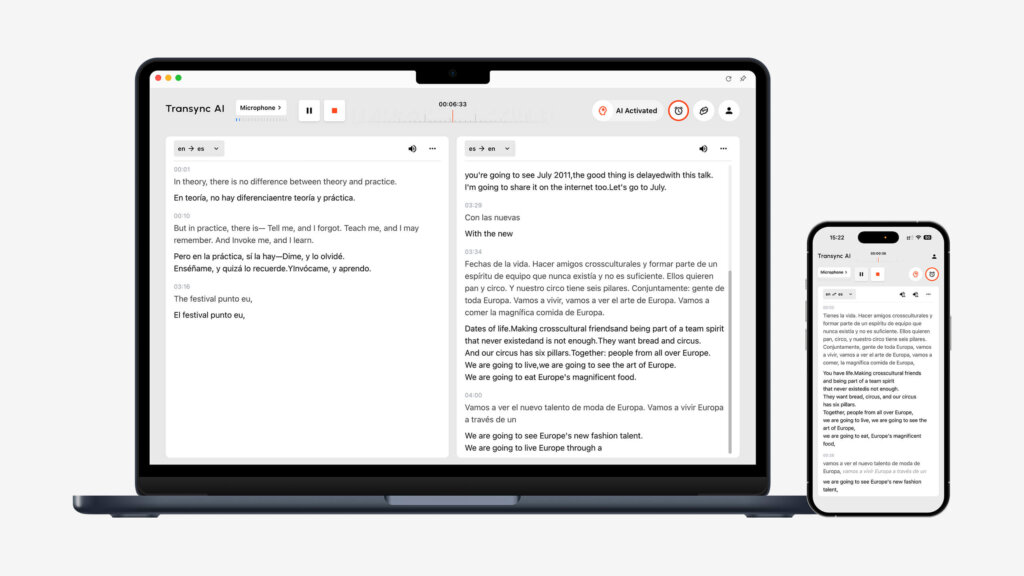
Transync AI is a powerful standalone translation software driven by an end-to-end speech large model. Its biggest advantage is that it operates independently without relying on third-party plug-ins, providing a near-zero latency dual-screen display.
คุณสมบัติหลัก:
- Comprehensive Language Coverage: Provides seamless AI แปลแบบเรียลไทม์ that automatically detects the speaker’s language. You can easily view all ภาษาที่รองรับ ออนไลน์.
- Meeting Compatibility: Operating as a standalone app, it provides flawless การแปลการประชุมสดด้วย AI สำหรับ Zoom, Teams และ Google Meet alongside your workflow, requiring absolutely zero plug-ins.
- บทสรุปอัจฉริยะ: It includes an บันทึกการประชุม AI feature to accurately extract key points and action items.
- เสียงธรรมชาติ: Acts as an exceptionally natural เครื่องแปลเสียง AI, eliminating mechanical tones.
- คำศัพท์เฉพาะ: การ บริบทคำสำคัญของผู้ช่วย AI allows you to define industry terms, pushing accuracy above 95%.
ข้อดี:
- Unique dual-screen layout enhances reading efficiency.
- Uncompromising data privacy (data is never used for training models), detailed in their รายงานการปฏิบัติตามกฎระเบียบ.
- Multi-device synchronization across Mac, PC, iOS, Android, and Web.
ข้อเสีย:
- Does not support offline translation or camera-based recognition.
- ระบบไม่รองรับการแปลข้อความผ่านการคัดลอกและวาง.
ราคา: The free tier offers 40 minutes upon sign-up. Flexible การกำหนดราคา ราคาเริ่มต้นที่ 8.99 ดอลลาร์สหรัฐต่อเดือนสำหรับบุคคลทั่วไป และ 24.99 ดอลลาร์สหรัฐต่อผู้ใช้ต่อเดือนสำหรับองค์กร.
คำตัดสินสุดท้าย:
If you need an independent, highly accurate tool, this is it. Read the การเริ่มต้นอย่างรวดเร็ว guide or ดูว่า Transync AI ทำงานได้อย่างยอดเยี่ยมอย่างไรในหลากหลายกรณีการใช้งาน. Large teams can explore the องค์กร plan and the คู่มือองค์กร.
2. อาจารย์
ดีที่สุดสำหรับ: Webinars requiring real-time multilingual captions and transcripts.
คะแนน G2: 4.8/5
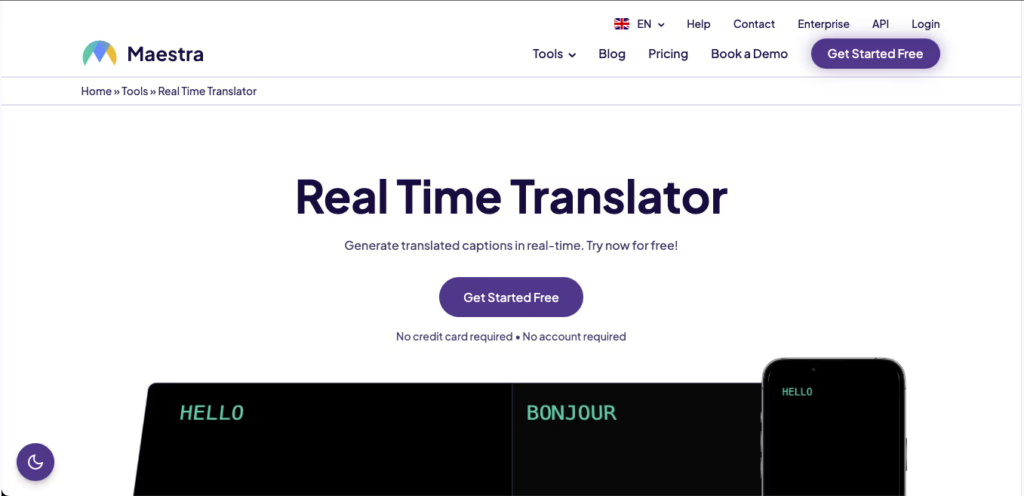
อาจารย์ combines real-time note-taking, transcription, and translation into a single workspace, making it ideal for presenting bilingual subtitles to diverse audiences.
คุณสมบัติหลัก:
- Bilingual Live Captions: Displays both source and translated text during the meeting.
- Multi-Language Output: Instantly converts speech into audio in over 125 languages.
- AI Summaries: Automatically generates notes and extracts keywords.
ข้อดี:
- Very clean, user-friendly interface.
- Supports uploading pre-recorded video files for post-event dubbing.
ข้อเสีย:
- Advanced summary features are locked behind higher pricing tiers.
ราคา: Paid plans start at $39 per month billed annually.
คำตัดสินสุดท้าย: Maestra is highly reliable if your primary goal is generating multilingual transcripts and captions for webinars.
3. เวิลด์ลี่
ดีที่สุดสำหรับ: Large-scale virtual summits, in-person conferences, and hybrid events.

คะแนน G2: 4.6/5
โลกแห่งโลก is designed to make massive events inclusive. It allows attendees to listen to live translated audio through their own mobile devices without downloading an app.
คุณสมบัติหลัก:
- Instant Access: Attendees scan a QR code or click a link to join the translation channel.
- Two-Way Translation: Supports real-time interpretation in over 60 languages.
ข้อดี:
- Incredibly scalable for events with thousands of participants.
- Very simple backend setup for organizers.
ข้อเสีย:
- Pricing is generally too high for small teams or infrequent use.
ราคา: Custom packages based on event hours and attendee count (contact sales).
คำตัดสินสุดท้าย: Wordly is the ultimate choice for event organizers who need to provide interpretation for massive, diverse audiences effortlessly.
4. Otter (Otter.ai)
ดีที่สุดสำหรับ: Real-time transcription, AI summaries, and internal English-dominant meetings.

คะแนน G2: 4.4/5
ในขณะที่ นาก is primarily known for English meeting notes, its robust live capture and conversational AI assistant make it a powerhouse for meeting documentation.
คุณสมบัติหลัก:
- OtterPilot: Automatically joins your calendar events to record audio and write notes.
- Otter AI Chat: Ask the AI questions during the meeting, like “summarize the action items.”
- คำศัพท์เฉพาะ: Teach the AI specific names and jargon to improve accuracy.
ข้อดี:
- Fantastic “set and forget” calendar automation.
- Great at drafting post-meeting follow-up emails.
ข้อเสีย:
- Highly limited language support (not suitable for complex multilingual translation).
ราคา: Free plan available. Paid plans start at $8.33/user/month billed annually.
คำตัดสินสุดท้าย: Otter is perfect for teams working mostly in English who want their conversations automatically documented and structured.
5. DeepL
ดีที่สุดสำหรับ: Unmatched accuracy in written documents, contracts, and localization.
คะแนน G2: 4.6/5
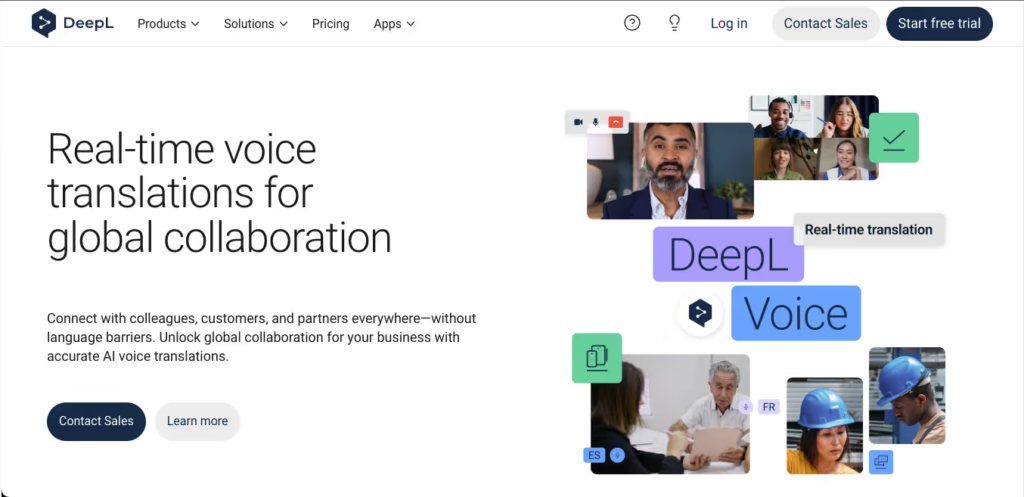
When it comes to written text, ดีพแอล utilizes proprietary neural networks to deliver translations that read exactly as if written by a native speaker.
คุณสมบัติหลัก:
- การปรับแต่งขั้นสูง: Maintain brand tone using shared glossaries.
- การแปลเอกสาร: Translate full PDFs, Word docs, and PowerPoints while keeping the original formatting.
ข้อดี:
- Industry-leading text translation accuracy and context awareness.
- Generous free tier for basic text translation.
ข้อเสีย:
- Lacks a live voice bot for real-time meeting interpretation.
ราคา: Free version available. Pro plans start at $8.74/user/month.
คำตัดสินสุดท้าย: For non-real-time, high-precision document translation, DeepL remains the undisputed king of text.
6. Kudo
ดีที่สุดสำหรับ: High-stakes diplomatic events requiring both human nuance and AI speed.
คะแนน G2: 4.2/5
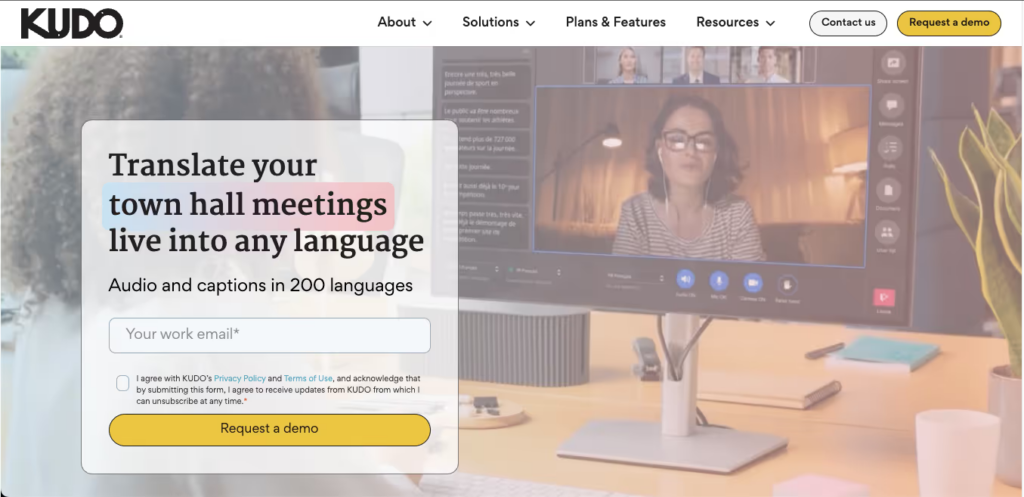
คูโด offers a hybrid platform, allowing organizers to seamlessly switch between lightning-fast AI translation and certified human professional interpreters.
คุณสมบัติหลัก:
- Interpreter Network: Connect directly to professionals covering over 200 spoken and sign languages.
- Seamless Channel Switching: Participants can change language channels without interrupting the meeting flow.
ข้อดี:
- Unbeatable emotional and cultural accuracy when using human interpreters.
ข้อเสีย:
- The administrative interface has a steep learning curve.
- Relying heavily on human interpreters drastically increases costs.
ราคา: Custom pricing based on sessions and interpreter requirements.
คำตัดสินสุดท้าย: Kudo is the premium option for critical diplomatic or corporate events where 100% contextual nuance is mandatory.
7. Google Translate
ดีที่สุดสำหรับ: Free, everyday conversation translation and travel.

คะแนน G2: 4.6/5
As the most ubiquitous tool globally, Google แปล is a lifesaver for face-to-face interactions.
คุณสมบัติหลัก:
- โหมดสนทนา: Automatically detects spoken languages on mobile devices.
- การแปลภาพจากกล้อง: Instantly translate physical menus or street signs.
ข้อดี:
- Completely free with an enormous language library.
- Supports downloadable offline language packs.
ข้อเสีย:
- Cannot integrate or work alongside online video conferencing software.
ราคา: 100% Free.
คำตัดสินสุดท้าย: It is the best travel companion in your pocket, but it falls short for professional online meetings.
8. Microsoft Translator
ดีที่สุดสำหรับ: In-person multilingual group discussions and roundtables.
คะแนน G2: 4.5/5
โปรแกรมแปลภาษาของ Microsoft offers a unique multi-device sync feature that excels in physical boardroom settings.
คุณสมบัติหลัก:
- Multi-Device Conversation: Up to 100 people can join a room on their own phones and see translations in their native language.
ข้อดี:
- Perfect for in-person brainstorming with multinational teams.
- Deep integration with the Office 365 ecosystem.
ข้อเสีย:
- Less streamlined for purely online Zoom or Teams meetings compared to dedicated meeting apps.
ราคา: Free for personal use.
คำตัดสินสุดท้าย: If your team often meets face-to-face in the same office but speaks different languages, this app shines.
9. iTranslate
ดีที่สุดสำหรับ: Frequent business travelers needing offline voice translation.
คะแนน G2: 4.3/5
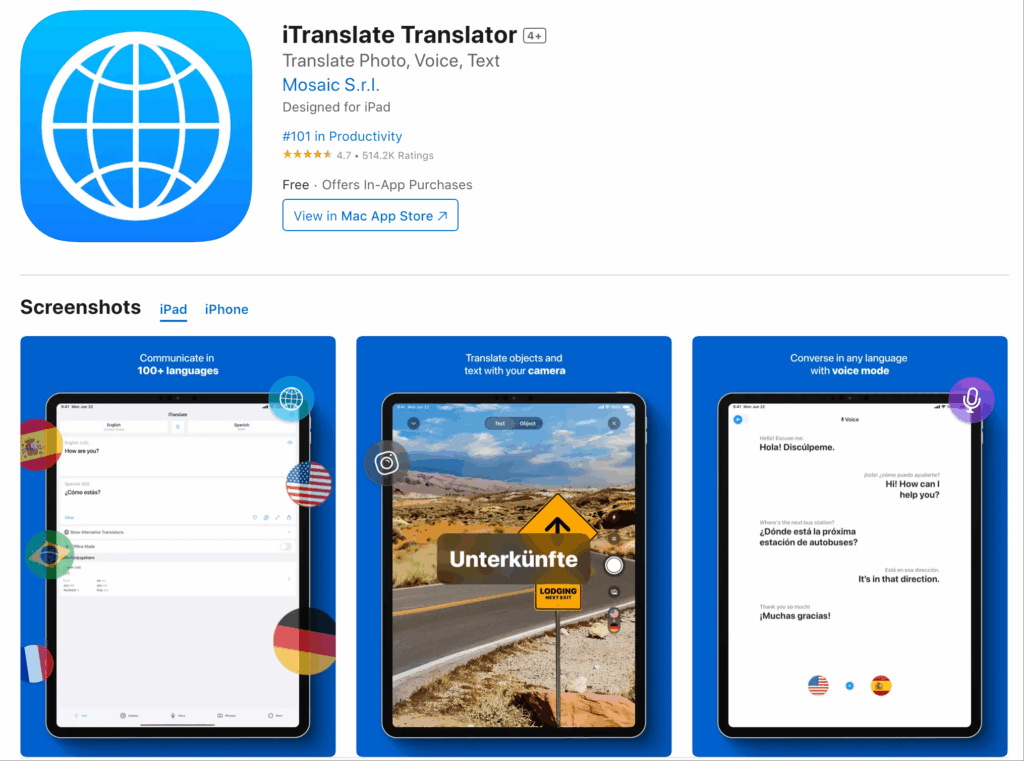
ไอทรานสเลท is heavily optimized for mobile users, offering robust voice recognition even without an internet connection.
คุณสมบัติหลัก:
- โหมดออฟไลน์: Translate dozens of languages without Wi-Fi or cellular data.
- Dialect Switching: Accurately recognizes regional differences (e.g., UK vs. US English).
ข้อดี:
- Excellent mobile UI and Apple Watch compatibility.
ข้อเสีย:
- Lacks enterprise-grade meeting collaboration features.
ราคา: Free basic version. PRO starts around $5.99/month.
คำตัดสินสุดท้าย: A must-have app for professionals traveling on planes or to areas with poor signal.
10. VoicePing
ดีที่สุดสำหรับ: Remote workers in noisy environments preferring hardware integration.
คะแนน G2: 4.0/5
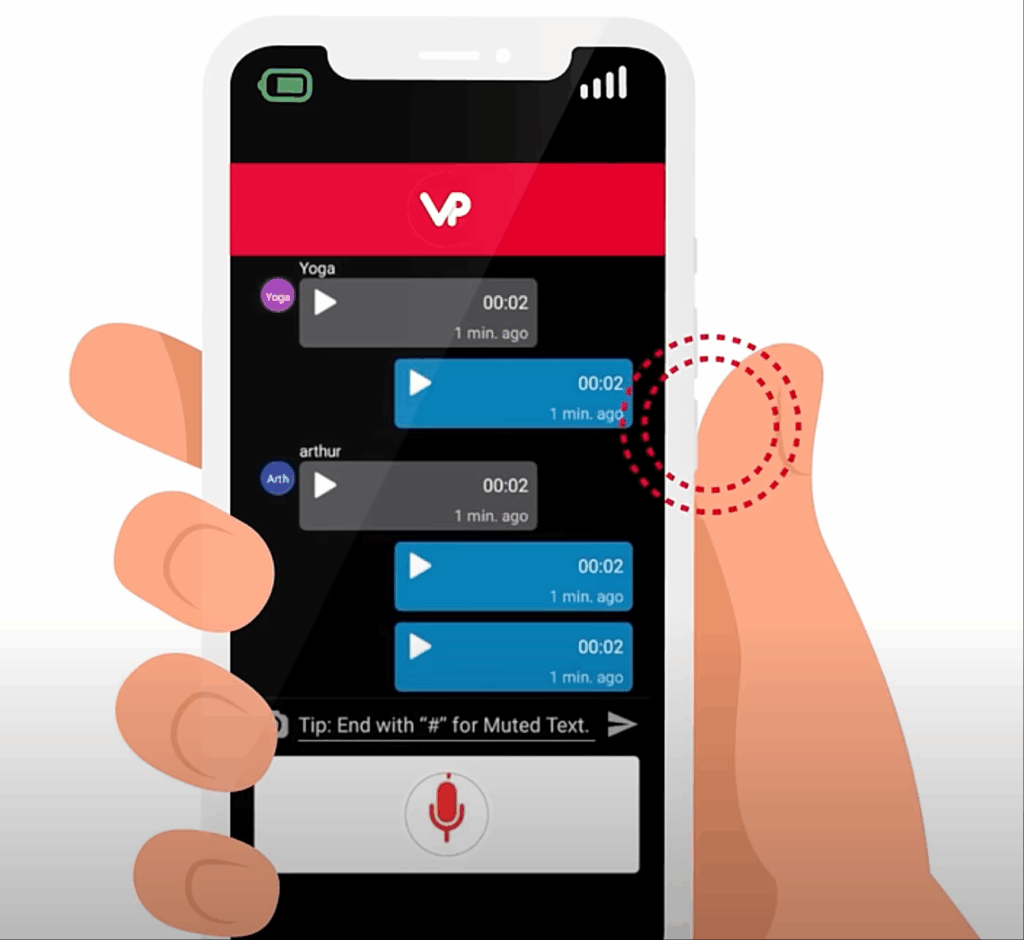
วอยซ์ปิง pairs its translation software with dedicated hardware, like headsets with physical push-to-talk buttons, creating an immersive experience.
คุณสมบัติหลัก:
- Push-to-Talk Translation: Walkie-talkie style communication for instant voice translation.
- Hardware Synergy: Reduces background noise heavily when paired with their specialized headsets.
ข้อดี:
- Excellent for logistics, construction, or noisy remote environments.
ข้อเสีย:
- Requires purchasing specific hardware for the best experience.
ราคา: Software trial available; full solutions require hardware purchases.
คำตัดสินสุดท้าย: For frontline teams working away from traditional desks, VoicePing offers a unique, practical solution.
How to Choose the Right Interpreter Apps?
When evaluating these interpreter apps—in a market projected to hit 24.6 พันล้านดอลลาร์สหรัฐภายในปี 2034—ask yourself three vital questions:
- Do you need live meeting compatibility? If you host daily cross-border calls, choose a standalone app like Transync AI that works smoothly alongside your conferencing software without risky plug-ins.
- How critical is low latency? For natural negotiations, seek tools utilizing end-to-end AI models that deliver real-time, dual-screen voice output.
- Do you need meeting documentation? The best modern tools do not just translate; they automatically generate multilingual summaries and action items after the call.
บทสรุป
การค้นหาความสมบูรณ์แบบ interpreter apps is all about balancing translation speed, contextual accuracy, and workflow compatibility. While DeepL reigns supreme for text and Wordly scales beautifully for massive events, Transync AI offers the smartest, standalone, low-latency solution for daily professional business meetings. By choosing the right tool, you can ensure that language is a bridge to global success, rather than a barrier.
หากคุณต้องการประสบการณ์รุ่นถัดไป ทรานซิงค์ เอไอ นำทางด้วยการแปลแบบเรียลไทม์ที่ขับเคลื่อนด้วย AI ซึ่งช่วยให้การสนทนาไหลลื่นอย่างเป็นธรรมชาติ คุณสามารถ ทดลองใช้ฟรี ตอนนี้.

