
Hướng dẫn sử dụng
Các trường hợp sử dụng
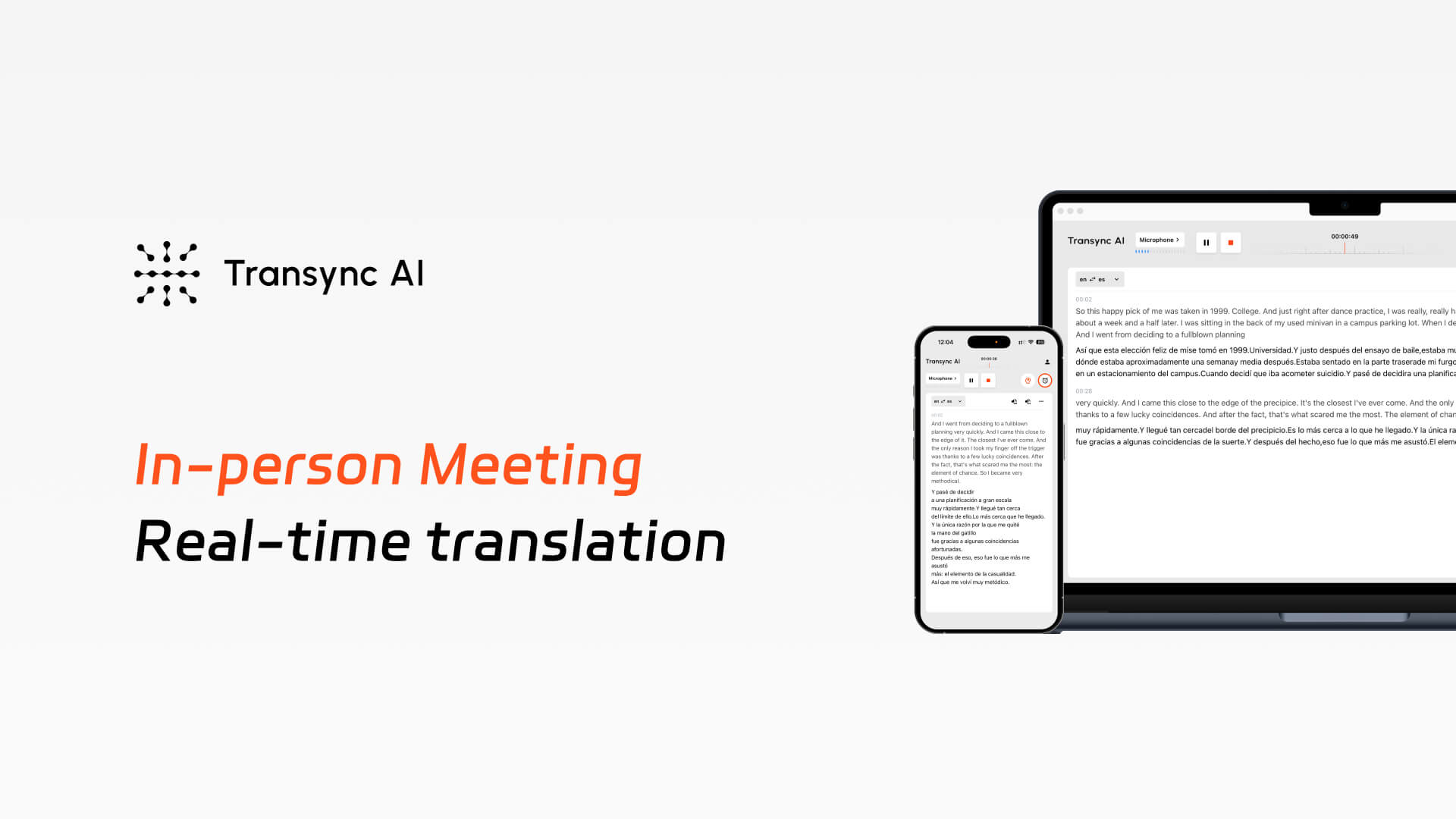
Dịch thuật cuộc họp trực tiếp được hỗ trợ bởi Transync AI
AI đồng bộ Dịch thuật trực tiếp các cuộc họp song ngữ trong thời gian thực, cung cấp phụ đề trực tiếp, phát sóng giọng nói và biên bản cuộc họp tự động.
HƯỚNG DẪN
BĂNG HÌNH
Những khó khăn thực tế trong các cuộc họp đa ngôn ngữ trực tiếp
1. Hiệu quả thấp trong giao tiếp trực tiếp giữa các ngôn ngữ
Trong các cuộc họp trực tiếp, người tham dự gặp khó khăn trong việc theo dõi người nói sử dụng các ngôn ngữ khác nhau. Phiên dịch thì thầm, giải thích lặp đi lặp lại và những khoảng dừng thường xuyên làm gián đoạn mạch thảo luận tự nhiên, khiến các cuộc họp trực tiếp diễn ra chậm hơn và kém hiệu quả hơn.
2. Thiếu hỗ trợ phiên dịch trực tiếp trong các cuộc họp trực tuyến
Hầu hết các cuộc họp trực tiếp đều thiếu hỗ trợ phiên dịch thời gian thực đáng tin cậy. Nếu không có các công cụ phiên dịch chuyên dụng cho các cuộc họp trực tiếp, các nhóm phải dựa vào phiên dịch thủ công hoặc các giải pháp tạm thời, vốn chậm, gây xao nhãng và khó mở rộng quy mô.
3. Không có hồ sơ được chia sẻ sau các cuộc họp trực tiếp
Trong các cuộc họp trực tiếp, thông tin quan trọng thường chỉ được hiểu một phần hoặc bị mất đi do khác biệt ngôn ngữ. Sau cuộc họp, người tham dự dựa vào những ghi chú và trí nhớ rời rạc, mà không có bản ghi chung, đồng bộ về những gì đã thực sự được thảo luận.
Transync AI hoạt động như thế nào đối với các cuộc họp trực tiếp?
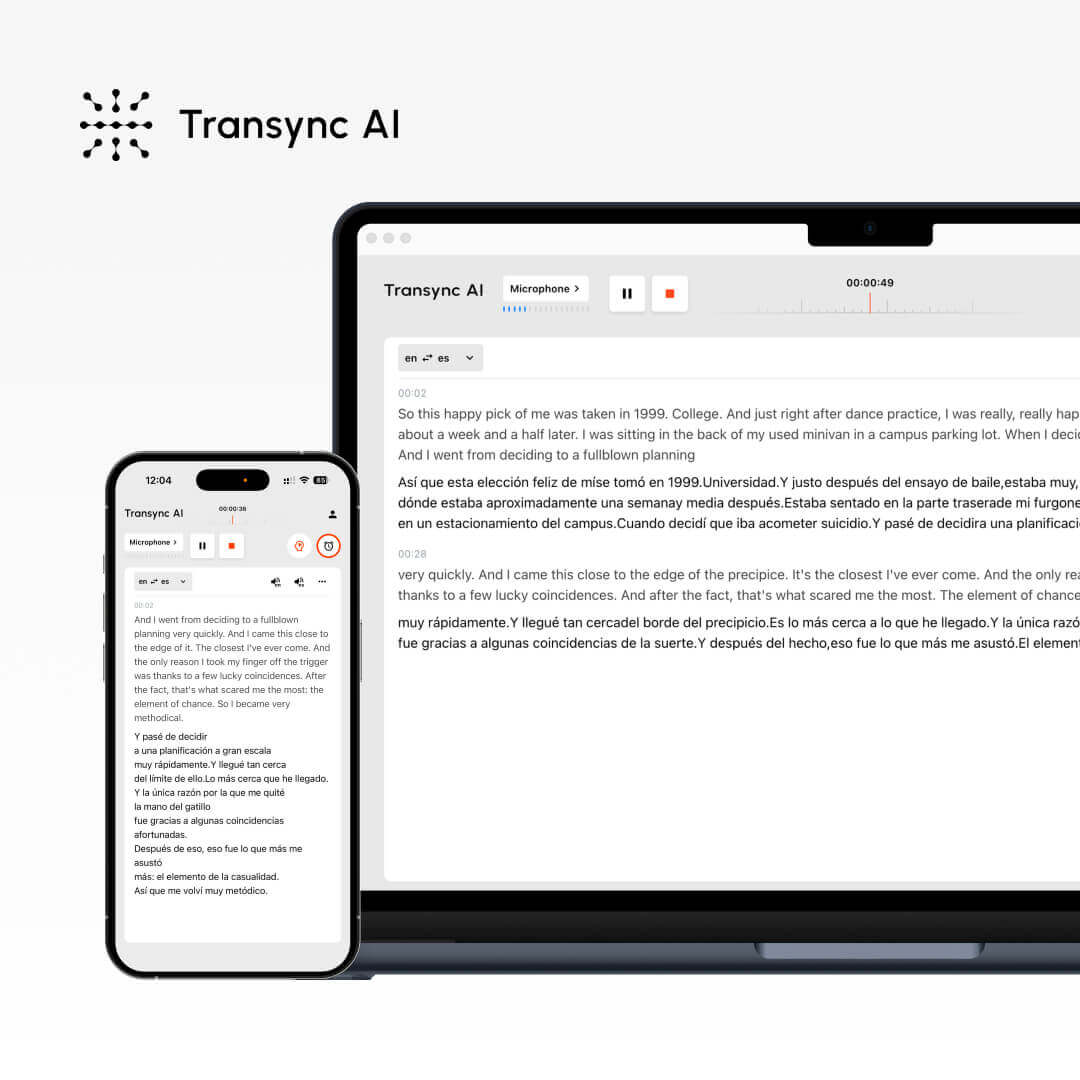
Transync AI cho phép dịch thuật trực tiếp các cuộc họp trực tuyến với phụ đề, phát lại giọng nói và tóm tắt do AI tạo ra — giúp các nhóm giao tiếp rõ ràng và ghi nhớ kiến thức xuyên suốt các ngôn ngữ.
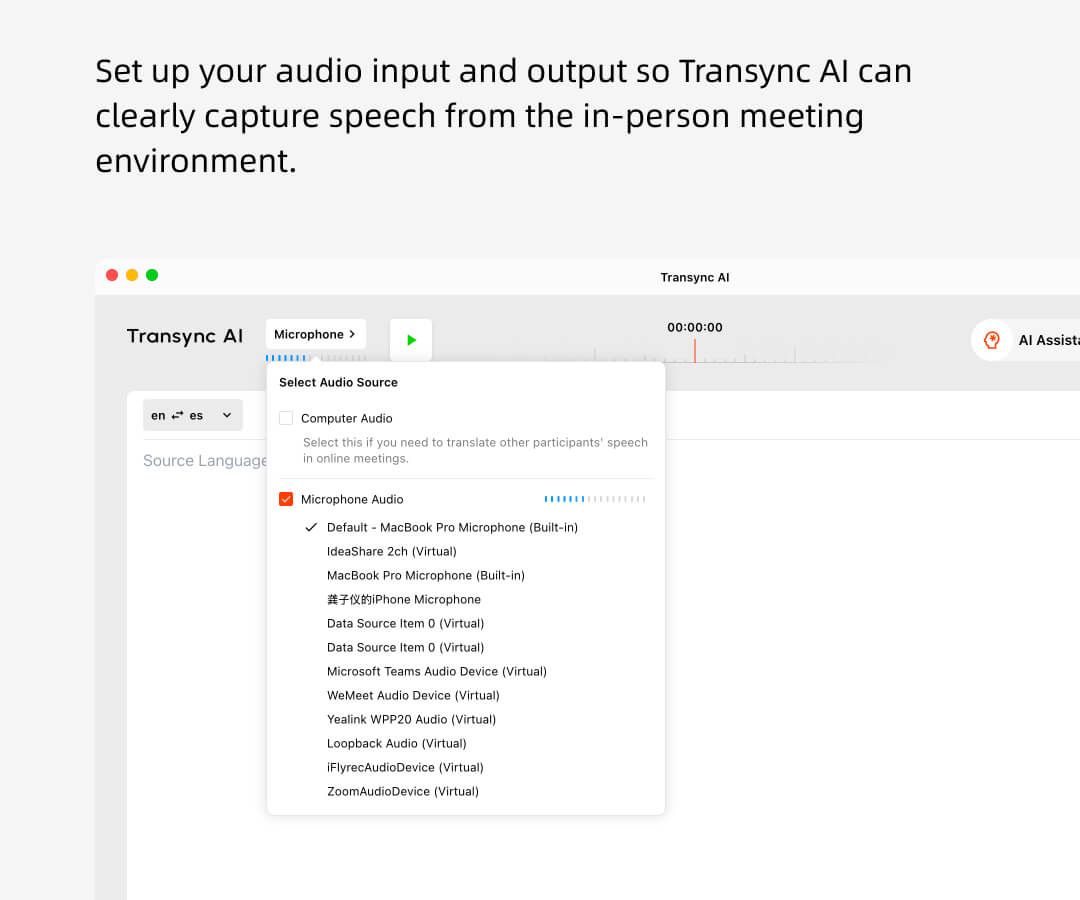
1. Hãy thiết lập đầu vào và đầu ra âm thanh sao cho Transync AI có thể thu âm giọng nói rõ ràng từ môi trường cuộc họp trực tiếp. Điều này đảm bảo bản dịch và phát lại chính xác trong thời gian thực.
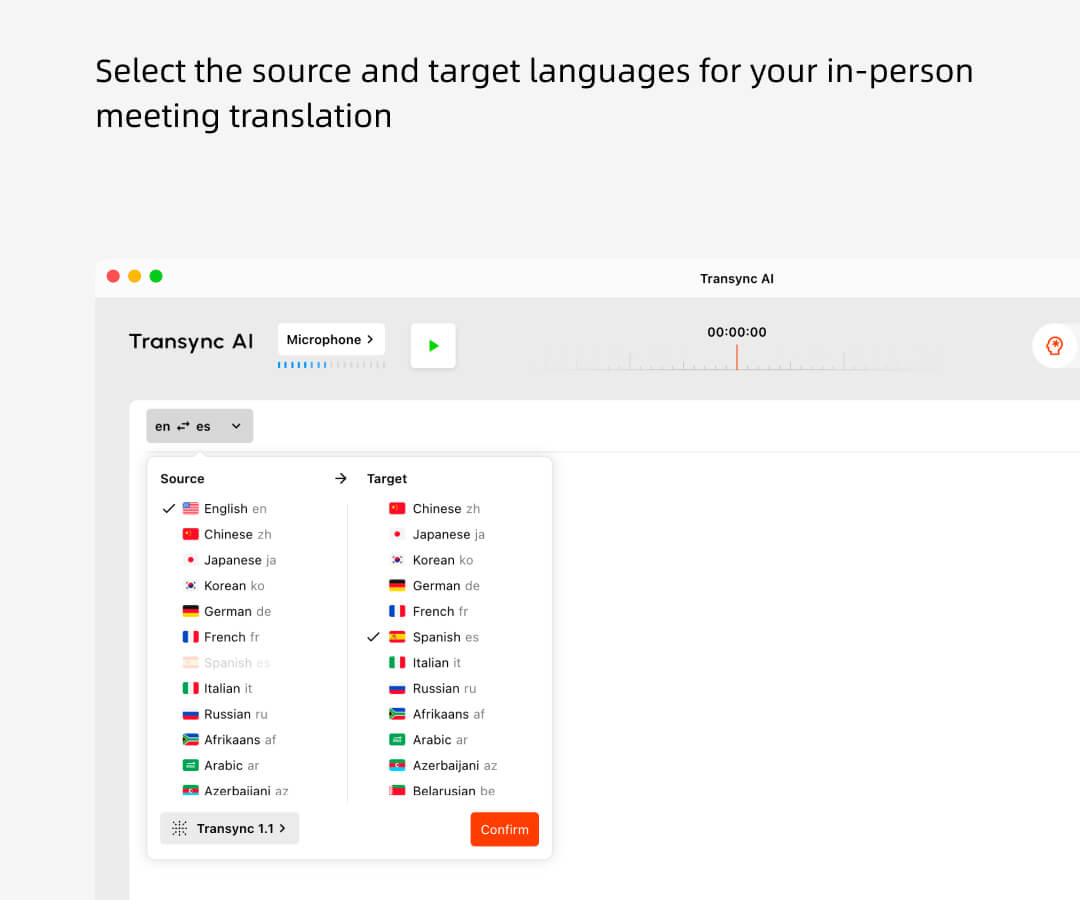
2. Chọn ngôn ngữ nguồn và ngôn ngữ đích cho bản dịch cuộc họp trực tiếp của bạn, cho phép người tham gia nói chuyện tự nhiên bằng ngôn ngữ ưa thích của họ. Nhấp vào “bắt đầu”.”
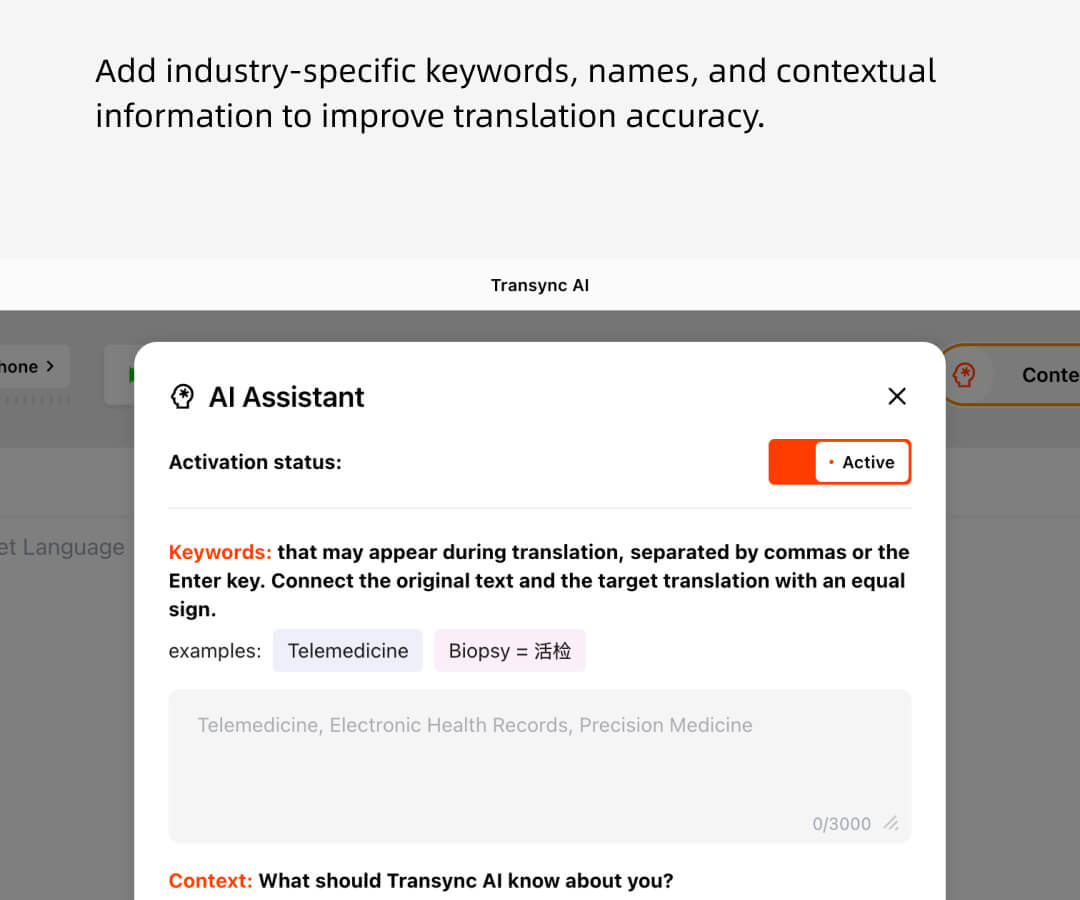
3. Thêm các từ khóa, tên gọi và thông tin ngữ cảnh chuyên ngành để cải thiện độ chính xác của bản dịch và đảm bảo các thuật ngữ quan trọng được dịch chính xác trong cuộc họp. (tùy chọn)
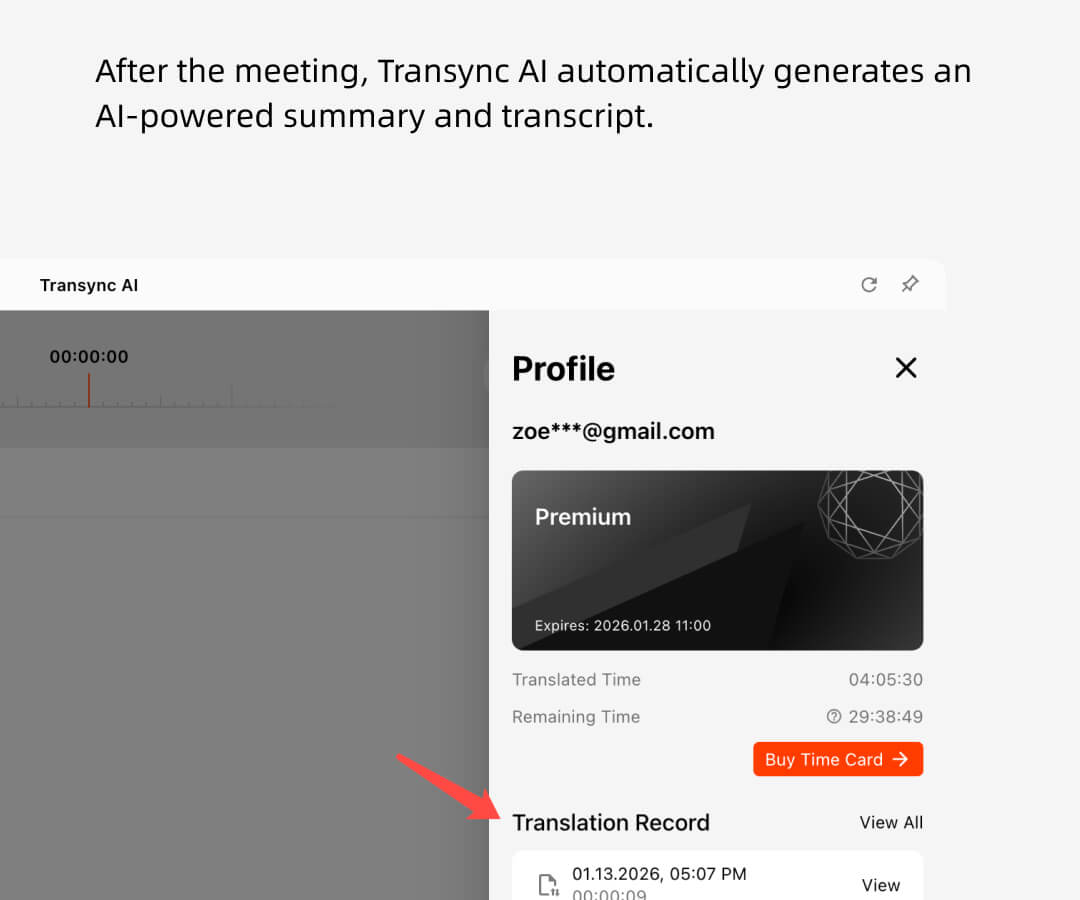
4. Sau cuộc họp, Transync AI tự động tạo bản tóm tắt và bản ghi chép dựa trên trí tuệ nhân tạo, cung cấp cho tất cả người tham dự một bản ghi chung, có thể tìm kiếm về những gì đã được thảo luận.
Tương thích với nhiều phần mềm hội nghị, không cần plug-in
Transync AI trực tiếp lắng nghe giọng nói của bạn và những người khác trong cuộc họp, tự động phân biệt người nói và dịch chúng, đồng thời có thể được sử dụng trên nhiều nền tảng hội nghị khác nhau.Phóng, Các đội, Google Meet, WhatsApp, (hoặc phần mềm họp khác.)

Công cụ
Các tính năng cốt lõi của Transync AI dành cho các cuộc họp trực tiếp.
Transync AI cung cấp các công cụ dịch thuật cuộc họp trực tiếp mạnh mẽ, được thiết kế cho cả các cuộc họp trực tiếp và cuộc họp kết hợp. Từ Dịch thuật đa ngôn ngữ thời gian thực ĐẾN Tóm tắt do AI tạo ra, Transync AI đảm bảo giao tiếp rõ ràng và khả năng ghi nhớ kiến thức lâu dài trên nhiều ngôn ngữ.
Tại sao nên chọn Transync AI để phiên dịch các cuộc họp trực tiếp?
1. Được thiết kế đặc biệt cho các tình huống họp chứ không chỉ đơn thuần là dịch thuật chung chung, nó hỗ trợ từ khóa và ngữ cảnh.
2. Độ trễ thấp và độ chính xác cao làm cho nó trở nên lý tưởng cho các cuộc thảo luận thời gian thực. Được hỗ trợ bởi công nghệ LLM giọng nói đầu cuối, độ chính xác 98% trong môi trường chuyên nghiệp.
3. Nó hỗ trợ 60 ngôn ngữ và hoạt động liền mạch trên các nền tảng di động, máy tính để bàn và web—giúp việc dịch thuật cuộc họp trực tiếp dễ dàng triển khai trong mọi môi trường. Transync AI cũng tạo ra biên bản cuộc họp được hỗ trợ bởi AI sau khi mỗi cuộc họp kết thúc.
4. Hỗ trợ các tiêu chuẩn bảo mật dữ liệu và tuân thủ cấp doanh nghiệp, đồng thời đáp ứng các yêu cầu tuân thủ GDPR.
So sánh giữa Transync AI, phiên dịch viên người thật và các phần mềm dịch thuật khác
Đặc trưng
Hỗ trợ nhiều ngôn ngữ.
Phụ đề thời gian thực
Dịch giọng nói thời gian thực
Biên bản cuộc họp tự động
Từ khóa và ngữ cảnh
Độ trễ thấp
Độ chính xác cao
Giá
AI đồng bộ
60+
✔
✔
✔
✔
★★★
★★★
rất thấp
Người phiên dịch của con người
2
✗
✔
✗
✗
★★
★★
rất cao
Phần mềm dịch thuật khác
10+
✗
✗
✗
✗
★
★
cao
Sử dụng trình dịch thời gian thực ngay bây giờ.
Phá vỡ rào cản ngôn ngữ tức thì với trình dịch thời gian thực Transync AI — dịch giọng nói và văn bản bằng 60 ngôn ngữ cho các cuộc họp, du lịch và hơn thế nữa. Đăng ký ngay để tận hưởng 40 phút sử dụng miễn phí.