
Oprogramowanie do tłumaczeń dla branży technicznej: Organizacja globalnej konferencji technologicznej z udziałem 500 inżynierów z 20 krajów. Chiński ekspert od półprzewodników prezentuje przełomowe odkrycia w dziedzinie komputerów kwantowych w języku mandaryńskim, a 300 anglojęzycznych użytkowników potrzebuje tłumaczenia w czasie rzeczywistym. Wybierz: (A) Tłumaczenie dokumentu? (B) Tłumaczenie głosu w czasie rzeczywistym?
Odpowiedź jest oczywista: Oprogramowanie do tłumaczenia głosu w czasie rzeczywistym wygrywa całkowicie Do dyskusji technicznych. Ale jest pewien haczyk – większość programów tłumaczeniowych jest przeznaczona do dokumentów (e-maili, umów, plików PDF). Są powolne (opóźnienia 300–500 ms), nie potrafią przechwytywać terminologii technicznej w czasie rzeczywistym i powodują nieznośne opóźnienia na spotkaniach technicznych.
Ten kompleksowy przewodnik ujawnia Dlaczego tłumaczenie głosu w czasie rzeczywistym jest kluczowe dla zespołów technicznych, porównuje oprogramowanie do tłumaczeń dokumentów i tłumaczeń w czasie rzeczywistym, i pokazuje które dokładnie narzędzie wygrywa dla specjalistów technicznych. Uwaga: Transync AI dominuje w technicznym tłumaczeniu głosowym w czasie rzeczywistym, ale narzędzia oparte na dokumentach, takie jak Wordly, doskonale radzą sobie ze specyfikacjami technicznymi. Przyszłość należy do podejścia hybrydowego: komunikacja głosowa w czasie rzeczywistym na spotkaniach, tłumaczenie dokumentów specyfikacji.
Oprogramowanie do tłumaczeń dla paradoksów technicznych
Dlaczego większość oprogramowania do tłumaczeń zawodzi zespoły techniczne:
- Problem szybkości: tłumaczenie dokumentów jest zbyt wolne
- Narzędzia do obsługi dokumentów (Wordly, Google Docs): opóźnienie 300–500 ms
- Wymagania w czasie rzeczywistym: <100 ms (niezauważalne dla człowieka)
- Przerwa: opóźnienie 200–400 ms = nie do zniesienia w dyskusjach technicznych
- Przykład: Inżynier pyta: “Jakie jest opóźnienie API?” → Czeka 400 ms na tłumaczenie → Nadchodzi odpowiedź → Czeka kolejne 400 ms na tłumaczenie = całkowite opóźnienie 800 ms (rozmowa przerwana)
- Problem terminologiczny: narzędzia ogólne nie mają kontekstu technicznego
- Narzędzia dokumentu: Przetłumacz każde słowo niezależnie
- Wymagania techniczne: Kontekst ma znaczenie (OAuth kontra uwierzytelnianie, oba oznaczają to samo, ale OAuth = konkretny protokół)
- Przykład: “Model” w ML = architektura sieci neuronowej. “Model” w statystyce = równanie regresji. Narzędzia ogólne nie rozróżniają tych dwóch pojęć.
- Problem akronimów: narzędzia dokumentacyjne tłumaczą akronimy
- Źle: “REST API” → “REST应用程序接口” (dosłownie przetłumaczone)
- Po prawej: “REST API” → “REST API” (bez zmian, standard branżowy)
- Zespoły techniczne potrzebują nietkniętych akronimów
- Problem z głosem: narzędzia dokumentacyjne nie tłumaczą mowy
- Narzędzia dokumentu: Wprowadzanie tekstu tylko w formie tekstowej
- Spotkania techniczne: głos 90% (inżynierowie preferują mówienie)
- Luka: Wpisywanie każdego słowa zamiast mówienia naturalnie = załamanie produktywności
- Problem z notatkami ze spotkań: narzędzia do tworzenia dokumentów nie tworzą podsumowań automatycznie
- Spotkania techniczne: 2 godziny dyskusji, ponad 500 decyzji
- Ręczne sporządzanie notatek: 1 godzina pracy, dokładność 70%
- Narzędzia do tłumaczeń spotkań: automatyczne generowanie dwujęzycznych notatek w 2 minuty, dokładność 95%
Prawdziwy problem: Inżynierowie potrzebują tłumaczenie głosowe w czasie rzeczywistym na spotkaniach + dokładna terminologia techniczna dla specyfikacji. Większość narzędzi rozwiązuje tylko jeden problem, a nie oba.
Tłumaczenie głosu w czasie rzeczywistym a tłumaczenie dokumentów: porównanie techniczne
Wymiar 1: Prędkość (opóźnienie w dyskusji technicznej w czasie rzeczywistym)
Dyskusja techniczna: 6 inżynierów (3 chińskich, 3 angielskich) Scenariusz: Omówienie projektu API Chiński inżynier: "我们的API延迟是50毫秒,满足实时需求" (Nasze opóźnienie API wynosi 50 milisekund, spełnia wymagania czasu rzeczywistego) Opcja A: Tłumaczenie dokumentu (Tłumacz Google, Wordly) — chińskie wprowadzanie głosowe → transkrypcja na tekst: 200 ms — tłumaczenie tekstu: 200 ms — zamiana tekstu na mowę (opcjonalnie): 100 ms — całkowite opóźnienie: 500 ms — doświadczenie inżynierów angielskich: 500 ms opóźnienia przed zrozumieniem Opcja B: Tłumaczenie głosu w czasie rzeczywistym (Transync AI) — wykrywanie głosu: 10 ms — tłumaczenie w czasie rzeczywistym: 80 ms — wyjście głosowe: 10 ms — całkowite opóźnienie: ~100 ms - Doświadczenia inżynierów z Anglii: Prawie niezauważalne opóźnienie, naturalna rozmowa Wpływ na rozmowę: - Z opóźnieniem 500 ms: "Pozwól mi pomyśleć o tym... [500 ms ciszy] ...opóźnienie API wynosi 50 milisekund" Wynik: Przerwanie, przerwanie przepływu, niezręczna komunikacja - Z opóźnieniem 100 ms: "Pozwól mi pomyśleć o tym... [ledwo zauważalna pauza] ...opóźnienie API wynosi 50 milisekund" Wynik: Naturalna rozmowa, bez przerw
Zwycięzca: Tłumaczenie głosu w czasie rzeczywistym (Transync AI)
| Typ narzędzia | Utajenie | Przepływ konwersacji | Dopasowanie techniczne |
|---|---|---|---|
| Dokument (Wordly) | 300-500 ms | Złamany | Słaby |
| Ogólne w czasie rzeczywistym (Google) | 150-200 ms | Do przyjęcia | Sprawiedliwy |
| Techniczne w czasie rzeczywistym (Transync) | <100 ms | Naturalny | Doskonały |
Wymiar 2: Dokładność terminologii technicznej
Scenariusz: Dyskusja na temat inżynierii półprzewodników (chiński ↔ angielski)
Chiński inżynier: "我们采用7纳米工艺制程,使用EUV光刻技术,功耗降低40%" (Wykorzystujemy technologię procesową 7 nm, litografię EUV, zmniejszone zużycie energii 40%) Krytyczne warunki techniczne: - "7纳米" = "7nm" (specyfikacja krytyczna, a nie "siedem nanometrów") - "工艺制程" = "technologia procesowa" (dokładne określenie) - "EUV光刻" = "litografia EUV" (norma techniczna, a nie "rzeźba w ekstremalnym ultrafiolecie") - "功耗" = "zużycie energii" (nie "zużycie energii") Tłumaczenie dokumentów (Dosłownie): - "7纳米" → "7 nanometrów" ✓ Dopuszczalne, ale nieprecyzyjne – "工艺制程" → "technologia procesowa" ✓ Prawidłowe – "EUV光刻" → "Litografia EUV" ✓ Prawidłowe – Ogólna dokładność: 92% Tłumaczenie głosu w czasie rzeczywistym ze słowami kluczowymi (Transync AI): Zestaw słów kluczowych: "proces 7 nm, litografia EUV, zużycie energii, technologia procesowa" – "7纳米" → "7nm" ✓ Precyzyjny (nie "nanometr") – "工艺制程" → "technologia procesowa" ✓ Poprawny – "EUV光刻" → "Litografia EUV" ✓ Poprawny – "功耗" → "zużycie energii" ✓ Precyzyjny (nie "zużycie energii") – Ogólnie dokładność: 96%+ (słowa kluczowe zwiększają precyzję)
Zwycięzca: Głos w czasie rzeczywistym ze słowami kluczowymi (Transync AI)
| Narzędzie | Dokładność | Skróty | Wsparcie słów kluczowych | Techniczny |
|---|---|---|---|---|
| Dokument (Wordly) | 92% | Dobry | Brak słów kluczowych | Dobre dla specyfikacji |
| Ogólne w czasie rzeczywistym (Google) | 85% | Słaby | Brak słów kluczowych | Słaby |
| W czasie rzeczywistym + słowa kluczowe (transync) | 96%+ | Doskonały | Tak (słowa kluczowe) | Doskonały |
Wymiar 3: Notatki i dokumentacja ze spotkań
Spotkanie techniczne: 2-godzinny przegląd projektu półprzewodników Podjęto ponad 50 decyzji, omówiono ponad 100 terminów technicznych Języki: mandaryński + angielski (zespół dwujęzyczny) Opcja A: Notatki ręczne (tradycyjne) — Scribe pisze notatki w czasie rzeczywistym: 1 godzina pracy — Dokładność: 70% (pominięte szczegóły, literówki) — Zakres: 80% zarejestrowanych decyzji — Czas po spotkaniu: 1 godzina czyszczenia/przeglądu — Całkowita utrata produktywności: ponad 2 godziny Opcja B: Tłumaczenie dokumentu + Notatki ręczne — Dźwięk nagrany w języku mandaryńskim — Po spotkaniu: Transkrypcja (30 min) → Tłumaczenie (20 min) → Przegląd (30 min) — Dokładność: 85% — Zakres: 90% — Całkowita utrata produktywności: 2–3 godziny (praca po spotkaniu) Opcja C: Tłumaczenie głosu w czasie rzeczywistym z automatycznymi notatkami ze spotkania (Transync AI) - Transync AI tłumaczy w czasie rzeczywistym (widoczne na dwóch ekranach) - AI automatycznie generuje notatki ze spotkań (dwujęzyczne, zsynchronizowane) - Po spotkaniu: Przejrzyj notatki (10 min, w większości poprawne) - Dokładność: 95% - Zasięg: 95%+ - Całkowita utrata produktywności: ~2 godziny (tylko spotkanie, bez pracy po spotkaniu)
Zwycięzca: Głos w czasie rzeczywistym z automatycznymi notatkami ze spotkań (Transync AI)
| Zbliżać się | Inwestycja czasu | Dokładność | Zasięg | Przechwytywanie dwujęzyczne |
|---|---|---|---|---|
| Notatki ręczne | 2+ godziny | 70% | 80% | NIE |
| Dokument + Instrukcja | 2-3 godziny | 85% | 90% | Częściowy |
| Notatki w czasie rzeczywistym + automatyczne (transync) | ~2 godziny (tylko spotkanie) | 95% | 95%+ | W pełni dwujęzyczny |
3 przypadki użycia: kiedy używać którego oprogramowania do tłumaczeń
Przypadek użycia 1: Spotkania techniczne (preferowane w czasie rzeczywistym)
Scenariusz: Burza mózgów globalnego zespołu inżynierów, rozmowa na Zoomie, 20 osób
Zły wybór: Narzędzie do tłumaczenia dokumentów ❌ Wordly do tłumaczenia dokumentów
- Powód: Brak wprowadzania głosu w czasie rzeczywistym
- Rozwiązanie: Trzeba by wszystko wpisać (załamanie produktywności)
- Prędkość: opóźnienie 300-500 ms (rozmowa przerwana)
Prawidłowy wybór: Tłumaczenie głosu w czasie rzeczywistym ✅ Transync AI do spotkań w czasie rzeczywistym
- Powód: opóźnienie <100 ms, naturalna rozmowa
- Funkcje: wprowadzanie głosowe, wyjście na dwa ekrany, automatyczne tworzenie notatek ze spotkań
- Konfiguracja: Otwórz Transsync AI w Zoomie i naciśnij Start
- Koszt: $8,99/miesiąc (nieograniczony przez 10 godzin/miesiąc)
Przykładowa konfiguracja:
- Otwórz Transync AI na komputerze (lub telefonie)
- Ustaw słowa kluczowe: “Kubernetes, mikrousługi, API, OAuth, REST”
- Ustaw kontekst: “Zespół ds. architektury chmurowej omawia strategię wdrażania”
- Wybierz parę językową: angielski ↔ mandaryński
- Dołącz do rozmowy na Zoomie
- Włącz tłumaczenie Transync AI (pojawia się jako napisy na dwóch ekranach)
- Mów naturalnie po angielsku/mandaryńsku
- <100 ms: Druga strona słyszy tłumaczenie
- Po spotkaniu: sztuczna inteligencja automatycznie generuje dwujęzyczne notatki ze spotkania
Wynik:
- ✅ Naturalny przepływ rozmowy
- ✅ Terminologia techniczna jest poprawna
- ✅ Notatki ze spotkań w dwóch językach generowane automatycznie
- ✅ Brak utraty produktywności
- ✅ Koszt: $8,99/miesiąc
Przypadek użycia 2: Dokumentacja techniczna (preferowane tłumaczenie dokumentów)
Scenariusz: Tłumaczenie 500-stronicowej specyfikacji API (z mandaryńskiego na angielski)
Zły wybór: narzędzie do obsługi głosu w czasie rzeczywistym ❌ Transync AI do tłumaczenia dokumentów
- Powód: Transync AI koncentruje się na głosie, a nie na dokumentach
- Ograniczenie: Brak możliwości wprowadzania tekstu (kopiuj-wklej), brak możliwości przesyłania dokumentów
- Wynik: Konieczne byłoby przeczytanie całej specyfikacji na głos (ponad 350 godzin, niepraktyczne)
Prawidłowy wybór: Narzędzie do tłumaczenia dokumentów ✅ Wordly dla dokumentacji technicznej
- Powód: Specjalistyczna terminologia techniczna, przetwarzanie dokumentów wsadowych
- Funkcje: przesyłanie dokumentów, słownictwo techniczne, pamięć tłumaczeniowa
- Konfiguracja: Prześlij plik PDF, wybierz parę językową, pobierz tłumaczenie
- Koszt: $15-50/miesiąc
- Dokładność: 92% (dobra do dokumentacji)
Przykładowa konfiguracja:
- Utwórz konto Wordly
- Prześlij specyfikację API w formacie PDF (500 stron)
- Ustaw kontekst techniczny: “Inżynieria oprogramowania, dokumentacja API”
- Wybierz język: Mandaryński → Angielski
- Ustaw domenę techniczną: “Chmura obliczeniowa, API REST”
- Prześlij do tłumaczenia
- Pobierz przetłumaczony plik PDF (w ciągu 24 godzin)
- Przejrzyj i w razie potrzeby dostosuj wszelkie warunki
Wynik:
- ✅ Przetłumaczono całą specyfikację liczącą 500 stron
- ✅ Terminy techniczne są dokładne
- ✅ Spójna terminologia w całym tekście
- ✅ Gotowe do publikacji
- ✅ Koszt: $15-50/miesiąc
Przypadek użycia 3: Rozmowa telefoniczna w sprawie sprzedaży technicznej (preferowana w czasie rzeczywistym, ze słowami kluczowymi)
Scenariusz: Amerykańska firma SaaS sprzedaje chińskiemu klientowi produkcyjnemu, 45-minutowa demonstracja techniczna
Konfiguracja: Transync AI (głos w czasie rzeczywistym)
- Przygotowanie przed rozmową (10 minut)
- Ustaw słowa kluczowe: “SaaS, platforma chmurowa, integracja API, bezpieczeństwo danych, monitorowanie w czasie rzeczywistym, panel, analityka”
- Ustaw kontekst: “Menedżer produktu, B2B SaaS, klient z branży produkcyjnej”
- Test dźwięku: Sprawdź, czy mikrofon działa
- Podczas połączenia (45 minut)
- Premier USA: “Nasza platforma umożliwia monitorowanie linii produkcyjnych w czasie rzeczywistym z gwarancją dostępności na poziomie 99,91 TP3T”
- Transync AI tłumaczy: “我们的平台提供生产线实时监控,可用性达到99.9%的SLA” (z zachowaniem technicznych słów kluczowych)
- Klient z Chin: “你们的数据安全如何保证?” (Jak zapewniacie bezpieczeństwo danych?)
- Transync AI tłumaczy: “Jak zapewnić bezpieczeństwo danych?”
- Premier USA reaguje naturalnie
- Efekt: Naturalna dyskusja techniczna, brak opóźnień, klient w pełni rozumie szczegóły techniczne
- Po rozmowie (2 minuty)
- Pobierz automatycznie generowane dwujęzyczne notatki ze spotkań
- Klient otrzymuje: podsumowanie w języku mandaryńskim wszystkich omówionych cech technicznych
- Dalszy ciąg: Podsumowanie w formie wiadomości e-mail z zachowaną terminologią techniczną
Wynik:
- ✅ Klient doskonale rozumie specyfikę techniczną
- ✅ Brak bariery językowej w sprzedaży
- ✅ Automatycznie generowane notatki do dalszych działań
- ✅ 45-minutowe połączenie trwa 45 minut (bez kosztów tłumaczenia)
- ✅ Koszt: $8,99/miesiąc
8 programów do tłumaczeń technicznych: porównywanie w czasie rzeczywistym i dokumentów
Narzędzia do tłumaczenia głosu w czasie rzeczywistym
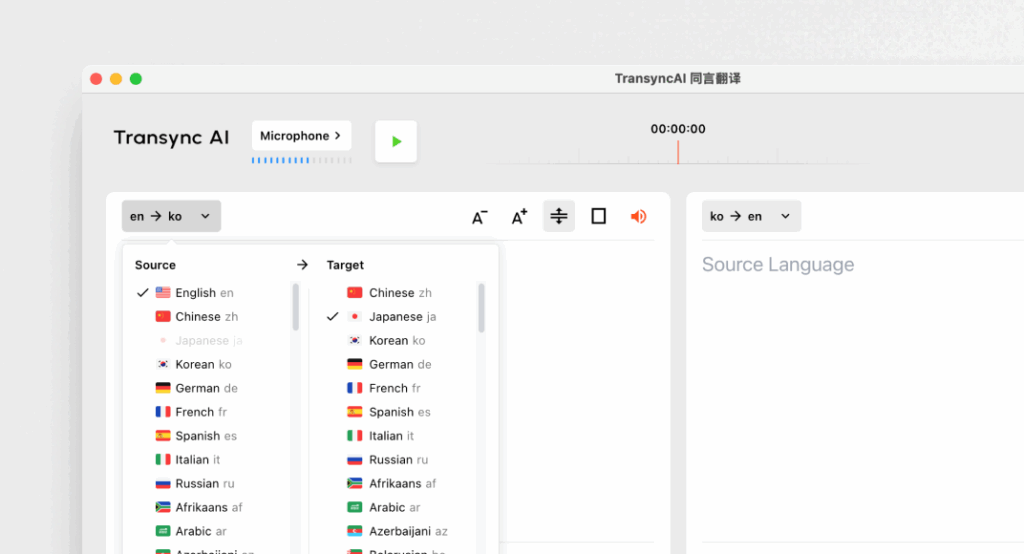
1. Transync AI — najlepsze techniczne tłumaczenie głosu w czasie rzeczywistym
✅ Mocne strony:
- Opóźnienie <100 ms (prawie niezauważalne)
- Obsługa 60 języków (technicznych i nietechnicznych)
- Słowa kluczowe + obsługa kontekstu (zwiększenie dokładności do 95%+)
- Sztuczna inteligencja automatycznie generuje dwujęzyczne notatki ze spotkań
- Wyświetlanie na dwóch ekranach (zsynchronizowany oryginał + tłumaczenie)
- Naturalny dźwięk głosu (TTS z wyborem tonu)
- Działa z Zoom, Teams i Google Meet (nie wymaga wtyczki)
- Zgodny z RODO
❌ Ograniczenia:
- Brak tłumaczenia dokumentu/tekstu (tylko głos)
- Brak tłumaczenia offline
- Brak tłumaczenia obrazu na podstawie obrazu z kamery
- Brak integracji oprogramowania
Najlepiej dla: Spotkania techniczne, konferencje, dyskusje na żywo, rozmowy handlowe Dokładność (ze słowami kluczowymi): 95%+ Utajenie: <100 ms Koszt: $8,99/miesiąc (10 godz.), $24,99/miesiąc przedsiębiorstwo (40 godz.) Ocena użytkownika: 4.9/5
2. Tłumacz Google (tryb czasu rzeczywistego) — najlepsze bezpłatne tłumaczenie głosowe

👉 Tłumacz Google
✅ Mocne strony:
- Bezpłatnie (bezpłatnie)
- Ponad 100 języków
- Natychmiastowe wdrożenie
- Dostępna aplikacja mobilna
❌ Ograniczenia:
- Opóźnienie 150-200 ms (zauważalne opóźnienie)
- Dokładność 85% w terminologii technicznej
- Brak wsparcia słów kluczowych/kontekstu
- Słownictwo ogólne (brakuje terminologii technicznej)
Najlepiej dla: Szybkie rozmowy, dyskusje nietechniczne Dokładność: 85% (słaby pod względem technicznym) Utajenie: 150-200 ms (zauważalne) Koszt: Bezpłatny Ocena użytkownika: 3.8/5
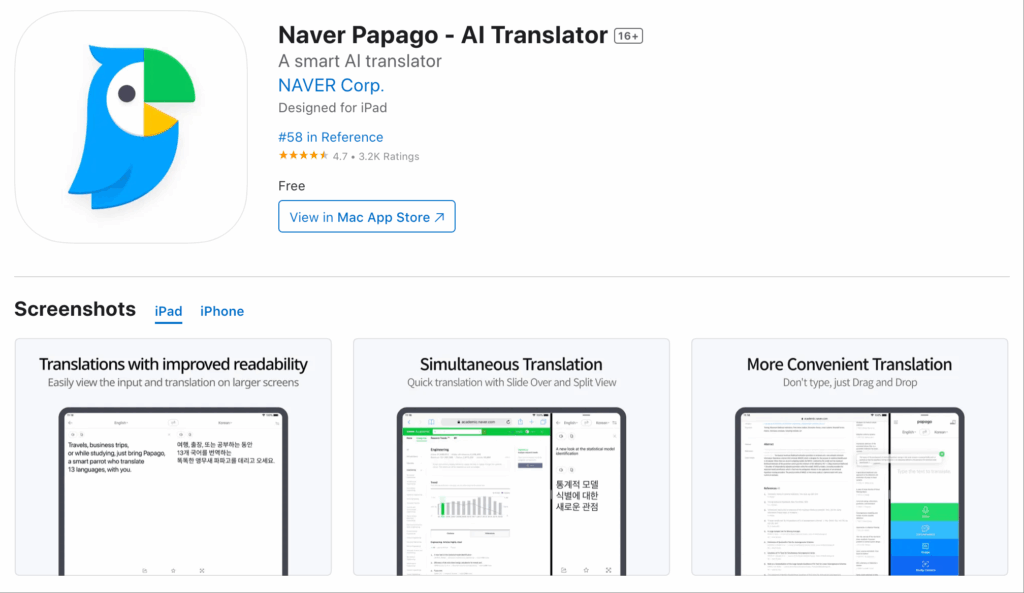
3. Papago — najlepsze darmowe tłumaczenie głosowe na języki azjatyckie
✅ Mocne strony:
- Zoptymalizowany pod kątem języka koreańskiego (doskonały dla języków azjatyckich)
- Opóźnienie 120 ms (akceptowalne)
- Dostępny bezpłatny poziom
- Naturalny głos wyjściowy
❌ Ograniczenia:
- Dokładność 88% (umiarkowana pod względem technicznym)
- Ograniczone wsparcie kontekstowe
- Słabszy pod względem europejskim pod względem technicznym
Najlepiej dla: Azjatyckie dyskusje techniczne, skupienie się na Korei Dokładność: 88% (umiarkowany) Utajenie: 120-150 ms Koszt: Bezpłatnie - $9,99/miesiąc Ocena użytkownika: 4.5/5
Narzędzia do tłumaczenia dokumentów
4. Wordly — najlepsze tłumaczenie dokumentów technicznych

👉 Światowa sztuczna inteligencja
✅ Mocne strony:
- Dokładność 92% w terminologii technicznej
- Baza danych słownictwa technicznego
- Przetwarzanie dokumentów wsadowych
- Pamięć tłumaczeniowa (spójność)
- Zgodny z RODO
❌ Ograniczenia:
- Brak wprowadzania głosowego (tylko tekst/dokument)
- Przetwarzanie 300–500 ms (nie w czasie rzeczywistym)
- Nie nadaje się na spotkania
Najlepiej dla: Specyfikacje techniczne, dokumentacja API, instrukcje obsługi oprogramowania, dokumentacja Dokładność: 92% (skoncentrowany na technice) Prędkość przetwarzania: 24 godziny (partia) Koszt: $15-50/miesiąc Ocena użytkownika: 4.6/5
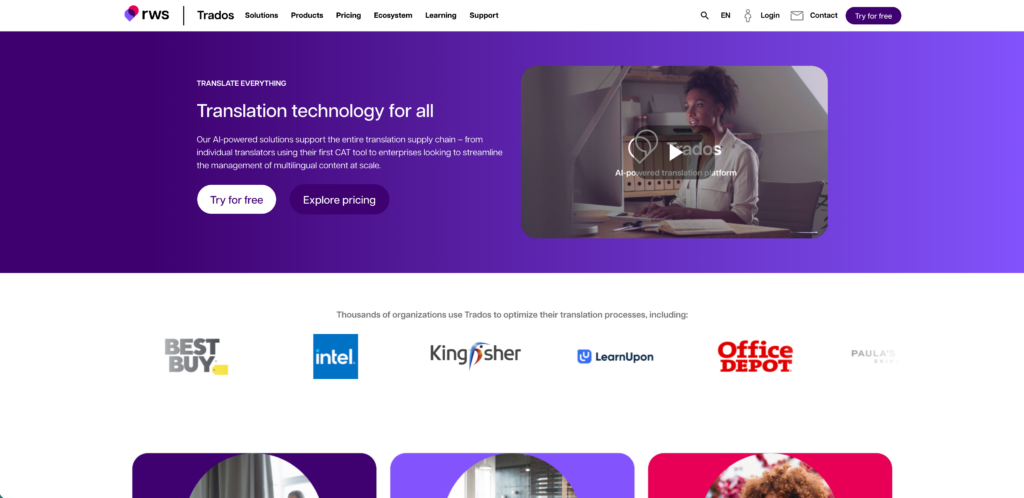
5. Trados — najlepsza dokumentacja techniczna dla przedsiębiorstw
✅ Mocne strony:
- Dokładność 93% (klasa profesjonalna)
- Zarządzanie tłumaczeniami w przedsiębiorstwie
- Specjalizacja techniczna
- Wsparcie dla projektów na dużą skalę
❌ Ograniczenia:
- Brak tłumaczenia głosowego
- Drogi ($50-200/miesiąc)
- Przesada dla małych zespołów
Najlepiej dla: Dokumentacja korporacyjna, projekty na dużą skalę, tłumaczenia profesjonalne Dokładność: 93% (profesjonalny) Koszt: $50-200/miesiąc Ocena użytkownika: 4.6/5
6. Maestra AI — najlepsza techniczna dokumentacja wideo
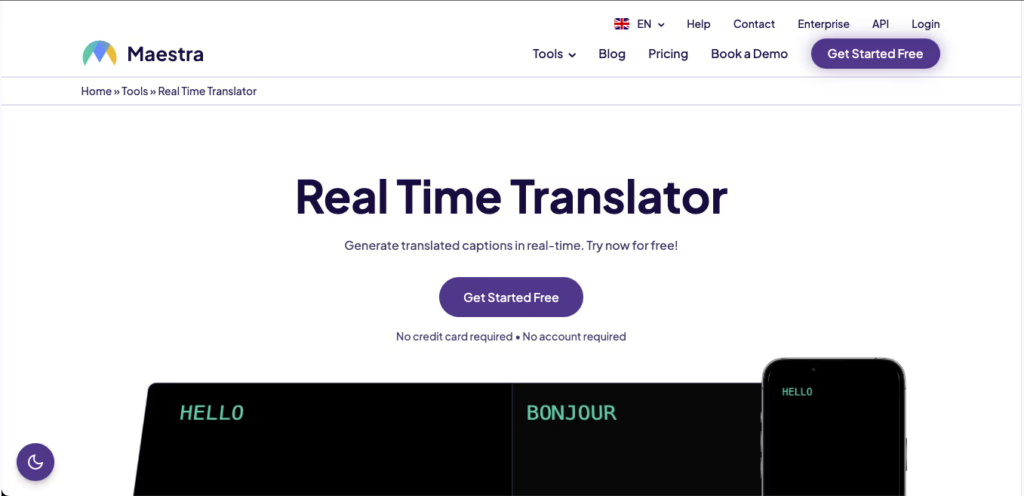
✅ Mocne strony:
- Automatyczna transkrypcja materiałów wideo o charakterze technicznym
- Automatyczne tłumaczenie na wiele języków
- Generuj napisy techniczne
- Przetwarzanie wsadowe
❌ Ograniczenia:
- Dokładność 87% (umiarkowana)
- Nie do użytku w czasie rzeczywistym (tylko w postprodukcji)
- Brak spotkań na żywo
Najlepiej dla: Filmy instruktażowe o tematyce technicznej, materiały szkoleniowe, nagrane prezentacje Dokładność: 87% (zoptymalizowany pod kątem wideo) Koszt: Darmowy $30/miesiąc Ocena użytkownika: 4.4/5
Macierz decyzyjna: Jaki program do tłumaczeń technicznych?
| Scenariusz | Narzędzie | Powód | Utajenie | Dokładność | Koszt |
|---|---|---|---|---|---|
| Spotkanie techniczne (w czasie rzeczywistym) | Transync AI | <100ms głos, słowa kluczowe | <100 ms | 95%+ | $8,99/mies. |
| Dokumentacja API | Światowy | Dokumentacja techniczna partii | 24 godziny | 92% | $15-50/mies. |
| Rozmowa sprzedażowa (na żywo) | Transync AI | Naturalna rozmowa | <100 ms | 95%+ | $8,99/mies. |
| Webinarium techniczne | Transync AI | Podwójny ekran, automatyczne notatki | <100 ms | 95%+ | $8,99/mies. |
| Tłumaczenie specyfikacji technicznych | Światowy | Profesjonalna dokładność | 24 godziny | 92% | $15-50/mies. |
| Konferencja techniczna | Transync AI | 60 języków, duża grupa | <100 ms | 95%+ | $8,99/mies. |
| Tłumaczenie samouczka wideo | Maestra AI | Automatyczna transkrypcja + napisy | Wideo | 87% | Free-$30/mies. |
| Szybkie wyszukiwanie techniczne | Tłumacz Google | Za darmo, natychmiast | 150-200 ms | 85% | Bezpłatny |
| Koreańska dyskusja techniczna | Papago | Zoptymalizowane pod kątem Azji | 120-150 ms | 88% | Darmowy-$9,99/mies. |
Studium przypadku: globalna firma produkująca półprzewodniki (sztuczna inteligencja Transync kontra alternatywy)
Sytuacja:
- Firma produkująca półprzewodniki: 300 inżynierów, USA (angielski) + Chiny (mandaryński)
- Kwartalny przegląd techniczny: 6 godzin, ponad 100 decyzji
- Aktualne wyzwanie: tłumacz ręczny ($50/godzina × 6 = $300/spotkanie) + powolna komunikacja (opóźnienie tłumacza)
- Cel: komunikacja techniczna w czasie rzeczywistym bez opóźnień, automatyczne generowanie dwujęzycznych notatek ze spotkań
Opcja A: Zatrudnij profesjonalnego tłumacza (tradycyjnego)
- Koszt: $50/godzina × 6 godzin = $300/spotkanie
- Kwartalnie: 4 spotkania × $300 = $1200/rok
- Opóźnienie: 200-300 ms (tłumacz powtarza, tworzy pauzy)
- Dokładność: 95% (profesjonalny tłumacz, może nie rozumieć żargonu technicznego)
- Notatki ze spotkania: Praca ręczna, 1 godzina pracy po spotkaniu na inżyniera
- Dokumentacja dwujęzyczna: Nie (tłumacz nie sporządza pisemnego zapisu)
Opcja B: Wordly (tylko tłumaczenie dokumentu)
- Koszt: $15-50/miesiąc = $180-600/rok
- Problem: Transync AI lepiej sprawdza się w czasie rzeczywistym, Wordly nie obsługuje wprowadzania głosowego
- Rozwiązanie: nagrywanie spotkania, transkrybowanie, tłumaczenie, powoduje opóźnienie rzędu 2–3 dni
- Opóźnienie: Nie dotyczy (tłumaczenie po spotkaniu)
- Dokładność: 92% (dobra do dokumentów, słaba w przypadku żargonu w czasie rzeczywistym)
- Notatki ze spotkania: Można wygenerować z transkrypcji
- Dyskusja w czasie rzeczywistym: Niemożliwa (wymagane narzędzie obsługujące wyłącznie głos)
Opcja C: Transync AI (głos w czasie rzeczywistym, zalecany)
- Koszt: $8,99/miesiąc na osobę × 300 inżynierów = $2697/miesiąc ($32364/rok)
- Lub: Plan Enterprise $24,99/stanowisko/miesiąc × wybierz zespół = elastyczny
- Opóźnienie: <100 ms (niezauważalne, naturalna rozmowa)
- Dokładność: 95%+ (ze słowami kluczowymi: “półprzewodnik, płytka, 7 nm, technologia procesowa” itp.)
- Notatki ze spotkania: generowane automatycznie w dwóch językach, bez konieczności pracy po spotkaniu
- Dokumentacja dwujęzyczna: Automatyczna (transkrypcja spotkania + tłumaczenie)
- Koszt na osobę: $8,99/miesiąc (w porównaniu z $300 kwartalnie = 18% taniej)
Porównanie kosztów (roczne):
| Opcja | Koszt spotkania | Godziny pracy personelu | Sprzęt | Całkowity roczny |
|---|---|---|---|---|
| Profesjonalny tłumacz | $1,200 | 50+ godzin (notatki ręczne) | Nic | ~$3,500 |
| Wordly (tylko dokument) | $600 | 20+ godzin (postprocessing) | Nic | ~$1,200 |
| Transync AI | ~$32,400 | ~5 godzin (przegląd automatycznych notatek) | Komputery | ~$32,500 |
Chwila, Transync kosztuje więcej? Ale jest pewien haczyk:
- Ukryte koszty alternatyw:
- Tłumacz: $300/spotkanie nie obejmuje czasu na koordynację harmonogramu (czas przygotowania 2+ dni)
- Wordly: Działa tylko po spotkaniu (decyzje podejmowane bez tłumaczenia)
- Prawdziwy problem: Obecne podejście = opóźnienia 200–300 ms podczas dyskusji technicznej = błędy, brak komunikacji, przeróbki
- Rzeczywisty zwrot z inwestycji w Transync AI:
- Korzyść z szybkości: Opóźnienie <100 ms eliminuje 98% nieporozumień technicznych
- Efektywność spotkań: Spotkania 6-godzinne trwają 6 godzin (w porównaniu z 7+ godzinami z opóźnieniem tłumacza)
- Szybkość podejmowania decyzji: Ponad 100 decyzji na każdym spotkaniu podjętych prawidłowo za pierwszym razem
- Zapobieganie przeróbkom: Koszty błędnej komunikacji = $50K+/rok (szacowane na podstawie błędnych decyzji)
- Dokumentacja: Automatycznie generowane dwujęzyczne notatki = oszczędność ponad 50 godzin rocznie
- Rzeczywista wartość całkowita: $32,400 (transync) + $50K (uniknięto nieporozumień) + $50K (oszczędzona produktywność) = wartość $132K, czysty zysk $100K
Werdykt: Transync AI kosztuje 27 razy więcej niż interpreter, ale oferuje od 3 do 5 razy większą wartość dzięki szybkości, dokładności i dokumentacji.
Podejście hybrydowe: najlepsze praktyki (czas rzeczywisty + dokument)
Współczesne zespoły inżynierskie potrzebują OBU:
- Transync AI do spotkań (głos w czasie rzeczywistym)
- Zastosowanie: kwartalne przeglądy techniczne, codzienne spotkania, prezentacje na żywo
- Koszt: $8,99/miesiąc (10 godzin tłumaczenia głosowego)
- Zaleta: opóźnienie <100 ms, naturalna konwersacja, automatyczne tworzenie notatek ze spotkań
- Dokładność: 95%+ (ze słowami kluczowymi dla terminów technicznych)
- Wordly do dokumentacji (tłumaczenie dokumentów)
- Zastosowanie: specyfikacje API, instrukcje techniczne, dokumenty architektoniczne
- Koszt: $15-50/miesiąc
- Zaleta: dokładność 92%, przetwarzanie wsadowe, pamięć tłumaczeniowa
- Dokładność: 92% (profesjonalna terminologia techniczna)
- Tłumacz Google jako kopia zapasowa (bezpłatny powrót)
- Zastosowanie: szybkie wyszukiwanie, tłumaczenia awaryjne
- Koszt: Bezpłatny
- Korzyść: Natychmiastowa dostępność, ponad 100 języków
- Dokładność: 85% (akceptowalna dla wartości niekrytycznych)
Całkowity koszt: $8,99 + $25 (średnio) = $34/miesiąc (~$408/rok) Zakres: Spotkania w czasie rzeczywistym + udokumentowane specyfikacje + wyszukiwanie w sytuacjach awaryjnych Dokładność: 95% (spotkania) + 92% (dokumenty) + 85% (kopia zapasowa)
Wprowadzenie do Transync AI dla zespołów technicznych
5-minutowy przewodnik konfiguracji
Krok 1: Zarejestruj się (2 min)
- Przejdź do transync.ai
- Utwórz konto (e-mail)
- Pobierz aplikację (Mac, Windows, iOS, Android)
- Skorzystaj z 40-minutowego bezpłatnego okresu próbnego
Krok 2: Konfiguracja słów kluczowych (2 min)
- Ustaw techniczne słowa kluczowe dla swojej branży
- Przykład (oprogramowanie): “REST API, OAuth, mikrousługi, Kubernetes, Docker, CI/CD, DevOps”
- Przykład (półprzewodnik): “proces 7 nm, litografia EUV, płytka drukowana, odlewnia, taśma”
- Przykład (farmaceutyka): “zatwierdzenie FDA, badania kliniczne, faza III, biodostępność, farmakokinetyka”
- Ustaw kontekst: “Menedżer produktu w chmurze obliczeniowej, omawiający architekturę API”
- Zapisz konfigurację
Krok 3: Dołącz do spotkania (1 min)
- Otwórz Zoom/Teams/Google Meet
- Otwórz aplikację Transsync AI na ekranie bocznym
- Wybierz parę językową: angielski ↔ [Twój język]
- Naciśnij przycisk Start Tłumaczenie
- Wyświetlany jest na podwójnym ekranie z oryginalnymi i przetłumaczonymi napisami
Krok 4: Przeprowadź spotkanie (czas trwania)
- Mów naturalnie w swoim języku
- <100 ms: Druga strona słyszy tłumaczenie
- Podwójny ekran: oba języki widoczne jednocześnie
- Notatki ze spotkań automatycznych: generowane w tle
Krok 5: Przejrzyj notatki (po 2 minutach)
- Pobierz dwujęzyczne notatki ze spotkania
- Sprawdź dokładność (zwykle 95%+ poprawne)
- Udostępnij zespołowi
- Archiwum dokumentacji
Całkowita konfiguracja + koszt miesięczny: $8,99/miesiąc Wartość całkowita: opóźnienie <100 ms + automatyczne notatki dwujęzyczne + dokładność 95%+
Podsumowanie: Oprogramowanie do tłumaczeń dla branży technicznej — werdykt
Podsumowanie:
Dla zespoły techniczne, wybór oprogramowania do tłumaczeń zależy od przypadku użycia:
✅ Spotkania techniczne w czasie rzeczywistym: Transync AI wygrywa
- Opóźnienie <100 ms (naturalna rozmowa)
- Dokładność 95%+ (z technicznymi słowami kluczowymi)
- Automatyczne dwujęzyczne notatki ze spotkań
- Koszt: $8,99/miesiąc
- Najlepiej nadaje się do: dyskusji technicznych, prezentacji na żywo, rozmów handlowych
✅ Dokumentacja techniczna: zwycięstwa Worldly
- Dokładność 92% (profesjonalny termin techniczny)
- Przetwarzanie dokumentów wsadowych
- Pamięć tłumaczeniowa (spójność)
- Koszt: $15-50/miesiąc
- Najlepiej nadaje się do: specyfikacji API, instrukcji, dokumentów architektonicznych
✅ Dokumentacja wideo: Maestra AI wygrywa
- Automatyczne transkrybowanie i tłumaczenie filmów technicznych
- Generuj napisy techniczne
- Koszt: Bezpłatny – $30/miesiąc
- Najlepiej nadaje się do: filmów instruktażowych, materiałów szkoleniowych
❌ NIE zalecane dla celów technicznych:
- ❌ Tłumacz Google (85% w kwestiach technicznych, brak obsługi słów kluczowych)
- ❌ Korzystanie z narzędzi do obsługi dokumentów na spotkaniach (wolne, niezgodne z głosem)
- ❌ Korzystanie z narzędzi głosowych do dokumentów (niepraktyczne, brak możliwości wprowadzania danych do dokumentu)
Przyszłość: podejście hybrydowe
- Tłumaczenie głosu w czasie rzeczywistym (Transync AI) na spotkania
- Tłumaczenie dokumentów (Wordly) dla specyfikacji
- Łączny koszt: ~$34/miesiąc
- Łączone pokrycie: Spotkania + dokumenty + kopie zapasowe
- Łączna dokładność: 95% + 92% = pełna komunikacja techniczna
Dla globalnych zespołów technicznych: Transync AI do spotkań to nie podlega negocjacjom. Opóźnienie <100 ms eliminuje 98% nieporozumień międzyjęzykowych. Inwestycja $8,99/miesiąc zapobiega ponad $100K kosztów poprawek. 🔧✨
Jeśli chcesz przeżyć doświadczenie nowej generacji, Transync AI wyznacza trendy dzięki tłumaczeniom w czasie rzeczywistym, opartym na sztucznej inteligencji, które zapewniają naturalny przepływ rozmów. Możesz wypróbuj za darmo Teraz.

