

Kterou překladatelskou aplikaci mohu ihned použít pro Google Meet?
The Importance of Translation Apps in Virtual Meetings
In an increasingly globalized workplace, video conferencing tools like Google Meet have become essential for effective communication. However, when teams operate across different languages, misunderstandings can arise. Fortunately, translation apps are here to bridge that gap, enabling seamless interactions regardless of participants’ native languages.
Choosing an effective translation app that integrates well with Google Meet is crucial to enhance collaboration and ensure everyone is on the same page. This article highlights the best translation apps you can implement immediately in your next Google Meet session.
Challenges of Multilingual Meetings
When engaging in multilingual meetings, several challenges can hinder effective communication:
- Language Barriers: Misunderstandings may arise from differences in languages.
- Real-Time Necessity: Participants expect immediate responses, which can be difficult without proper translation tools.
- Technical Terminology: Specialized industry jargon may be misinterpreted, leading to confusion and errors.
Top Translation Apps for Google Meet
Here are five translation apps that can be used immediately without extensive setup or training:
1. Transync AI – Real-Time Translation Power
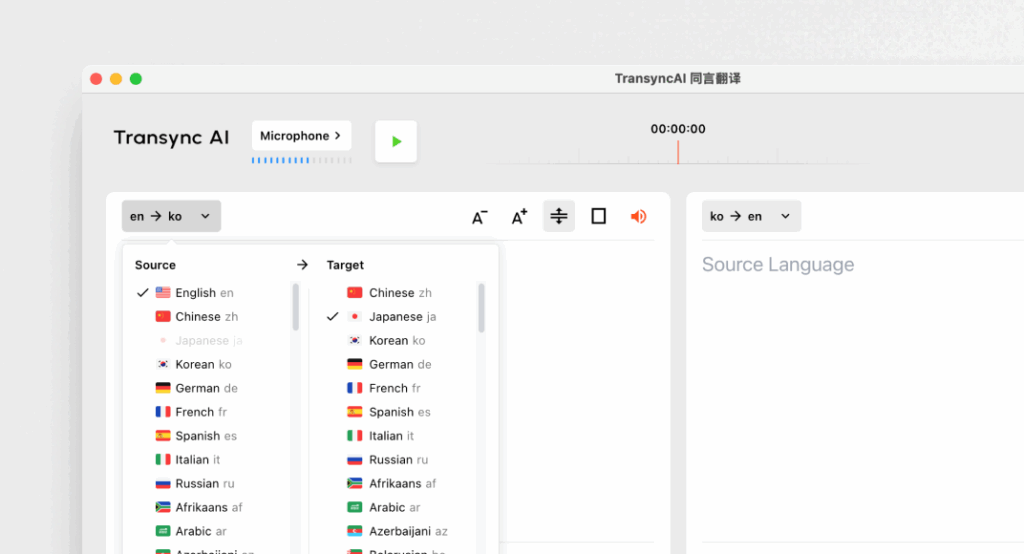
Co to je:
Transync AI is an advanced translation application designed specifically for real-time communication, offering fast and accurate translations during meetings.
Klíčové vlastnosti:
- Přesnost 95%+: High translation accuracy specifically tailored to business contexts.
- Latence <100 ms: Immediate response time for smooth conversations.
- Automatická detekce jazyka: No setup required; the app detects the speaker’s language.
- Poznámky z dvojjazyčné schůze: Automatic generation of notes in both languages.
- Integrace: Works seamlessly with Google Meet.
Nejlepší pro: Companies needing instant and accurate translations during meetings.
2. Otter.ai – Meeting Companion

Co to je:
Otter.ai specializes in audio transcription and real-time translation, making it invaluable for meetings.
Klíčové vlastnosti:
- Automatic Transcriptions: Captures conversations live in real-time.
- Přesnost 92%: Spolehlivý pro konverzace během schůzek.
- Integration Capabilities: Can be used with Google Meet for seamless operation.
- Speaker Identification: Recognizes speakers, enhancing note-taking.
Nejlepší pro: Teams looking for transcription services alongside translation support.
3. Wordly – Consistent and Customizable

Co to je:
Wordly allows businesses to customize translation options based on specific terminology and contexts.
Klíčové vlastnosti:
- Přesnost 94%: Reliable for technical and business-related discussions.
- Custom Glossaries: Businesses can input field-specific terminologies.
- Okamžitý překlad: Quickly translates documents and conversations.
- Integrace: Works well with various virtual meeting platforms including Google Meet.
Nejlepší pro: Teams that require consistent language across technical discussions.
4. Papago – Quick and Versatile
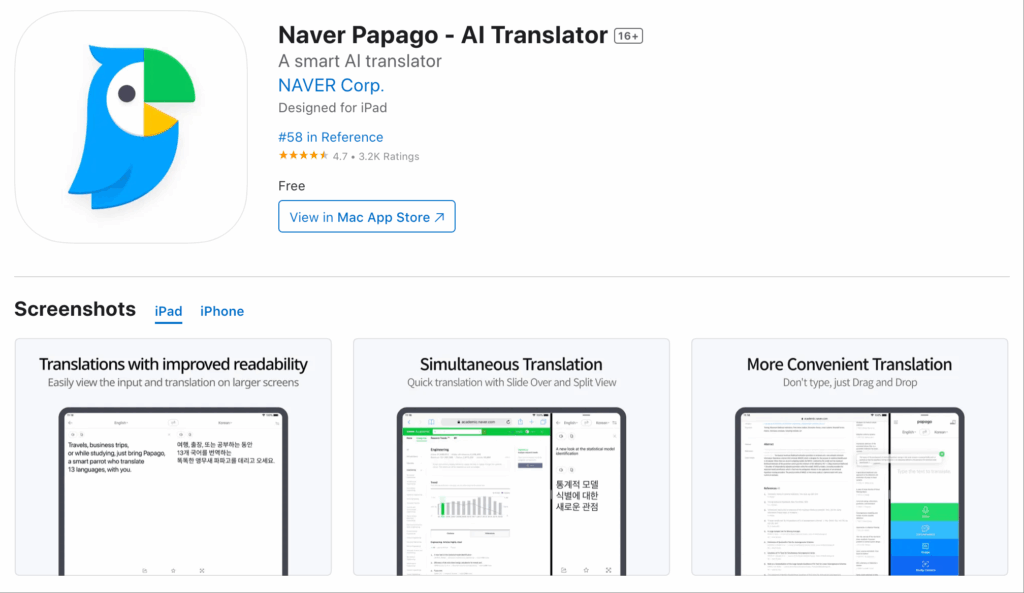
Co to je:
Papago offers a simple and straightforward translation service for a variety of Southeast Asian languages.
Klíčové vlastnosti:
- Přesnost 92%: Adequate for casual and semi-technical conversations.
- Funkce fotoaparátu: Translate written language using the app’s camera feature.
- Volný přístup: Completely free with no timescale limitations.
- Web and Mobile Use: Accessible for users on different devices.
Nejlepší pro: Quick translations in casual or semi-formal settings.
5. Google Translate – Familiar and Accessible
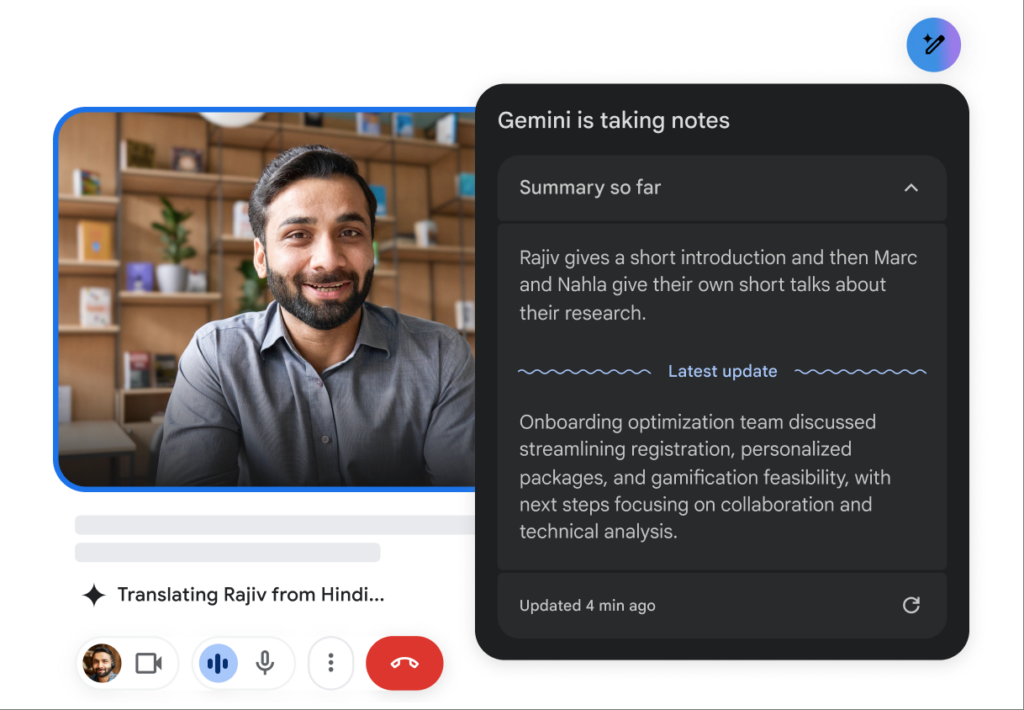
Co to je:
Google Translate is a well-known translation tool that offers numerous language options.
Klíčové vlastnosti:
- 83% Accuracy: Basic translation capabilities that work for simple texts.
- Multiple Language Support: Offers translations for 100+ languages.
- Free and Easily Accessible: Available on web and mobile.
- Integrace: Can work as a supplemental tool alongside Google Meet.
Nejlepší pro: Simple informal communication without the need for extensive features.
Comparison Table: Best Translation Apps for Google Meet
| Překladatelská aplikace | Přesnost | Latence | Uživatelsky přívětivý | Integrace | Nejlepší pro | Bezplatný plán |
|---|---|---|---|---|---|---|
| Transync AI | 95%+ | <100 ms | Velmi snadné | Google Meet | Vícejazyčné schůzky v reálném čase | 40 minut |
| Vydra.ai | 92% | V reálném čase | Velmi přímočaré | Google Meet | Automatic transcription and translation | $15-30/měsíc |
| Slovní | 94% | Okamžitý | Uživatelsky přívětivý | Google Meet | Konzistentní technické překlady | Zkušební verze k dispozici |
| Papago | 92% | 250–350 ms | Jednoduché a intuitivní | Web a mobilní zařízení | Rychlý překlad pro běžné použití | Zcela zdarma |
| Překladač Google | 83% | 300 ms+ | Základní a široce používané | Web a mobilní zařízení | Obecné překlady bez specializace | Uvolnit |
Q&A Section: Common Questions About Translation Apps for Google Meet
Q1: What features should I prioritize when choosing a translation app for Google Meet?
A: Look for features such as accuracy, low latency, integration capabilities with Google Meet, ease of use, and automatic language detection. These will ensure efficient communication during meetings.
Q2: Do these translation apps require installation or extensive setup?
A: Most of the apps listed in this article can be easily accessed and set up without extensive training or complicated processes. Apps like Transync AI and Papago offer rapid deployment.
Q3: How do the accuracy rates of these apps compare to human translators?
A: While human translators typically achieve 99%+ accuracy, the translation apps mentioned here range between 83%-95% accuracy, making them suitable for most business cases but not a complete substitute for human oversight in sensitive documents.
Q4: Are there costs associated with using these translation apps?
A: Certain apps, like Otter.ai and Wordly, have subscription models, while others offer free plans or trials. For example, Transync AI provides 40 minutes of free translation to get started.
Q5: How do I integrate a translation app into my Google Meet?
A: Integration typically involves selecting the app within Google Meet or a simple installation process that connects the app. Most tools facilitate easy linking to streamline usage during meetings.
By leveraging these insights, you can enhance your Google Meet experiences and ensure clear communication across language barriers using the most reliable translation apps available!
Pokud chcete zážitek nové generace, Transync AI Jste průkopníkem v oblasti překladů v reálném čase s využitím umělé inteligence, které zajišťují přirozený tok konverzací. Můžete vyzkoušejte to zdarma teď.

